ENGLISH
46 / 57
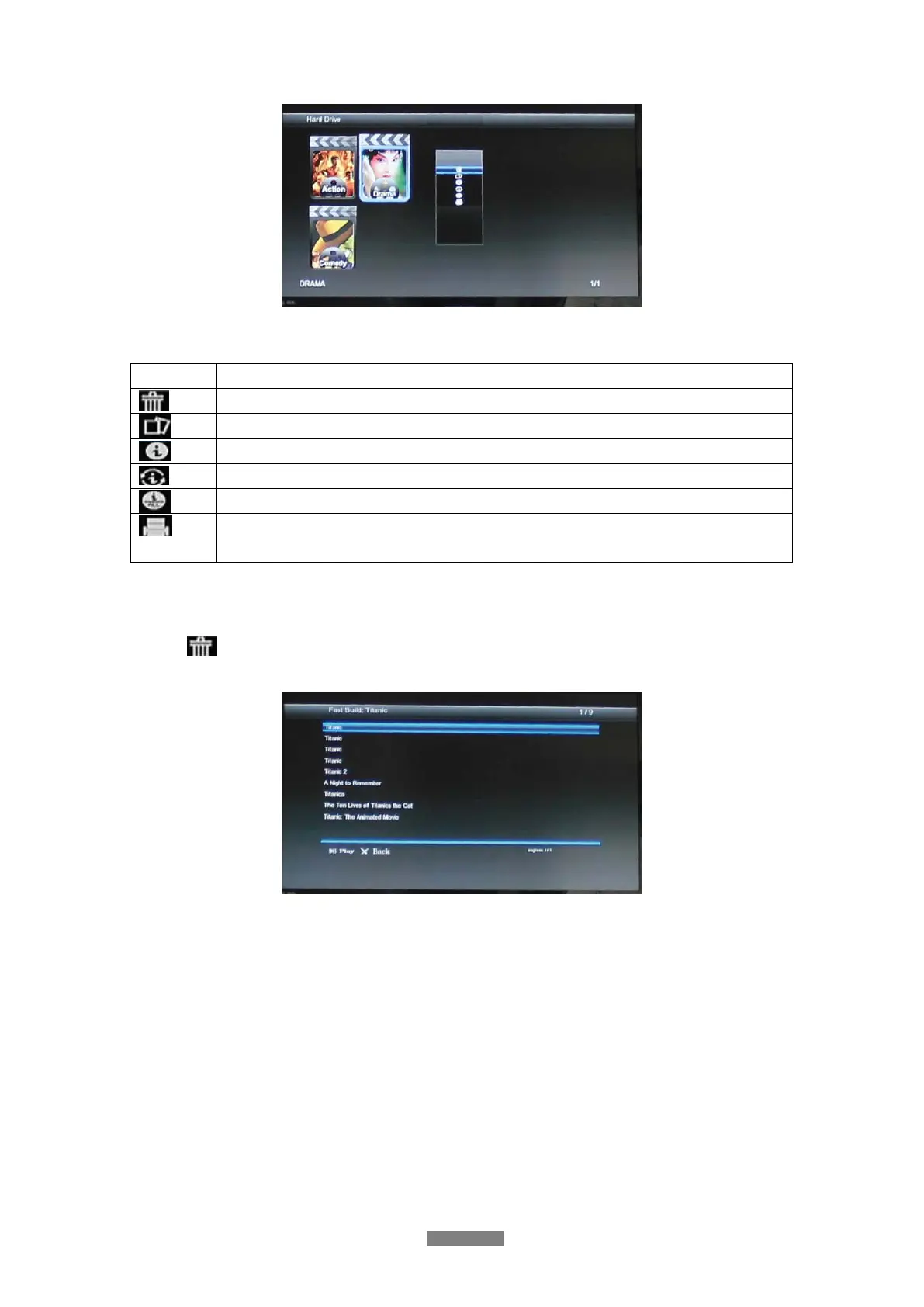
Following functions are available by pressing MENU button.
Icon Function
Remove the movie from jukebox or remove movie information from single movies.
Classify the movie into different genres.
Build the movie poster of the movie from internet.
Re-build the movie poster.
Build the movie poster for all movies in jukebox.
Choose the movie database where you can get the information of your movie.
Currently available: “themoviedb.org“.
During the update of movie information you’ll be ask to select a movie out of the recommended
list. If your selection will be prove as wrong, your are able to delete this information by the use
of the (
) and rebuild it again.
Note:
If the movie cannot be found at the movie database, please try to rename the movie inside of
your genres-folder.
(e.g. “Titanic - 1997” into “Titanic”)
After the update has finished, all movie information are listed at the genre-folder.



 To Next Page