ENGLISH
45 / 57
5. Movie JukeBox
The movie jukebox allows you to manage movies with much additional information. Here you
can classify your movies into different genres to get cover art, overview from internet and add
the movie poster to your movies.
Important:
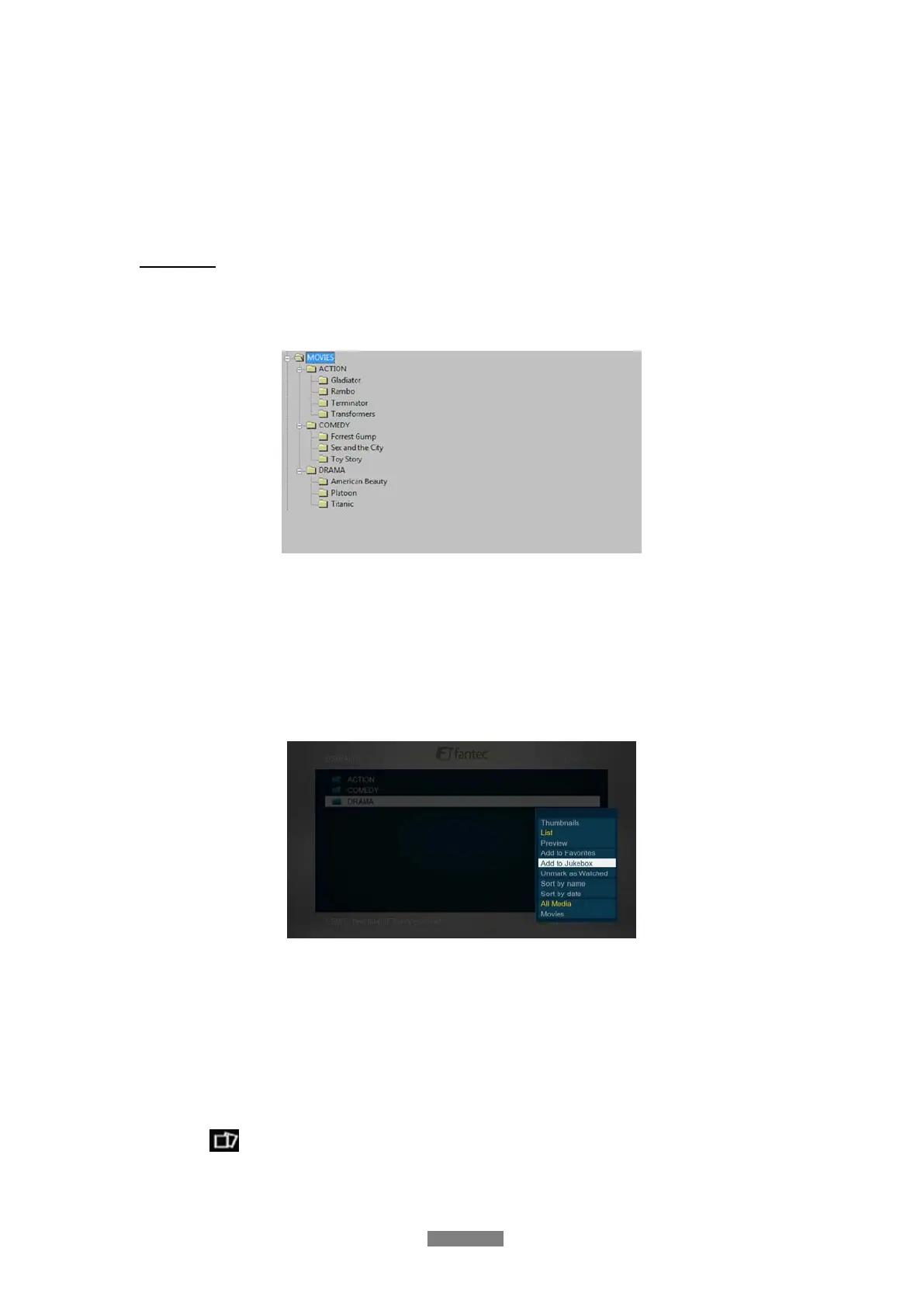
To handle the database properly please create a folder for each genre and copy all movies into
the related genre-folders.
(e.g. DRAMA\Titanic\titanic.avi)
Following genres are available: Action, Adult, Adventure, Animation, Biography, Comedy,
Concerts, Crime, Disaster, Documentary, Drama, Family
Now you can add all your genre-folder tot he jukebox.
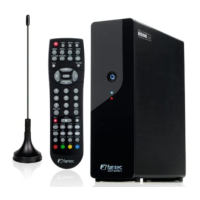
Please enter File Manager Select the genre-folder Press the MENU button Choose the
option Add to Jukebox.
(e.g. ACTION, COMEDY, DRAMA)
Note:
Subfolders inside of movie folders are currently not supported.
(e.g. DRAMA\Titanic\Video_TS)
In this case, please copy all “VIDEO_TS.IFO”, “VIDEO_TS.VOB”, etc. files directly into the
“Titanic” folder.
Having all these preparation done, please go into the main menu and then enter Premium
Apps
Jukebox and then press the MENU button in order to classify all genre-folder by
using the
icon.



 To Next Page