12
be assigned automatically).
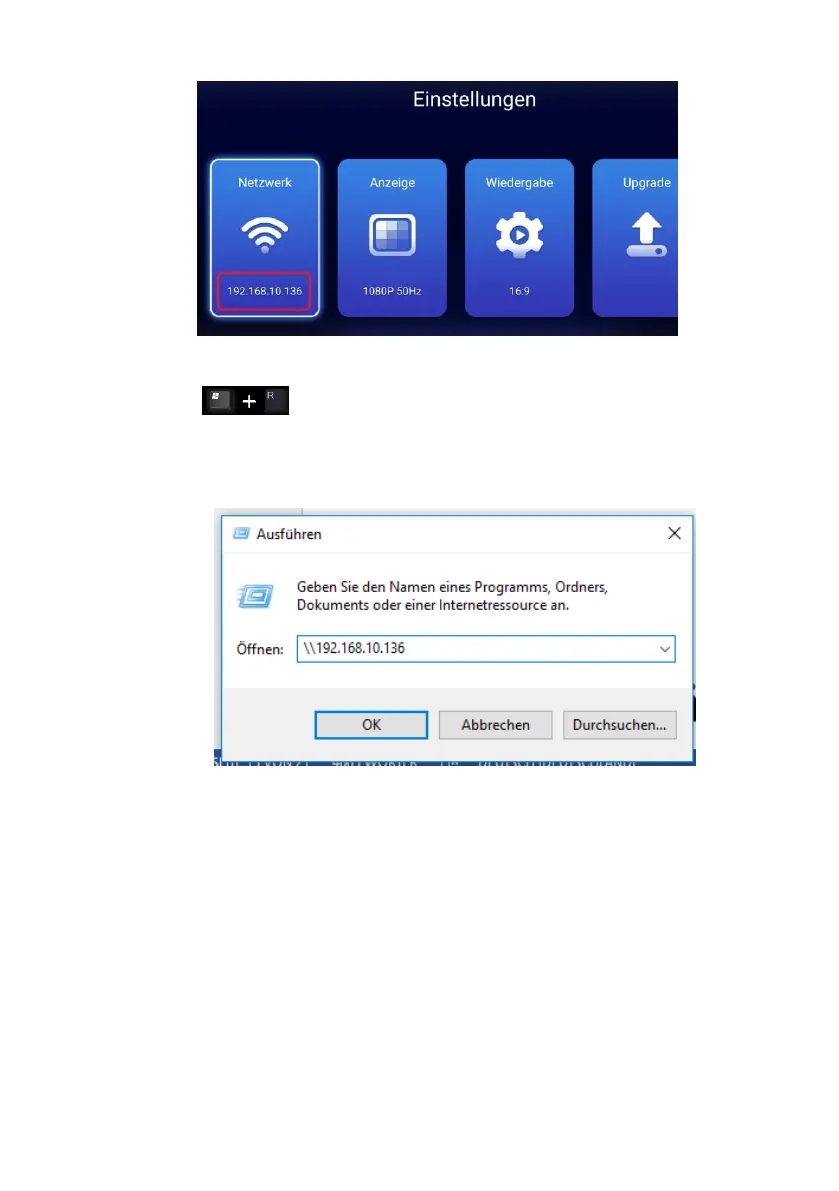
3. To access the media player from the PC, press the key combination
„Win+R“ on the keyboard and enter in the field the IP address
according to the following scheme \\ 192.168.10.136 and confirm the entry with
the Enter key. Now you can access the media player via SAMBA (SMB) sharing
and exchange data between PC and media player.
Hinweis: Üblicherweise sind angeschlossenen Datenträger unter folgenden Namen zu
erreichen:
Interner Speicher des Media Players: share\sdcard
SD Karte: share\media_rw\mmcblk1p1
USB Stick / USB Festplatte: share\media_rw\sda1 oder sdb1



 To Next Page