06
Ed. 1 - 03/2019Ed. 1 - 03/2019
0-19 %
20-39 %
40-59 %
60-79 %
80-99 %
100 %
100-80 %
79-60 %
59-40 %
39-20 %
19-10 %
9-0 %
Fig. A
Fig. B
o
min.
MAX
T4
T5
T4
T5
ENGLISH
EN_29
Using power assisted pedalling
6.c - Display icons description
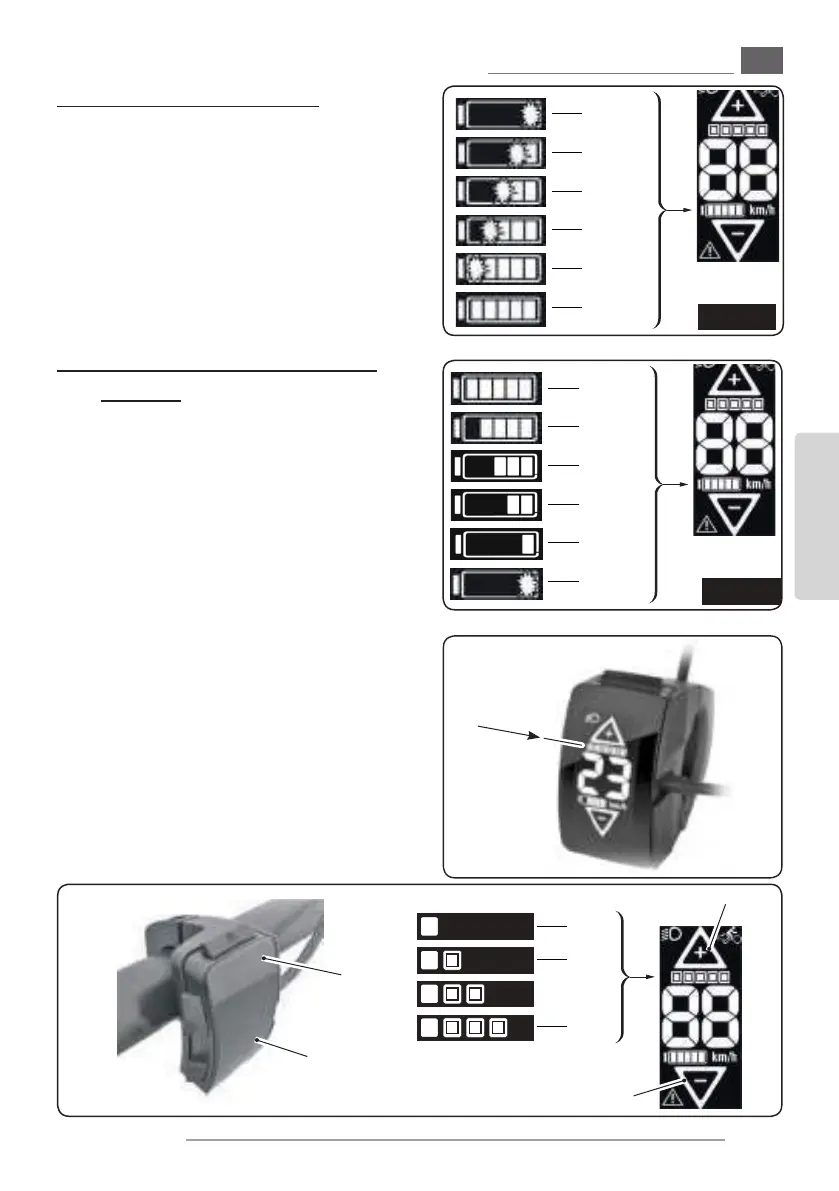
- During battery charging (if switched on) the
display shows the charge status, according to
the layout represented in gure “A“.
- During use of the bicycle, with the pedalling
assistance system on, the display shows the re-
sidual charging status of the battery according
to the layout represented in gure “B“.
6.d - Pedalling assistance activation
and level
- The assisted pedalling power level depends on
a number of factors.
The table on the right provides an indication of
the maximum assistance level depending on
the selected function.
- The values may be aected by various factors,
such as:
- selected gear ratio
- riding style
- tyre type and pressure
- rider’s age
- type of terrain
- total weight of the bicycle
- condition of the battery pack
- etc.
- To activate the assisted pedalling:
- Turn the assisted pedalling system on, keep-
ing the button on the battery pack pressed
for three seconds (see paragraph “1b”).



 To Next Page