2
1
1
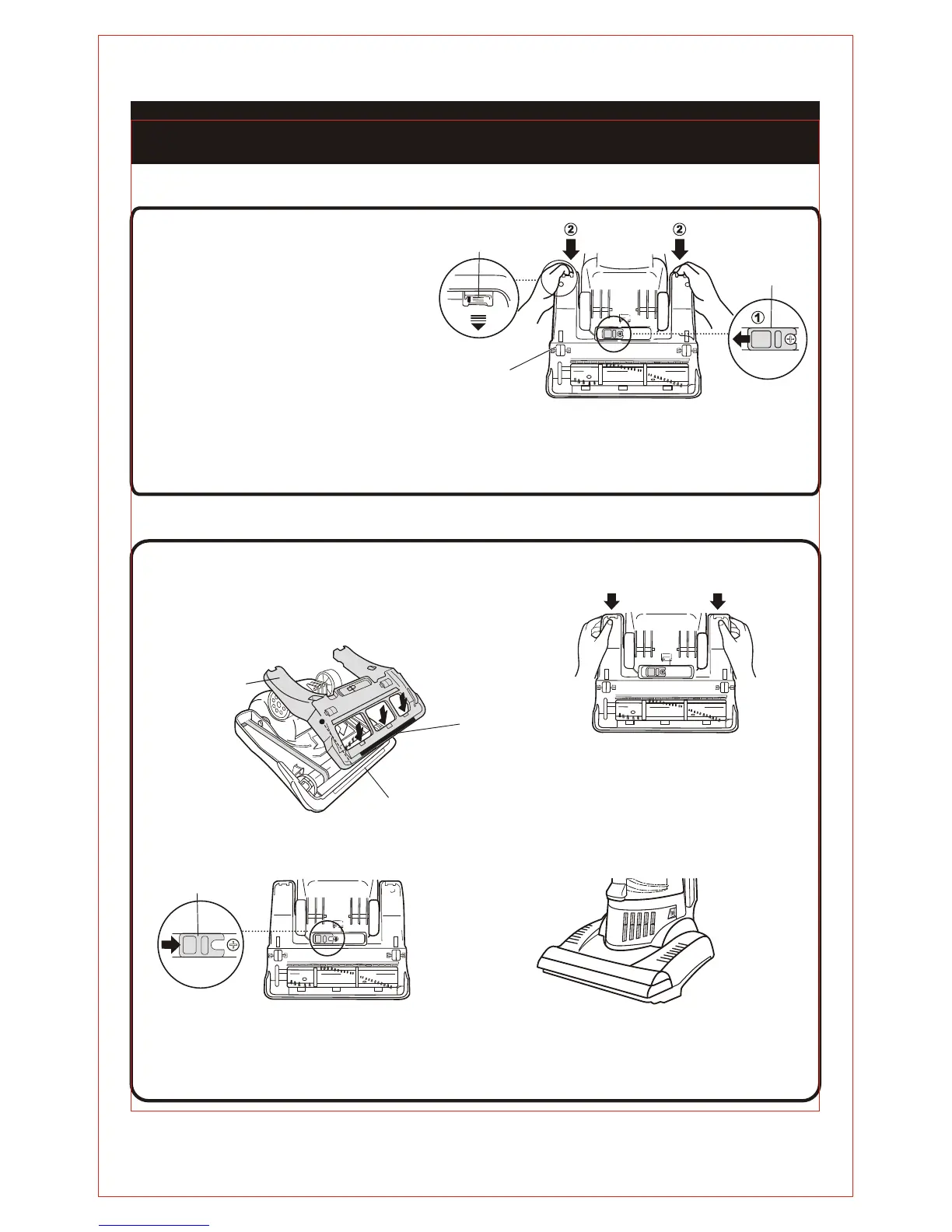
Bottom Plate
REPLACEMENT INSTRUCTIONS
REMOVING THE BOTTOM PLATE
Set the vacuum cleaner to the
parallel position and turn it over.
3
Remove the bottom plate by pulling
the tabs as illustrated.
REATTACHING THE BOTTOM PLATE
Insert the projection on the
bottom place into the groove
on the nozzle head and set
the bottom plate in place.
Push the bottom plate as shown.
4
Turn the vacuum over and place in the
upright position.
Latch
Pull here
Bottom Plate
PULL
3
Latch
Slide the latch in the direction shown.
Press Press
Projection
Groove
2
Slide the latch in the direction
shown.
15



 To Next Page