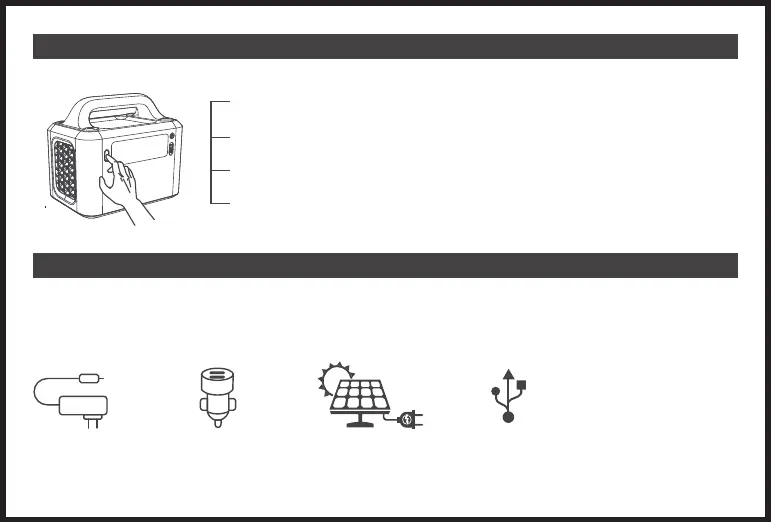
4. LED Flashlight
5. RECHARGING
To use the LED Flashlight, simply press the LED switch button to turn it on. There are 3 light modes including an SOS mode.
Multiple Input choices are compatible for the EVO300 Power Station:
X1 To activate the low-light(50% of maximum brightness), press the LED light button once when the light is
off.
X2 To activate the high-light(max brightness), press the LED light button twice in a row when the light is off.
X3 To activate the SOS light mode, press the LED light button three times in a row when the light is off.
X4 Press the LED light button four times consecutively to finish a cycle and turn off the light again.
AC Adaptor Car Charger Solar Panel USB-C Port (PD60W)
- 05 -


 To Next Page