THE EFFECTS
The effects modify the tone-colour characteristics of the sounds.
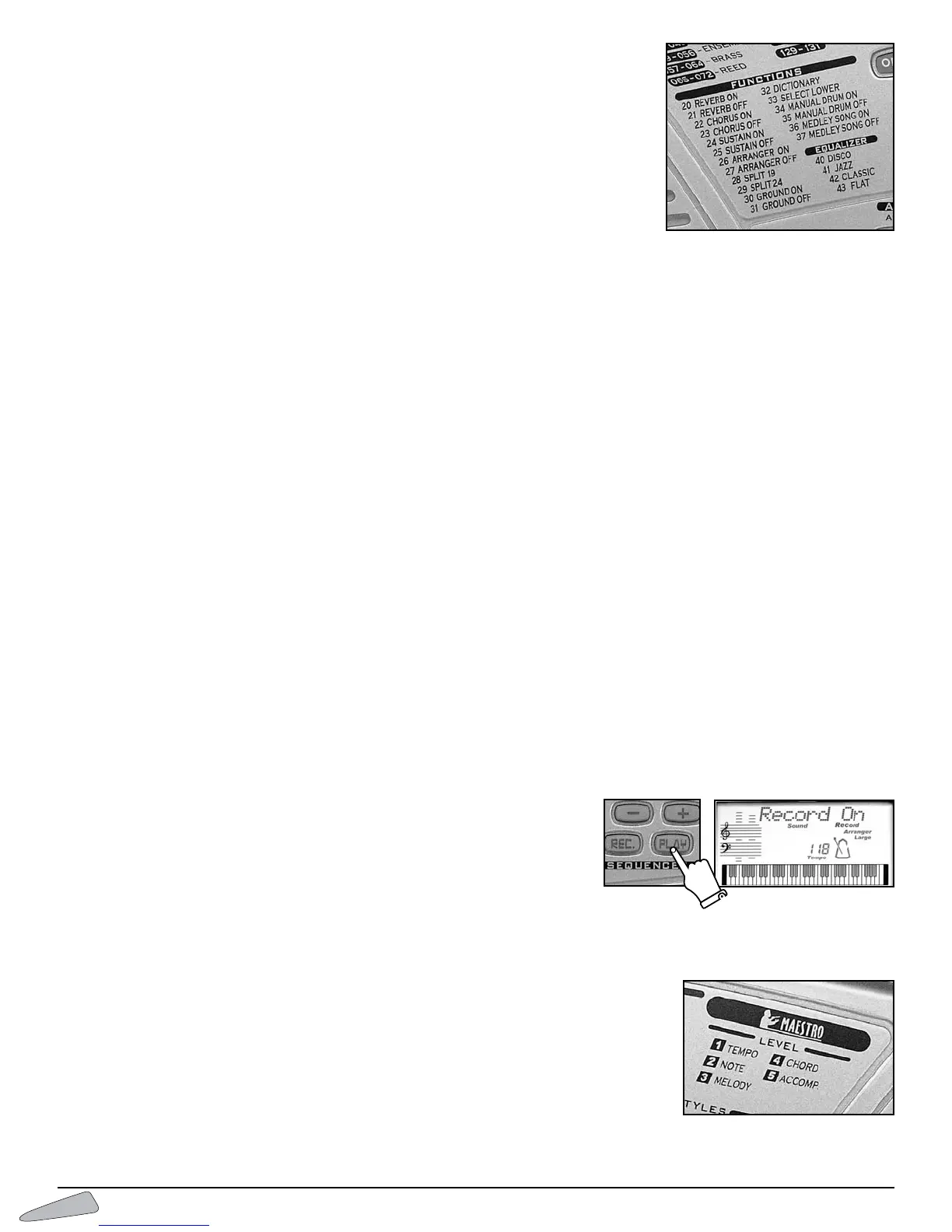
REVERB
This creates an effect as if you were playing music in an large empty room.
To s witch on digit number 20 REVERB ON, and to switch off digit number 21 REVERB
OFF.
CHORUS
This is a tone-colour modulation that produces a typical effect of space between instruments.
To turn this on, digit number 22 CHORUS ON, and to turn off digit 23 CHORUS OFF.
SUSTAIN
This prolongs the sound of a note after the key is released.
To s witch on, digit number 24 SUSTAIN ON, and to switch off number 25 SUSTAIN OFF.
EQUALISER (EQUALIZER)
It allows you to choose among four different equalisations that intensify treble or bass frequencies.
By entering 40,the display shows “Disco”, and bass frequencies are more intense; middle frequencies are more intense with 41
“
Jazz” and 42 “Classic”; 43 “Flat” intensifies treble frequencies.
IMPORTANT:When connecting the keyboard to an external amplification, it is better to choose a middle frequency equalisation and, most impor-
tant, to set the initial volume level at minimum.
SEQUENCER
The sequencer section allows you to record and listen to everything you play.The Sequencer also allows you to check your learning
level; the musician can play the melody, record it while listening to a song and then listen to the result.
It can be enabled by pressing the REC. button.The display shows “
Record On” to show that the Sequencer is active.
Press REC. again to stop recording and then press PLAY to listen to what has been recorded.
Press PLAY again to stop listening.
You can memorize up to 500 events.
When the memory is full, the display temporarily shows “Sequen.Full” and the “Record” sign vanishes.
After a recording session, while PLAYis active, variations made on the control panel
can alter recorded events.
Recorded data is memorised as long as the keyboard is switched on. If nothing has
been recorded in the Sequencer, by pressing PLAY the display will temporarily show
“
SequenEmpty”.
MAESTRO
The
MAESTRO
section helps you in the music learning process just as if a real musical teacher
were there with you, teaching you five fundamental aspects:
1.Tempo 2. Notes 3. Melody 4. Chords 5.Accompaniment
12



 To Next Page