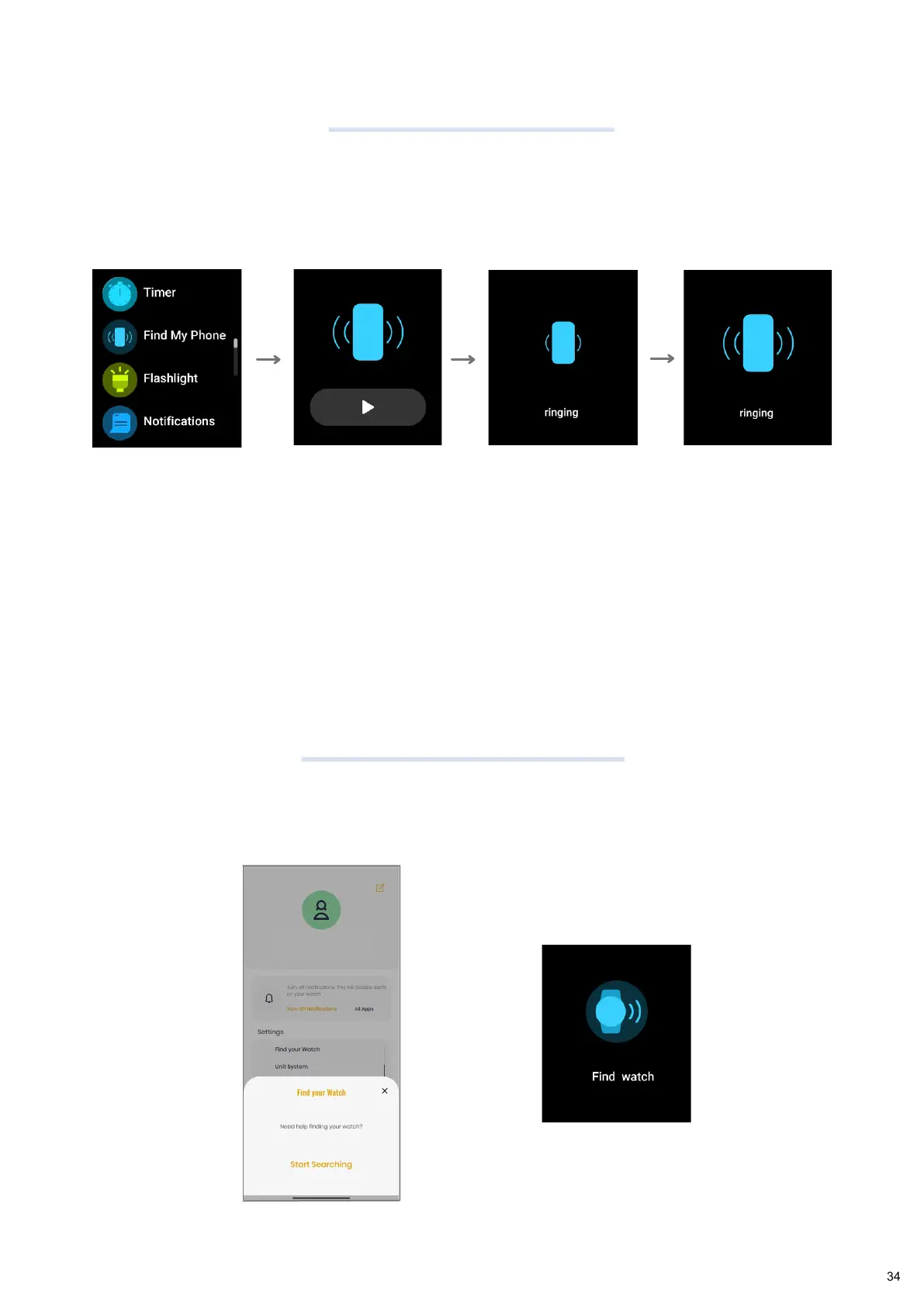
Find My Phone
Find Your Watch
Tap on "Find
My Phone"
Tap on play
button
Your phone will
start ringing
Your watch will
start ringing
From the Home Screen, swipe left to right to open the Main Menu and tap on more.
Navigate to the "Find Phone" option. Tap and your phone will start to ring and
vibrate.
You can turn off the phone ring by tapping on the notification from the App in your
phone.
Tap on "Find your watch" in the App from Settings > My Watch, and your watch will start buzzing.
Tap on "Start Searching" to find your
watch
Note:
Fastrack Smartwatch
34


 To Next Page