Need help?
Do you have a question about the Fastrack 38086 and is the answer not in the manual?
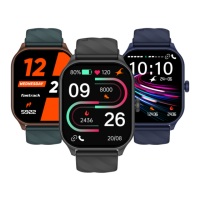
Details about the packaging box contents and the smartwatch display features.
Instructions on how to securely connect the watch head with the strap.
Procedure to attach the magnetic charger to the watch to begin the charging process.
Guide on initial setup, app installation, and account registration process.
Pairing the smartwatch with a smartphone using a QR code for connection.
Connecting the smartwatch to a smartphone by manually searching for the device.
Steps to create a user profile with personal details for accurate metric measurement.
Defining personal goals for multisport activities and daily step counts.
Allowing data access for Google Fit and Apple Health for comprehensive tracking.
Using the dialpad and managing contacts for making calls directly from the watch.
Reviewing and managing call history, including deleting individual call records.
Instructions on selecting and managing favorite contacts for quick access on the watch.
Controlling music playback, pause, track changes, and volume from the smartwatch.
Ranking users demographically and globally within the app's community.
Editing and managing personal information such as name, DOB, height, weight, and location.
Allowing the Fastrack Reflex World app to access and display notifications on the watch.
Enabling or disabling notifications for individual apps using toggle switches.
Navigating the watch interface using swipe gestures like up, down, left, and right.
Accessing and managing notifications by swiping up from the home screen.
Accessing quick settings like DND, brightness, lift to view, and power saving.
Navigating to features like My Fitness, Sleep, Music, and Heart Rate.
Accessing the main menu from the home screen using a left to right swipe gesture.
Detailed guide on initiating, receiving, and managing calls for Android users.
Detailed guide on initiating, receiving, and managing calls for iOS users.
Using voice commands for queries and receiving answers displayed on the phone.
Activating the watch display by lifting the wrist for quick information access.
Tracking daily, weekly, and monthly fitness progress and viewing detailed reports.
Guidance on selecting, setting goals, and tracking various sports activities.
Viewing continuous heart rate trends and detailed 24-hour data.
Configuring automatic heart rate tracking and setting high heart rate alerts.
Accessing summaries and analytics of stress level measurements over time.
Enabling or disabling the automatic stress monitoring feature for continuous tracking.
Checking and comparing blood oxygen saturation levels and viewing historical data.
Monitoring sleep trends, quality, and accessing detailed daily, weekly, and monthly sleep data.
Playing pre-installed games like 2048, Jigsaw Puzzle, Racing, and Discoloration.
Setting personalized reminders for drinking water and moving to promote healthy habits.
Tracking menstrual cycles, ovulation, and setting period reminders via the app.
Performing guided breathing exercises for relaxation and focus on the watch.
Setting and using timers with pre-set or customized durations for various tasks.
Using the stopwatch function for timing activities, including lap tracking.
Setting and managing alarms with custom times, days, and repeat options.
Checking current and upcoming weather conditions based on the phone's location.
Adjusting ringtone and vibration settings for calls and notifications.
Locating your phone by making it ring and vibrate using the watch.
Locating your watch by making it buzz or ring from the companion app.
Using the watch to remotely control the phone's camera for taking photos.
Exploring, selecting, and customizing watch faces from the app and watch.
Configuring screen time, menu style, and vibration intensity on the watch.
Configuring the Always-On Display clock and choosing between digital and analog displays.
Customizing ring and vibration settings for incoming calls and notifications.
Managing phone connectivity settings and pairing the watch via QR code.
Options to power off the watch or reset it to factory default settings.
Viewing device details like Bluetooth name, MAC address, and firmware version.
Detailed technical specifications of the Fastrack Smartwatch, including dimensions and battery.
Resolving common hardware issues and answering frequently asked questions about the watch.
Answering FAQs on app connectivity, pairing, and user profile creation.
Addressing common questions regarding BT calling, alarms, quick settings, and multisports.
Answering questions about stress monitoring, workout duration, and viewing health metrics.
Details on setting stress alerts, customizing watch settings, and managing health data.
Information on activating Women's Health Tracker and checking city weather updates.
Queries on checking heart rate, managing notifications, and customizing watchfaces.
Information on syncing data, using camera control, and where photos are saved.
Troubleshooting OTP issues, firmware updates, and app crashes.
Guidance on registration with different country codes, strap connection, and unit changes.
Stopping phone ringing via notification and guidance on visiting service centers.
Compliance information regarding FCC rules and regulations for the device's operation.
Disclaimer about the accuracy of fitness data and its non-medical use.
 General
| Brand | Fastrack |
|---|---|
| Model | 38086 |
| Type | Wristwatch |
| Display Type | Analog |
| Case Material | Stainless Steel |
| Dial Color | Black |
| Water Resistance | Yes |
| Shape | Round |
| Strap Color | Silver |
| Strap Material | Metal |
| Water Resistance Depth | 30 m |

 To Next Page