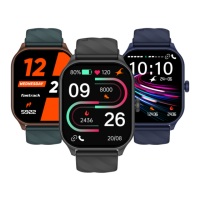
19: Can I customize my own watchface?
A: Yes you will be able to customize your own watchface from the application in
the bottom panel in Watchfaces. You can choose any image from your gallery or
click a picture from your phone camera and use the image as your watchface.
Long press on the watch home screen, swipe through the saved watchfaces
and select your desired watchface.
Navigate to watchfaces.
Open the Fastrack Reflex World application and in the bottom panel, you
will get watchfaces. Select from a wide range of watch faces.
18: How do I change my Watchface?
A:
16: How can I check Heart Rate in my watch?
A: You need to go to the watch menu options and tap on “Heart Rate”. Your
watch would automatically start recording a reading. Stay still while your watch
is recording a measurement. You can also turn on “Auto HR” from the app
Settings under health section.
17: What do I need to do to get the notifications on the smartwatch?
A: Notification access must be provided for the Fastrack Reflex World
application from the phone settings.
On the app click on Settings > Turn On Notifications. This will redirect you to
the Notification Access settings in your phone. Please provide the access to the
Fastrack Reflex World app.
You can now select which app notification you would like to see on your watch.
20. What should be done to sync the smartwatch with the application?
A: On opening the application on your smartphone, the smartwatch data will be
automatically synced. If you find that the watch is not synced or the data on the
app is not changed you can swipe from top to bottom on the main page of the
app and it will automatically sync with the watch.
21. How do I use camera control and where is the image saved in the phone?
A: Open the “Camera” from the watch menu. This will open a camera icon on
your watch. Tap the icon to open the In-App Camera on your phone. Tap again
to click a photo which will be saved in your phone’s gallery.
Note: The app needs to be opened in foreground, then only the In-App Camera
would open when you click on the camera from the watch.
44


 To Next Page