EasyManua.ls Logo

Fat Shark Dominator HD3 - User Manual

Fat Shark Dominator HD3
12 pages
Print Icon
To Next Page IconTo Next Page
Loading...
Fat Shark 1 RC Vision Systems
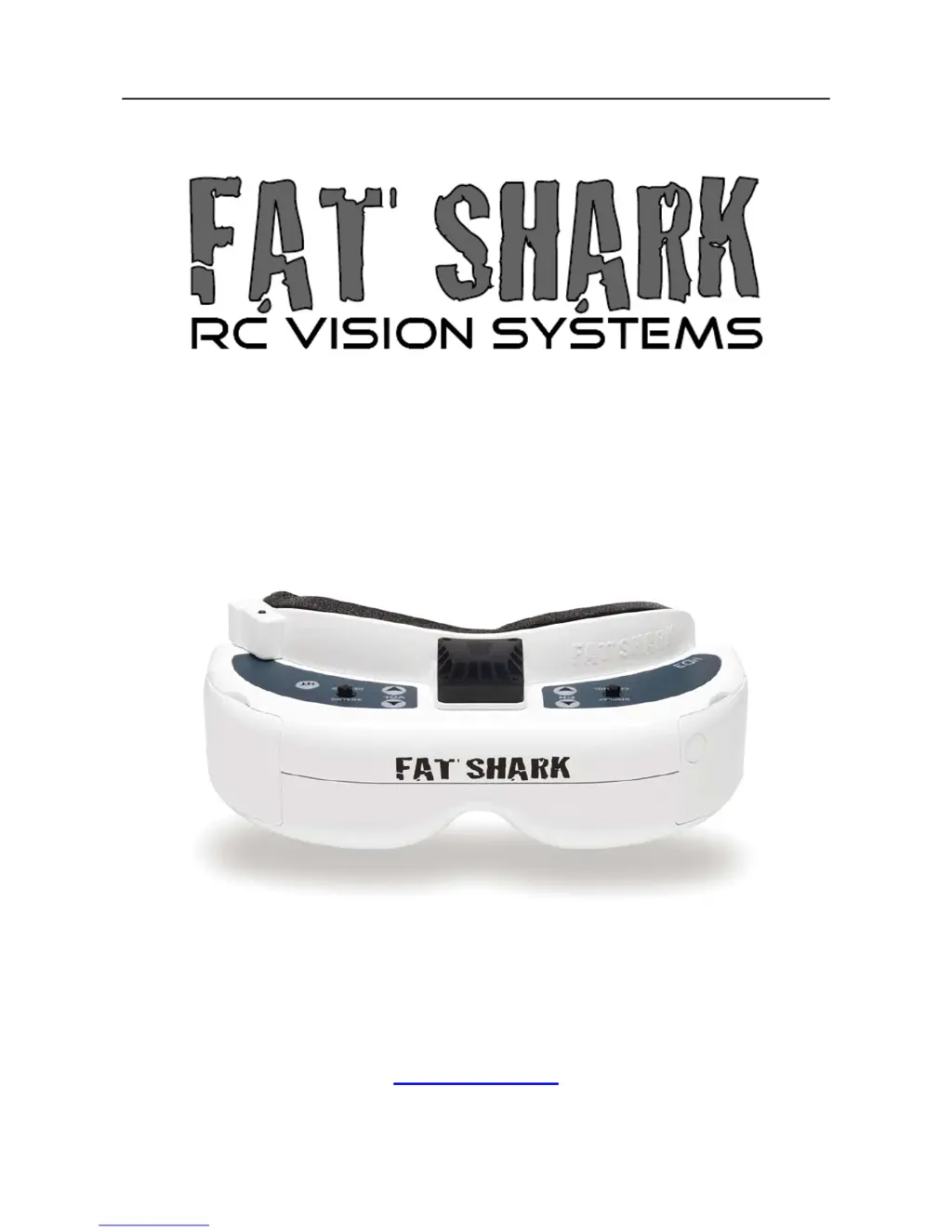
DOMINATOR HD3
MODEL FSV1076
USER MANUAL
Revision A 11/01/2016
For more product information, please visit:
www.fatshark.com
All Rights Reserved

Questions and Answers

  • X
    xclarkAug 18, 2025
    How to improve short range on Fat Shark Magnifiers?
    • D
      Daniel PattersonAug 18, 2025
      To improve the short range, ensure the correct antennas are installed and check for other sources of interference. Also, ensure the transmitter has a clear line of sight to the headset, testing in a wide-open area away from obstructions.
  • S
    Shannon RoseAug 20, 2025
    What causes short range on Fat Shark Dominator HD3?
    • D
      Daniel EllisonAug 20, 2025
      Short range could be caused by using an incompatible antenna. Specifically, ensure a 2.4GHz antenna is used for 2.4GHz systems and a 5.8GHz antenna is used for 5.8GHz systems. Avoid using antennas from other manufacturers, as they may be dual-band or have a reverse SMA connector.
  • C
    Chloe TaylorAug 23, 2025
    What to do if Fat Shark Dominator HD3 Magnifiers display is completely dark?
    • D
      Donald AndersonAug 23, 2025
      If the display is completely dark, check the power connections.
  • R
    Richard SharpAug 25, 2025
    Why are there interference lines on Fat Shark Magnifiers with 5.8Ghz receiver?
    • A
      Amber SandersAug 26, 2025
      The interference lines when using a 5.8GHz receiver may be due to harmonic interference from a 2.4GHz RC controller. Try turning the radio on and off. You can also use CH1 on the TX/headset, as it is not affected by 2.4GHz. Also, check that the correct frequency antenna is being used.
  • J
    Jason ThomasAug 27, 2025
    How to fix interference lines with 2.4Ghz receiver on Fat Shark Dominator HD3?
    • G
      Gregory HarrisAug 28, 2025
      To fix interference lines when using a 2.4GHz receiver, try choosing a cleaner channel or changing to 5.8GHz AV. Also, check that the correct frequency antenna is used.
  • R
    Richard JonesAug 30, 2025
    What to do if Fat Shark Dominator HD3 display is glowing dark grey?
    • W
      William WilsonAug 30, 2025
      If the display is glowing dark grey, and you're using a wireless module, turn on the RX power on the bottom of the headset. If using an AV in cable, check the video source. Also, ensure the TX is on and camera connections are solid.
  • M
    Mrs. Mary Dixon DVMSep 2, 2025
    How to adjust contrast on Fat Shark Dominator HD3 Magnifiers for better image?
    • J
      Jesus PriceSep 2, 2025
      To improve a poor image with darkness or insufficient contrast, adjust the display using the contrast/brightness button.
  • C
    Christopher TurnerSep 4, 2025
    Why does the Fat Shark Magnifiers head tracker drift or act jumpy?
    • P
      paulmartinSep 4, 2025
      If the head tracker drifts or exhibits excessive error correction, it may be due to operating indoors, which affects the compass sensor. Try using it outside. Also, the RC radio may be interfering with the compass sensor, so keep the RC controller antenna away from the headset.
  • C
    Christine TaylorSep 6, 2025
    Why head tracker does not work on Fat Shark Dominator HD3 Magnifiers?
    • T
      Tonya NguyenSep 7, 2025
      The head tracker may not be working because the radio doesn’t support the selective trainer function, the settings are incorrect, the trainer switch on the RC controller is not activated, or it is in pause mode.
  • J
    Jill MaloneSep 9, 2025
    What to do if Fat Shark Magnifiers head tracker is not working?
    • J
      Jennifer KlineSep 9, 2025
      If the head tracker is not working (no response or beeping), ensure the module pins are aligned correctly into the headset socket.

Summary

Controls Diagram

Headset Operation

Controls

Details the functions of buttons and controls on the headset for various operations.

DVR Operation

Explains how to use the integrated Digital Video Recorder for analog recording.

Battery Specifications

1800 mA Battery Pack

Details the 7.4V, 1800mAh Li-po battery pack with LED indicators.

Specifications

Headset Specifications

Detailed technical specifications for the Fat Shark Dominator HD3 headset.

Operational Advice

Trouble Shooting

Warranty

Fat Shark Dominator HD3 Specifications

General IconGeneral
BrandFat Shark
ModelDominator HD3
CategoryMagnifiers
LanguageEnglish

Related product manuals