Need help?
Do you have a question about the Fatar STUDIO 90 and is the answer not in the manual?
Explains how to divide the keyboard into two distinct parts for independent sound control.
Details how to transpose the lower and upper parts of the keyboard by octaves or semitones.
Provides essential technical specifications including power supply requirements and MIDI outputs.
Welcomes the user and introduces the Studio-90 Plus master controller, highlighting its engineering.
Lists the key features and specifications of the ST-90 Plus master keyboard controller.
Details the back panel layout, including MIDI OUT, FOOT-SWITCH, LINE, and FUSE connections.
Guides on how to power on the instrument and what to expect regarding the program display.
Explains how to reset the unit to factory presets in case of operational issues.
Introduces the exploration of the Studio-90 Plus's full capabilities, advising sequential reading.
Provides initial setup steps for hands-on experience, connecting MIDI and setting up amplification.
Explains how to navigate programs and access parameters, detailing the ENTER key function.
Details parameters 00 and 01 for setting split points, enabling single, split, or layer modes.
Explains parameters 02-04 for semi-tone transposition across three zones, plus octave transposition.
Details parameters 05-07 for octave transposition (up/down) for each of the three zones.
Explains parameters 08-10 for assigning MIDI channels to zones for multi-sound setups.
Details parameters 11-13 for sending program changes per zone, referencing program change maps.
Explains parameters 14-16 for enabling/disabling sustain and modulation wheels for each zone.
Details parameter 17 for controlling dynamic response based on playing velocity.
Explains parameter 18 for controlling sound release based on playing velocity.
Provides examples of controller setups for different applications, requiring prior programming knowledge.
Details all transmitted and recognized MIDI functions, including channels and control messages.
A template for recording program names, numbers, and parameter values for custom setups.
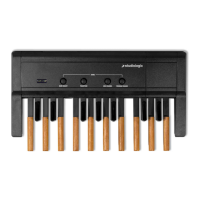
Describes the MIDI Pedalboard's features, connections, and its ease of use via foot control.
Explains assigning octave positions to pedalboard keys using the OCTAVE switch.
Details how to assign MIDI channels to pedalboard keys using the CH. MIDI switch.
Describes using switches to send MIDI-voice information through the MIDI channel.
 General
| Brand | Fatar |
|---|---|
| Model | STUDIO 90 |
| Category | Recording Equipment |
| Language | English |


 To Next Page