8-6
● STP Sxxx : S20≦Sxxx≦S999(Displayed in WinProladder)
or
STP
Sxxx : S20≦Sxxx≦S999(Displayed in FP-07)
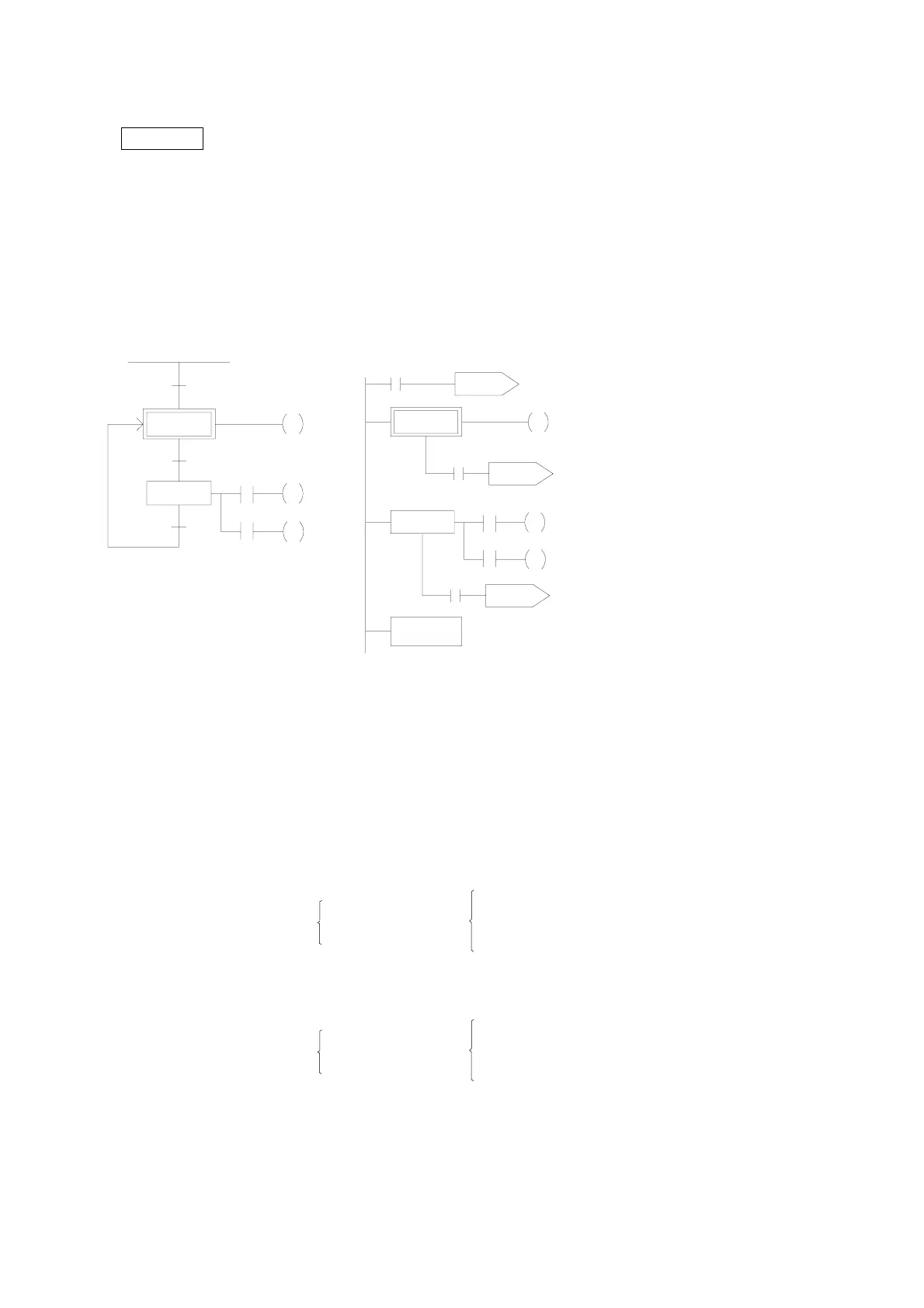
This instruction is a step instruction, each step in a process represents a step of sequence. If the status of step is
ON then the step is active and will execute the ladder program associate to the step.
【Example】
WinProladder FP-07
Y1
Y0
Y2
M1924
STP S0
X11
X2
STP S20
X1
X10
M1924
STP S0
Y1
Y0
Y2
STPEND
X10
X11
X2
STP S20
X1
TO S0
TO S0
TO S20
ORG
TO
STP
OUT
FROM
AND
TO
STP
OUT
AND
OUT
LD
AND
OUT
FROM
AND
TO
STPEND
M1924
S0
S0
Y0
S0
X10
S20
S20
TR0
X1
Y1
TR0
X2
Y2
S20
X11
S0
【Description】1. When ON, the initial step S0 is ON and Y0 is ON.
2. When transfer condition X10 is ON (in actual application, the transferring condition may be formed by
the serial or parallel combination of the contacts X, Y, M, T and C), the step S20 is activated. The
system will automatically turn S0 OFF in the current scan cycle and Y0 will be reset automatically to
OFF.
i.e. X10 ON
⇒
S20 ON
S0
OFF
⇒
X1 ON
X2 ON
Y0 OFF
ÆY1 ON
ÆY2 ON
3. When the transfer condition X11 is ON, the step S0 is ON, Y0 is ON and S20, Y1 and Y2 will turn OFF
at the same time.
i.e. X11 ON
⇒
S0 ON
S20
OFF
⇒
Y0 ON
Y1 OFF
Y2 OFF



 To Next Page