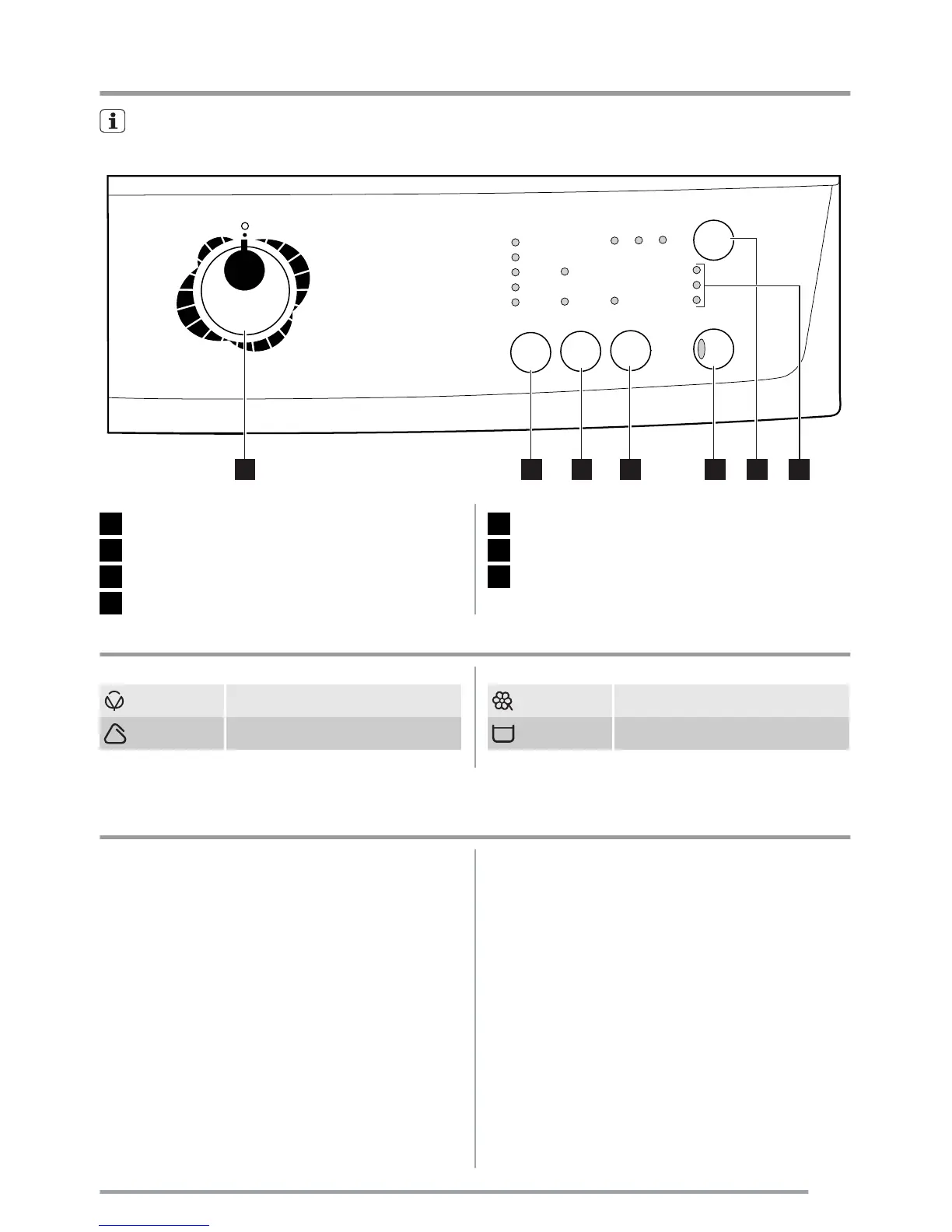
Control panel
Below is a picture of the control panel. It shows the programme selector dial as well as the buttons, pilot
lights and the display. These are presented by relevant numbers on the following pages.
1 2 3 4 5 6 7
1
Programme selector dial
2
SPIN reduction button
3 OPTIONS button
4
EXTRA RINSE button
5
START/PAUSE button
6
DELAY START button
7 Indicator pilot lights
Table of symbols
Cotton
Synthetics
Delicates
Rinse Hold
Programme and temperature selector dials, spin speed button and available
options
Programme Selector Dial
It allows you to switch the appliance on/off and/or to
select a programme.
Available options:
Spin
By pressing this button you can change the spin speed
of the selected programme or to select Rinse Hold op-
tion.
Rinse hold
By selecting this function the water of the last rinse is
not emptied out to prevent the fabrics from creasing.
Before opening the door it will be necessary to empty
out the water. To empty out the water, please read the
paragraph «At the end of the programme».
Prewash
By selecting this option the machine performs a pre-
wash cycle before the main wash phase. The washing
time will be prolonged. This option is recommended for
heavily soiled laundry.
Super Quick
Short cycle for lightly soiled items or for laundry which
needs only freshening up. We recommend you to re-
duce the fabrics loading.
5



 To Next Page