Need help?
Do you have a question about the FAZLEY DDK-100 and is the answer not in the manual?
Lists all components included in the package for the Fazley DDK-100 electronic drum kit, ensuring all parts are present.
Provides crucial advice on safe usage, handling, and maintenance to prevent damage and ensure user well-being.
Details operational guidelines and suitable environments, emphasizing indoor use and avoiding moisture or extreme temperatures.
Offers guidance on how to properly store and transport the drum kit to prevent damage and maintain its condition.
Instructs users on regularly inspecting the device's housing for damage and maintaining cleanliness to ensure safe operation.
Explains important symbols like WEEE and CE, providing context for disposal and regulatory compliance.
Details the functions of the Aux In, Headphones, and Master volume rotary knobs for sound level adjustment.
Describes the role of cursor buttons in navigating menus and selecting parameters on the drum module display.
Explains how the large rotary knob is used for adjusting parameters and changing presets in large steps.
Details the function of the Tempo button for adjusting tempo, metronome, and MIDI speed settings.
Instructions on using the Click button to turn the metronome on or off for practice assistance.
Explains how the Scope button displays playing performance in real time on the module's screen.
Describes the function of '+' and '-' buttons for increasing/decreasing values and scrolling through lists.
Information about the drum module's display, which shows selected drum kits, menus, and parameters.
Details how function keys F1-F4 are used to access specific functions, parameters, or settings based on the display.
Explains the use of group faders for adjusting the volume levels between different drum sounds.
Guides on using buttons in the Song play section to start, stop, record, and manage accompanying melodies.
Details on using general control buttons like SETUP, RETURN, USER KIT, and HOME to navigate menu functions.
Describes the headphone output jack for private listening.
Details the main output for connecting to speakers, mixers, or audio interfaces.
Explains the right channel output for stereo sound to external audio equipment.
Provides information on the AUX IN connector for playing along with external audio sources.
Details the DC IN connector used for powering the drum module via the included adapter.
Explains the MIDI IN port for receiving trigger data from external MIDI devices.
Describes the MIDI OUT connection for sending trigger data to external devices.
Information on connecting the module to a computer via USB MIDI for use with DAWs and plugins.
Details the TOM 4 input for adding an additional drum pad.
Explains the input for connecting a second crash cymbal pad.
Describes the editing adapter's role in positioning the drum module on the frame.
Instructions on how to power on the drum module, including necessary connections and volume settings.
Guidance on safely powering down the drum module, recommending volume reduction before switching off.
Explains how to use the Return button to save parameter adjustments and exit menus.
Details how to use the cursor to select and navigate through parameters in the settings menus.
Describes how function keys F1-F4 are context-sensitive and used to activate displayed functions.
Explains how rotary knob and '+' / '-' buttons are used to adjust parameter values and settings.
Instructions on selecting and playing songs, including using play/pause and function keys for playback control.
Guidance on activating and deactivating the metronome using the Click button for practice.
Instructions on how to adjust the tempo of the metronome and songs using the Tempo button and rotary knob.
Details on how to select and assign different sounds or instruments to specific trigger pads.
Steps for naming user-created drum kits with a maximum of ten characters.
Information on playing along with songs, including muting specific instrument sounds within a song.
Guidance on setting up a loop for a section of a song to play continuously.
Instructions on configuring and utilizing the drum module's internal metronome settings.
Details on how to record MIDI tracks, save recordings, and manage recorded data within the module.
Instructions on how to access, select, and play back recorded MIDI files.
Explains the SCOPE function for analyzing and visualizing playing timing accuracy.
Guidance on adjusting pad response and sensitivity for personalized playing preferences.
Details on configuring MIDI channels, USB-MIDI settings, and other MIDI communication parameters.
Instructions on adjusting the LCD display contrast for better readability.
Provides access to firmware information for the drum module.
Details on how to reset the drum module to its original factory default settings.
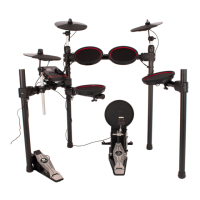
An overview of the drum kit's general features, design, and user experience.
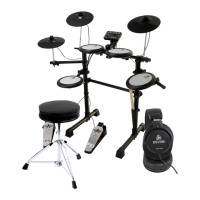
Details the specific components and parts that make up the drum kit's configuration.
Lists and describes all available input and output connections on the drum module.
Outlines the internal capabilities and features of the drum module, such as songs and sounds.
Describes the physical hardware, including the frame construction, couplers, and cable management.
Details the construction and sensor technology of the drum kit's mesh heads.
Outlines the construction and connection details of the cymbal pads.

 To Next Page


 General