INR-SI47-1246a
- 6 -
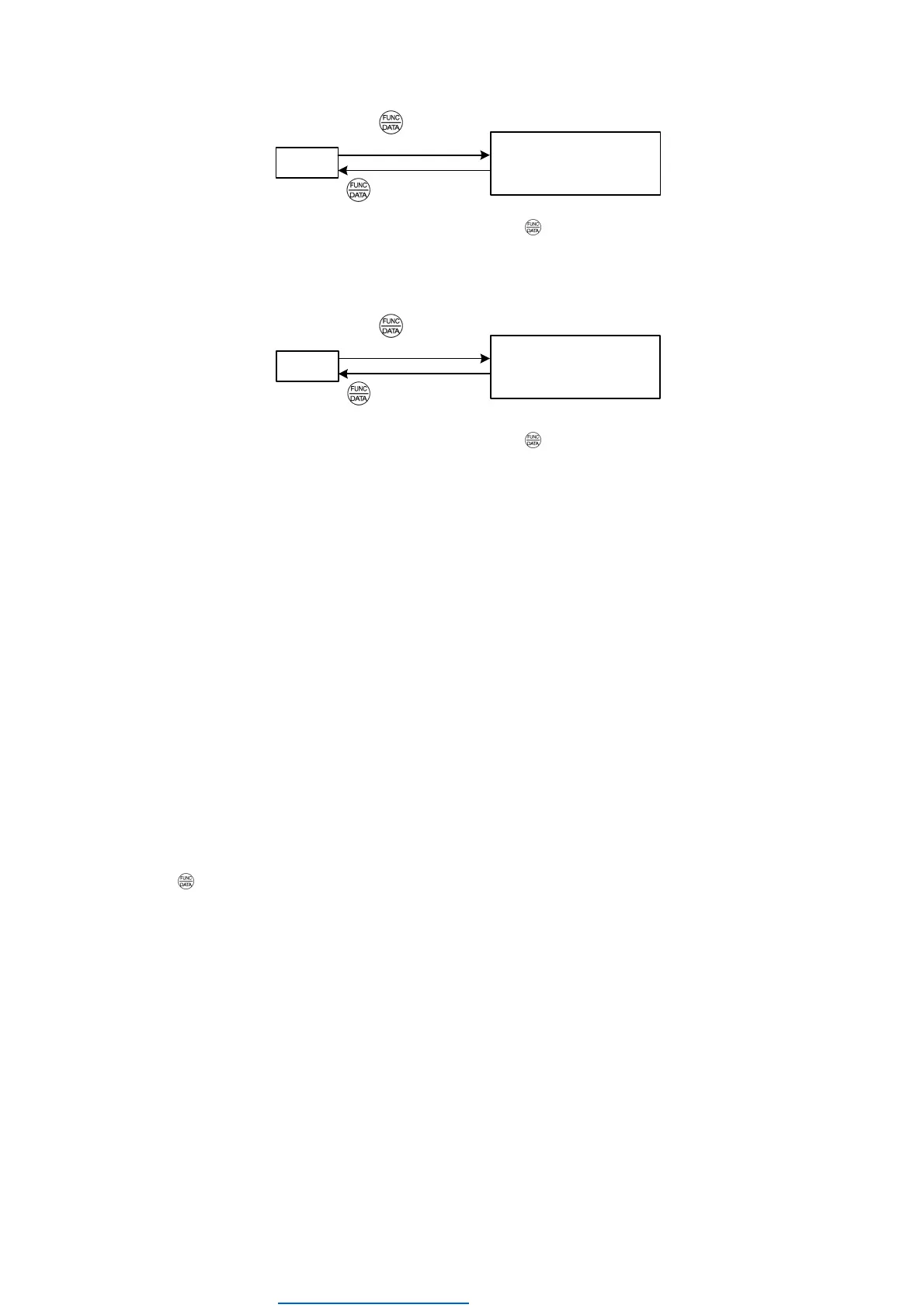
• Disabling the enabled data protection
'cpy
read proT
(Displayed item changes.)
⇒
Hold key down
for at least 5 seconds.
While running the "Data Copying" (
'cpy
) function, holding down the key for 5 seconds or more displays
read
after
displaying
proT
for 5 seconds to complete disabling the data protection.
• Enabling the disabled data protection
'cpy
read
proT
(Displayed item changes.)
⇒
Hold key down
for at least 5 seconds.
While running the "Data Copying" (
'cpy
) function, holding down the key for 5 seconds or more displays
proT
after
displaying
read
for 5 seconds to complete enabling the data protection.
The followings are restrictions and special notes concerning "Data Copying."
If data copying does not work
Check whether
err
or
cper
is blinking.
(1) If
err
is blinking (a write error), any of the following problems has arisen:
• No data exists in the keypad memory. (No data read operation has been performed since shipment, or a data read
operation has been aborted.)
• Data stored in the keypad memory contains any error.
• The models of copy source and destination inverters are different.
• A data write operation has been performed while the inverter is running.
• The copy destination inverter is data-protected. (Function code F00 = 1)
• In the copy destination inverter, the "Enable write from keypad" command WE-KP is OFF.
• A Read data operation has been performed for the inverter whose data protection was enabled.
(2) If
cper
is blinking, any of the following problems has arisen:
• The function codes stored in the keypad and ones registered in the inverter are not compatible with each other. (Either of
the two may have been revised or upgraded in a non-standard or incompatible manner. Consult your Fuji Electric
representative.)
• If the inverter type is the same
cper
has occurs by the software versions mismatch.
Pressing
key can continue copying. But added function codes according to upgrade can not be copied.
• If the inverter type is different or special products for special customers
Do not copy since the function codes are not compatible between inverters.
(3)
ercl
is blinking, when the mismatch of the number of function code for customizable logic occurs at
ueri
(Verify):
(FRENIC-Ace,VP or Lift series has
ercl
detecting function.)
• In FRENIC-Ace series,
ercl
is blinking if a customer will copy the function codes relating to customizable logic in an
inverter which has the ROM version number 300 or later (has function codes for 200 steps) to TP-E1U and verify whether
they matches the codes of another inverter which has the ROM version number less than 300 (has function codes for
100 steps) and vice versa. In FRENIC-VP or Lift series, it works similar behaviour regardless of the ROM version.
(4) Some models have the password function. If the password has been set, it prevents the copy operation.
For more information, please refer to the instruction manual or user's manual for an each model.
Dealers Industrial Equipment -- Visit https://DealersElectric.com or call (908) 688-1966 for all of your electric motor & VFD needs!


 To Next Page
 Loading...