FSC-DB200 User Guide
Shenzhen Feasycom Technology Co.,Ltd www.feasycom.com
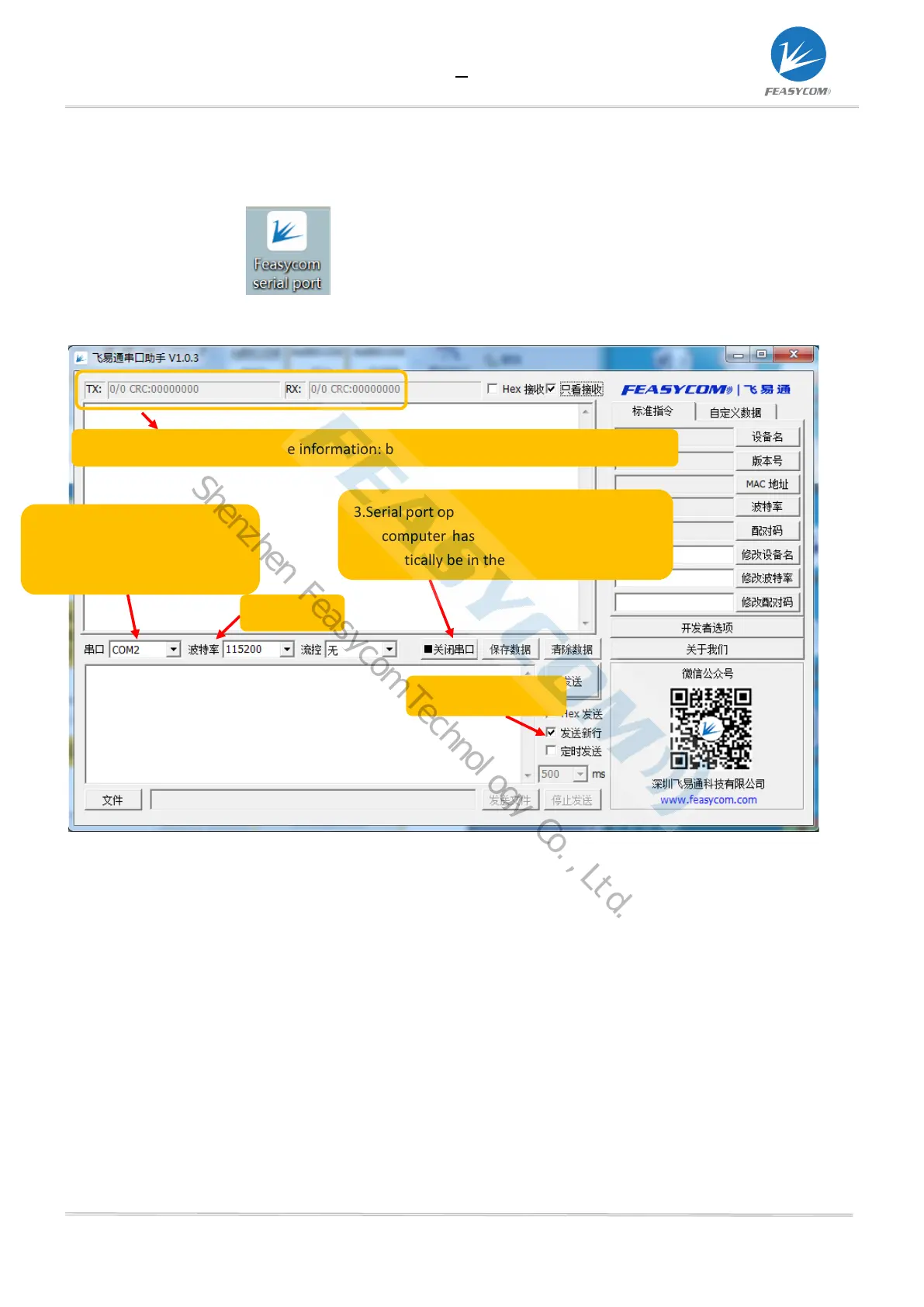
3.2 Serial port assistant installation and use
1, Double click
2, The interface description is as follows
1.COM matching: automatic
matching when the computer
3.Serial port open/close state: Normally, when
the computer has a serial port, the tool will
automatically be in the open state
The serial port send and receive information: bytes/number of packets: CRC32 check
Shenzhen Feasycom Technology Co.,Ltd.


 To Next Page