Ethernet-I/P Fieldbus Expansion Unit
PAGE 13
Fieldbus Message Setting (MFC Unit →
→→
→ PLC)
The message information output from the MASTER Spindle for PC communication and I/O (PLC) control
is set in the AFC3000 User Console software. The maximum size of the message output that can be
handled is 4096 bytes.
The output order of the message data is: “Multi Format Data”
→
“Spindle format data of Spdl. No. 1”
→
“Spindle format data of Spdl. No. 2”
→
・・・
→
“Spindle format data of Spdl. No. 32.”
The message output format is selectable (in the AFC3000 Software) to output either BCD format or
ASCII format, both examples are listed below.
Please contact the PLC manufacturer regarding the setting at the PLC side.
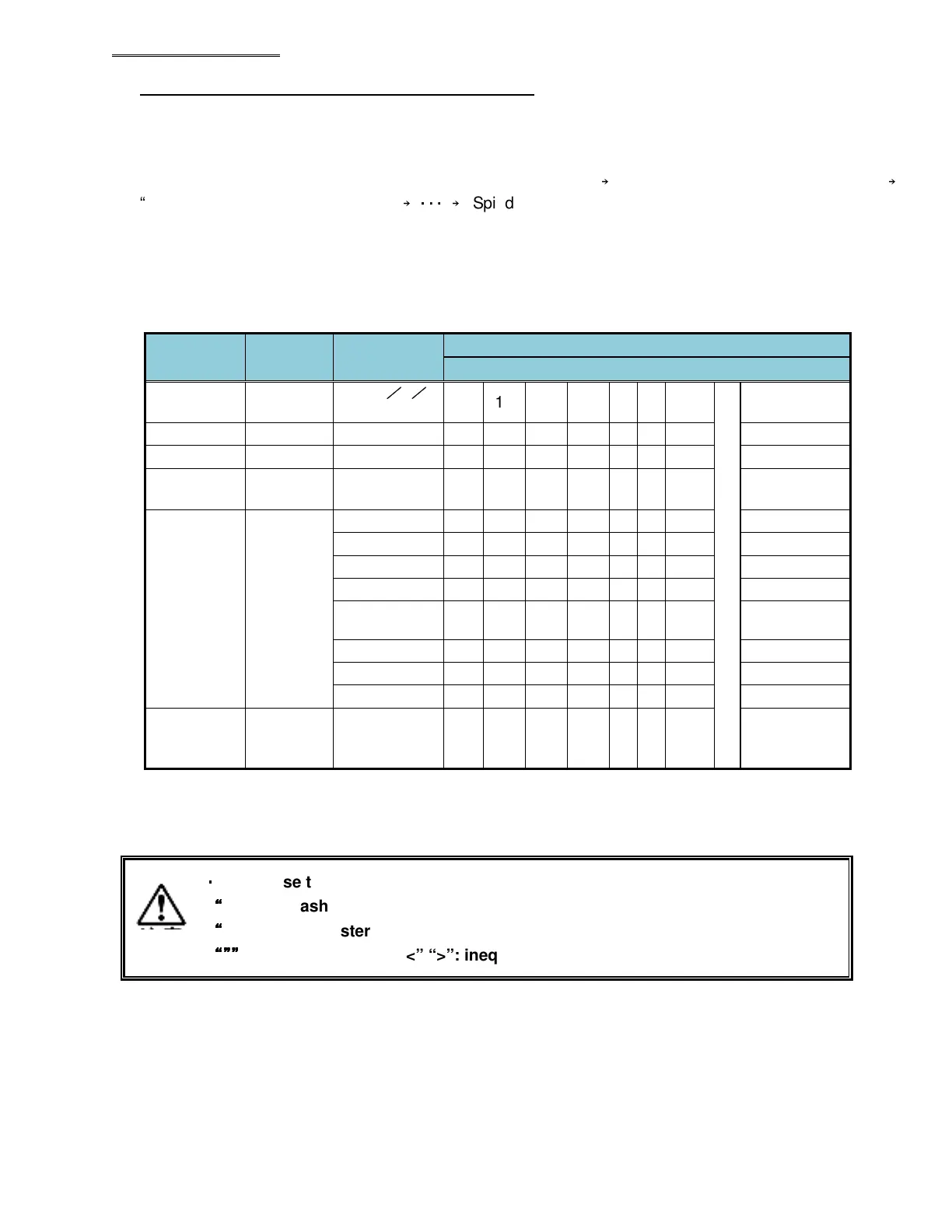
● Multi Format Output Items (BCD Format)
Output
Items
Number
of Bytes
Fastening
Data
Multi Format
LSB (1word) PLC Input Data MSB (16word)
Date 4
2013
/
5
/
20 13 5 28 - - -
~
-
Time 4 12:34:56 12 34 56 00 - - - -
ID *1 32 ABCDEF A B C D E
F
NUL
NUL
SEQ No.
2 2 00 02 - - - - - -
SEQ
Judgment
*2
2
REJECT 00 01 - - - - - -
ACCEPT 00 02 - - - - - -
ABNORMAL
00 04 - - - - - -
STOP 00 08 - - - - - -
RESET
00 10 - - - - - -
BYPASS 00 20 - - - - - -
START OFF 00 40 - - - - - -
IN CYCLE 00 80 - - - - - -
SEQ
Cycle
4 123456 00 12 34 56 - - - -
*1: The ID is fixed at 32 bytes (16 words) and is output in ASCII format. NULL letters are set as unset
values.
*2: Please refer to AFC3000 Operation Manual, “Sequence Judgment” regarding the details of SEQ
Judgment.
・
・・
・
Do not use the following characters when inputting the ID data.
“
““
“
∖
∖∖
∖”: backslash (yen mark), “/”: slash,
“
““
“
:”: colon, “*”: asterisk, “?”: question mark,
“””
“””“””
“””
: double quotation, “<” “>”: inequality signs, “|”: pipe sign


 To Next Page
 Loading...
