Quick Installation Guide 3
LP 2844 Thermal Printer
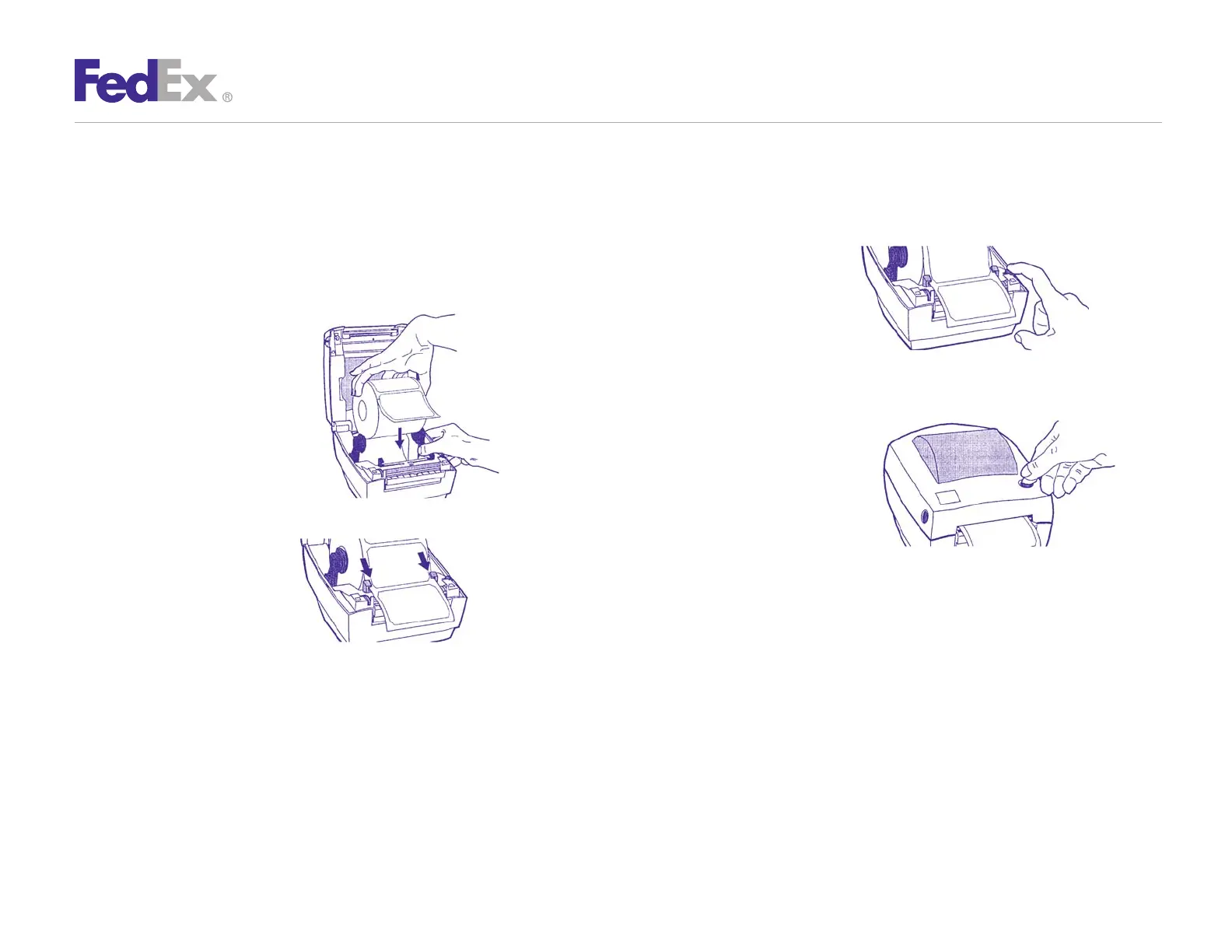
Install the printer labels as indicated in the steps below.
The instructions can also be found in the inside of the top
of the printer cover.
1. Open the printer by pressing
the cover release buttons on
the sides of the printer.
Load the thermal printer
labels as shown.
Note: FedEx Ship Manager
®
at fedex.com supports only
nondoc-tab labels.
2. Feed the labels through
the guides.
3. Adjust guides so that there
is minimal space between
the sides of the label and
the guides themselves.
4. Close printer cover, connect
power cord, then press the
TAB FEED button to ensure
the labels are installed correctly.
Step 2: Install Printer Labels



 To Next Page