
 Need help?
Do you have a question about the FedEx ZP505 and is the answer not in the manual?
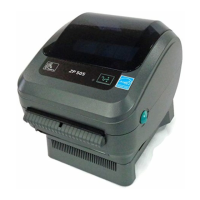
Identifies the ZP505 thermal printer included in the kit.
Specifies the thermal label rolls provided with the printer kit.
Refers to the CD containing software and drivers for FedEx Shipping System Printers.
Details the USB cable for connecting the printer to a computer.
Includes the power cord required to supply electricity to the printer.
The Clean Penn is used for maintaining print head quality and extending its life.
Instructions on opening the printer and positioning the media roll correctly.
Ensures the label roll is stable and guides on closing the printer cover.
Guides on connecting the printer's USB cable to a computer's dedicated USB port.
Instructs to turn on the computer before powering on the printer.
Procedure to uninstall previous Zebra printer drivers from the system.
Steps for installing the driver using the plug and play connection method.
Steps for installing the driver using a non-plug and play connection, e.g., parallel.
Steps to set up the ZP 505 printer as the default within fedex.com preferences.
Instructions to set the ZP 505 as the default label printer in the software.

 To Next Page
 General