Chapter Five: Using FSMS Utilities
FedEx Ship Manager
®
Server User Guide, Version 7.6 175
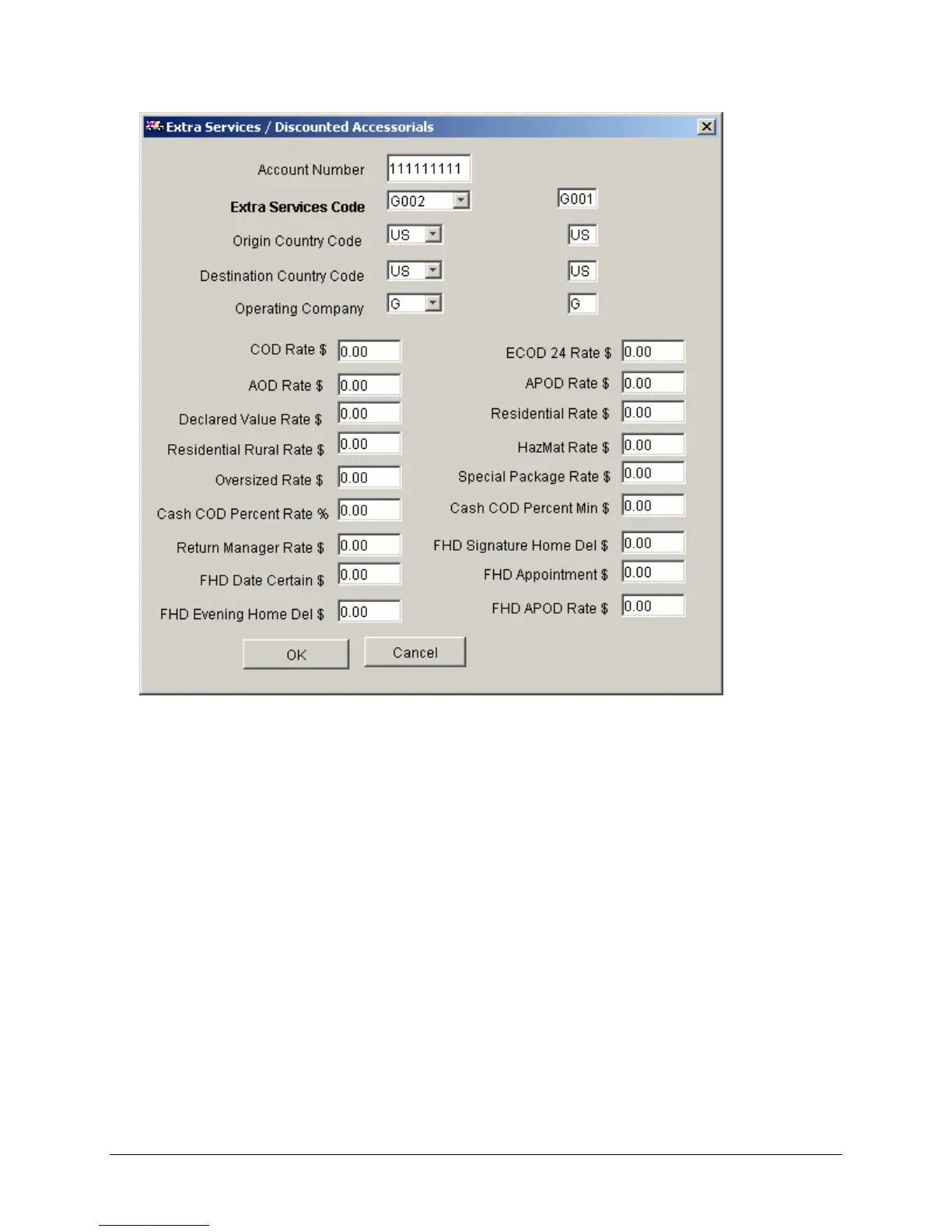
8. Configuring the Extra Services/Discounted Accessorials
Only FedEx Ground OR FedEx Home Delivery discounts may be configured in a single session. They
cannot be configured simultaneously. To configure accessorials for a second account or service
(FedEx Ground or FedEx Home Delivery), accept or cancel the configured discounts and then add a
new record to configure additional accounts or services (FedEx Ground or FedEx Home Delivery).
• Account Number – The account number displayed is the account number for which discounts
are to be configured. This is not an editable field.
• Extra Services Code – This is carried over from the Customer Profile table. Do not change this
value.
• Origin Country Code – The origin country code. This defaults to the country code of the meter
and does not need to be changed.
• Destination Country Code – The destination country code.
• Operating Company – Select G(round) or H(ome Delivery).
• Enter the rate for COD Percent Rate, the percentage to apply to the accessorial.
Click OK to accept and exit or Cancel to cancel and exit.


 To Next Page
 Loading...