Chapter One: Setting Up FSMS
74 FedEx Ship Manager
®
Server User Guide, Version 7.6
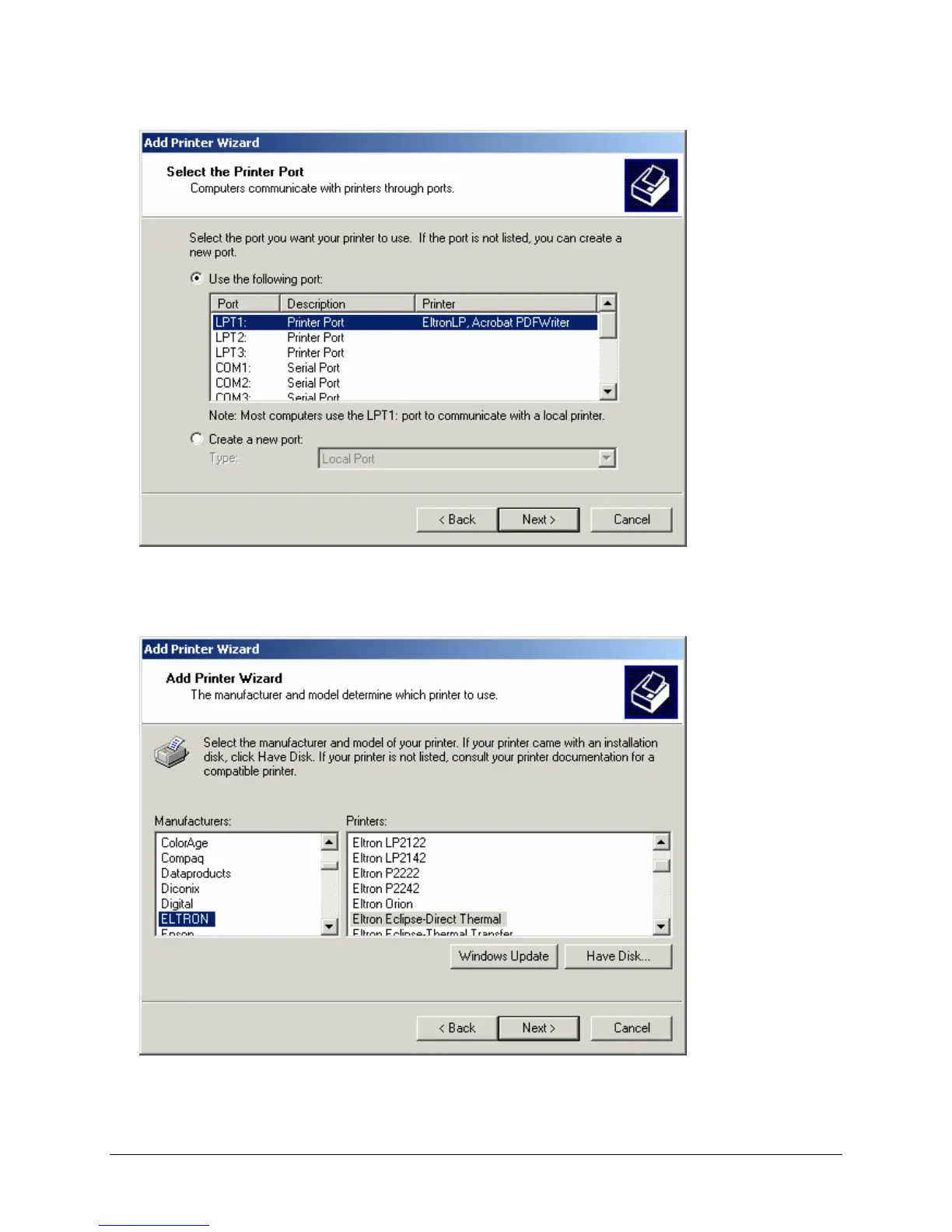
3. Select the printer port to which your printer is connected by scrolling through the Port list provided. In
the sample Select the Printer Port window, LPT1 (parallel port) is selected. Click Next to continue.
The Printer Model window is displayed:
4. Highlight the printer you are installing in the Manufacturers list. A list of available printers for that
manufacturer displays in the Printers list.



 To Next Page