Chapter One: Setting Up FSMS
FedEx Ship Manager
®
Server User Guide, Version 7.6 85
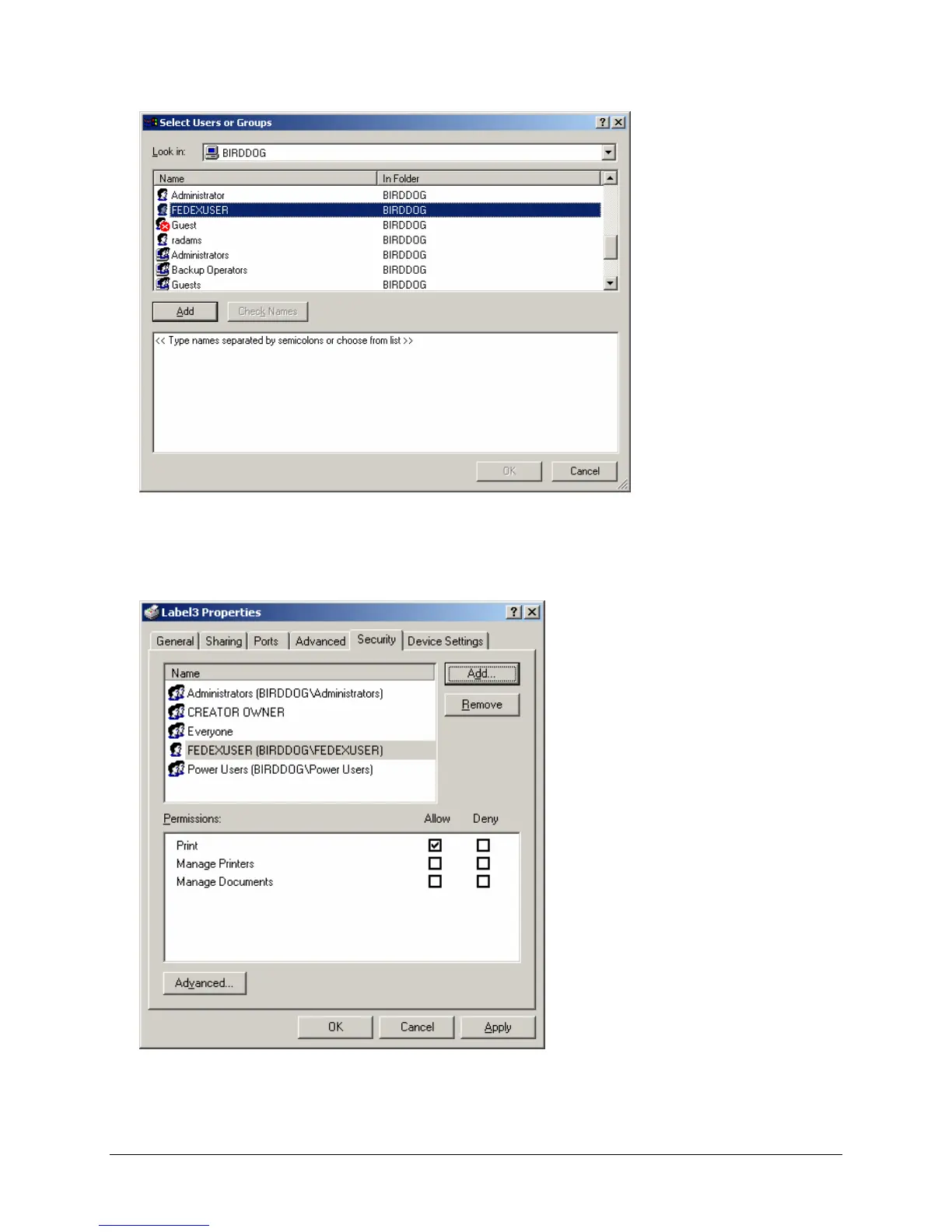
3. Select FEDEXUSER from the Select Users or Groups section of the window. Click Add to save
your selection. FEDEXUSER is displayed in the bottom portion of the window. Click OK to save your
selection.
4. Select the Security tab in the Printer Properties window. The Security window is displayed.
5. You will see that the FEDEXUSER account has been added to the Label Properties list. Click OK to
exit the Printer Properties window. You are now ready to print labels to this network printer.



 To Next Page