www.smartpetfeeder.ca
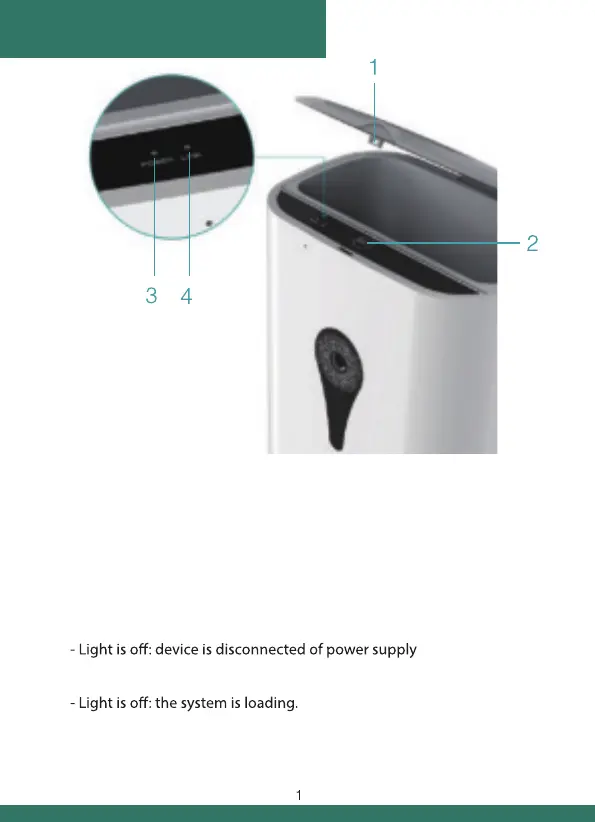
1. Lock:
Press it to open feeder’s top cover
2. “SET” Button:
- Press “SET” Button to deliver a portion of food manually.
- Hold it for 5-6 seconds to reset the device to its factory settings.
You should hear “DING-DONG” sound.
3. Red indicator light status:
- Continously on: device works correctly.
4. Green indicator light status:
- Flashes slowly (1 time per second): device is waiting for connection.
- Flashes quickly (7 times per second): device is connecting.
- Light is on: device is connected to Internet.
general information


 To Next Page