Need help?
Do you have a question about the FeelTech FY3200S-12M and is the answer not in the manual?
Guides on adjusting the frequency for main and subsidiary channels using the ADJ knob and changing frequency units (Hz, kHz, MHz).
Details how to select various waveform types (Sine, Square, Triangle, Arbitrary, etc.) for the output using the WAVE button and ADJ knob.
Instructions for adjusting the amplitude (Vpp) of the output signal for both main and subsidiary channels using the PARM, navigation, and ADJ controls.
Details how to use the instrument's measurement functions, including frequency and counter, via the COUNT button.
Lists frequency specifications for different models (FY3200S-6M to -25M), including resolution and accuracy.
Details waveform properties such as types, length, sampling rate, vertical resolution, harmonic suppression, and rise/fall time.
Specifies amplitude, resolution, stability, flatness, impedance, and protection for waveform output.
Details specifications for the frequency meter, counter, and voltage input range.
Covers display mode, save/load amount, interface type, communication speed, power, buzzer, environment, dimensions, and weight.
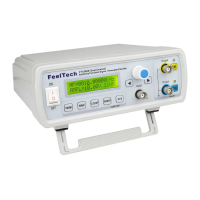
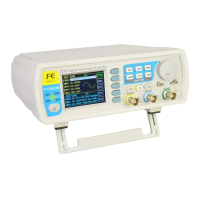
The FeelTech FY3200S Series is a fully numerical control dual-channel function/arbitrary waveform generator. It is designed for electronic engineering, laboratories, production lines, teaching, and scientific research.
The FY3200S series utilizes a large-scale CMOS integrated circuit and a high-speed microprocessor, with an active crystal oscillator as its benchmark, ensuring high signal stability. It features dual-channel DDS signal output, capable of generating Sine wave, Square wave, Triangle wave, Sawtooth wave, and user-defined waveforms. The device allows for precise control over amplitude, offset, and phase. Additionally, it provides TTL electric level output, external frequency measurement, counter, and sweep functions, including both Linear and Logarithmic sweep. The sweep frequency and time are arbitrarily settable.
The device also includes advanced features such as FSK (Frequency Shift Keying) and ASK (Amplitude Shift Keying) signal output. The FSK function allows for two frequency components, with the first determined by the CH1 fundamental frequency and the second by the FSK interface frequency F2. The ASK function modulates the amplitude of the CH1 signal based on trigger events.
Frequency: The series is available in different models (FY3200S-6MHz, -12MHz, -20MHz, -24MHz, -25MHz), where the last two digits indicate the upper limit frequency of the Sine Wave in MHz.
Waveform Characteristics:
Output Characteristics:
DC Offset:
TTL Output:
CMOS Output:
External Measurement:
Sweep:
General Specifications:
The FY3200S offers a user-friendly interface with both button and knob controls, complemented by an LCD1602 display for direct digital settings or continuous adjustment.
Channel Selection: Upon startup, "MF" (Main Channel) or "SF" (Subsidiary Channel) is displayed. Channels can be toggled using the CH1 and CH2 buttons. Pressing the channel button again activates/deactivates the output and illuminates/extinguishes the corresponding LED.
Frequency Adjustment: The cursor can be moved to the frequency value using the PARM button. The ADJ knob adjusts the frequency, with clockwise rotation increasing and anticlockwise decreasing the value. For significant changes, the left and right cursor buttons can be used. The OK button changes the frequency unit (Hz, kHz, MHz), and the ADJ knob then adjusts the numerical value.
Waveform Selection: In the waveform interface, the WAVE button toggles through Sine, Square, Triangle, Arbitrary, etc. The ADJ knob can also quickly switch waveforms. The PARM button exits the waveform selection. The device comes preinstalled with 17 common waveforms and supports 4 downloadable 2048-dot arbitrary waveform memories.
Amplitude Adjustment: The PARM button moves the cursor to the amplitude value (AMPL=). The left/right cursor buttons and ADJ knob adjust the peak-to-peak voltage (Vpp).
Offset Adjustment: The PARM button moves the cursor to the offset value (Offset=). The left/right cursor buttons and ADJ knob adjust the offset.
Duty Cycle Adjustment: The PARM button moves the cursor to the duty cycle value (DUTY=). The left/right cursor buttons and ADJ knob adjust the duty cycle. This feature is invalid for Sine waves. Square wave duty cycle can be adjusted from 0.1% to 99.9%. Triangle wave duty cycle can be adjusted around 50% to create different sawtooth waves.
Phase Adjustment: In the Subsidiary waveform interface, the PARM button moves the cursor to the phase value (Phase=). The left/right cursor buttons and ADJ knob adjust the phase difference between the main and subsidiary waves from 0° to 359°.
Pulse Width Adjustment: For pulse waveforms on CH1, the PARM button allows adjustment of the positive pulse width (Pu=) from 10nS to 1S using the cursor buttons and ADJ knob.
DC Wave Parameters: For DC mode on CH1 or CH2, the PARM button moves the cursor to the offset level (Offs=), allowing adjustment of the output voltage from -10V to +10V using the cursor buttons and ADJ knob.
Measurement Function: The COUNT button enters the measurement function, offering frequency measurement and a counter. Signals are input via the "Input" port. Pressing COUNT again toggles between frequency measurement (ExtF) and counting pulse (CNTR). The ADJ button resets the counter, and rotating it pauses/cancels the pause.
Trigger Output Function: From the counter interface, the COUNT button accesses the waveform trigger output function. Options include manual, external, and CH2 triggers. The ADJ knob adjusts the number of waveform periods for a single trigger.
FSK Frequency Shift Keying: FY3200S can output FSK waveforms from CH1. It supports manual and external trigger sources, selectable via the COUNT button. The FSK output frequency is determined by CH1's fundamental frequency and a second frequency component (F2), which can be adjusted.
ASK Amplitude Shift Keying: FY3200S can output ASK waveforms from CH1, with manual and external trigger sources selectable via the COUNT button. A rising edge of the trigger signal outputs the CH1 frequency, while a falling edge sets the output amplitude to zero.
Sweep Function: The SWEEP button enters the sweep function, which supports Linear (LIN-SWEEP) and Logarithmic (LOG-SWEEP) modes from CH1. The ADJ knob changes the mode. The ADJ knob also starts/stops the sweep. Sweep parameters (start frequency fM1, stop frequency fM2, and sweep time) are set via the SAVE function. The sweep time can be adjusted from 1s to 99s.
SYNC Function: The SYS button enters the follow function, allowing CH2 parameters (frequency, amplitude, offset, duty cycle, waveform) to follow CH1. The ADJ knob changes the follow status (NO/OK).
Save Function: The SYS button accesses the save function, allowing storage of current frequency, amplitude, offset, duty cycle, waveform, and phase parameters for both channels in 20 memory positions (M0-M19). M0 saves boot default parameters, M1 saves sweep start frequency, and M2 saves sweep stop frequency. M3-M19 are for user-defined waveforms.
Load Function: The PARM button in the save function interface accesses the load function. The ADJ knob selects a memory position (M0-M19) to load parameters. "OK" confirms loading, while "Non" indicates no saved information.
Other Functions:
Safety Notes:
Warning and Personal Injury: The product should not be used in safety protection or emergency stop devices without special authorization. All technical indexes in the manual must be referred to before installation and use to prevent personal injury or death. The company disclaims responsibility for any claims arising from non-compliance.
 General
| Brand | FeelTech |
|---|---|
| Model | FY3200S-12M |
| Category | Portable Generator |
| Language | English |


 To Next Page