16
en
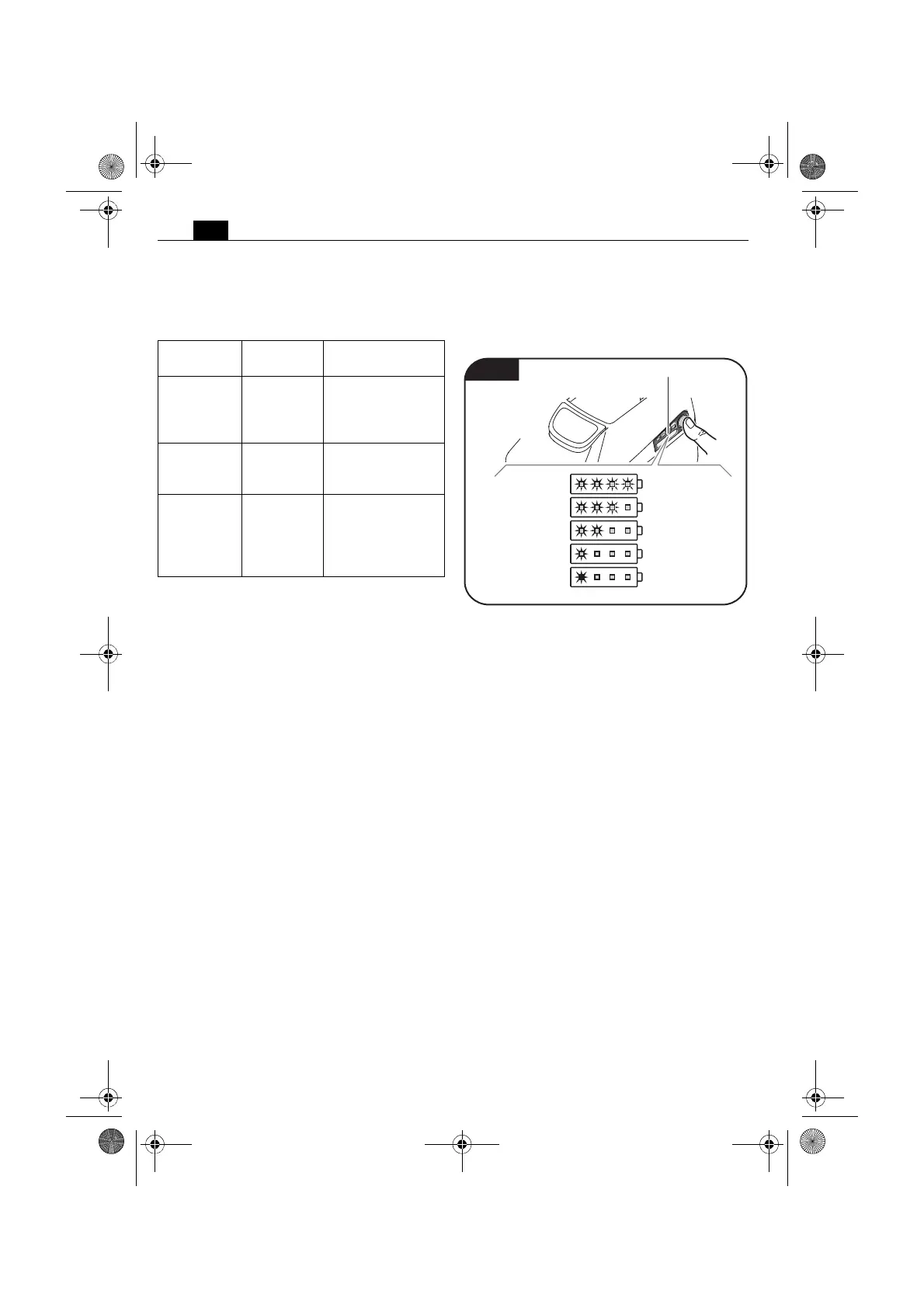
Battery charge-control indicator
(figure 8).
Press the button to activate the LED indica-
tion.
The real percentage of the battery charge
condition is only indicated when the power
tool motor is stopped.
The electronics automatically switch off the
motor prior to the battery being deep dis-
charged.
LED
indicator
Meaning Activity
1–4 green
LED
Percent-
age of
charge
condition
Operation
Continu-
ous red
light
Battery is
almost
empty
Charge battery
Red flashing
light
Battery is
not ready
for opera-
tion
Bring the battery
into the battery
operating-tem-
perature range,
then charge
Fig. 8
LED indication on battery
100 %
75 %
50 %
25 %
0 %
OBJ_BUCH-0000000122-001.book Page 16 Friday, April 19, 2013 10:39 AM


 To Next Page