5 WWW.FEIT.COM
Please contact 1-800-543-3348 for further assistance.
J-Box Installation
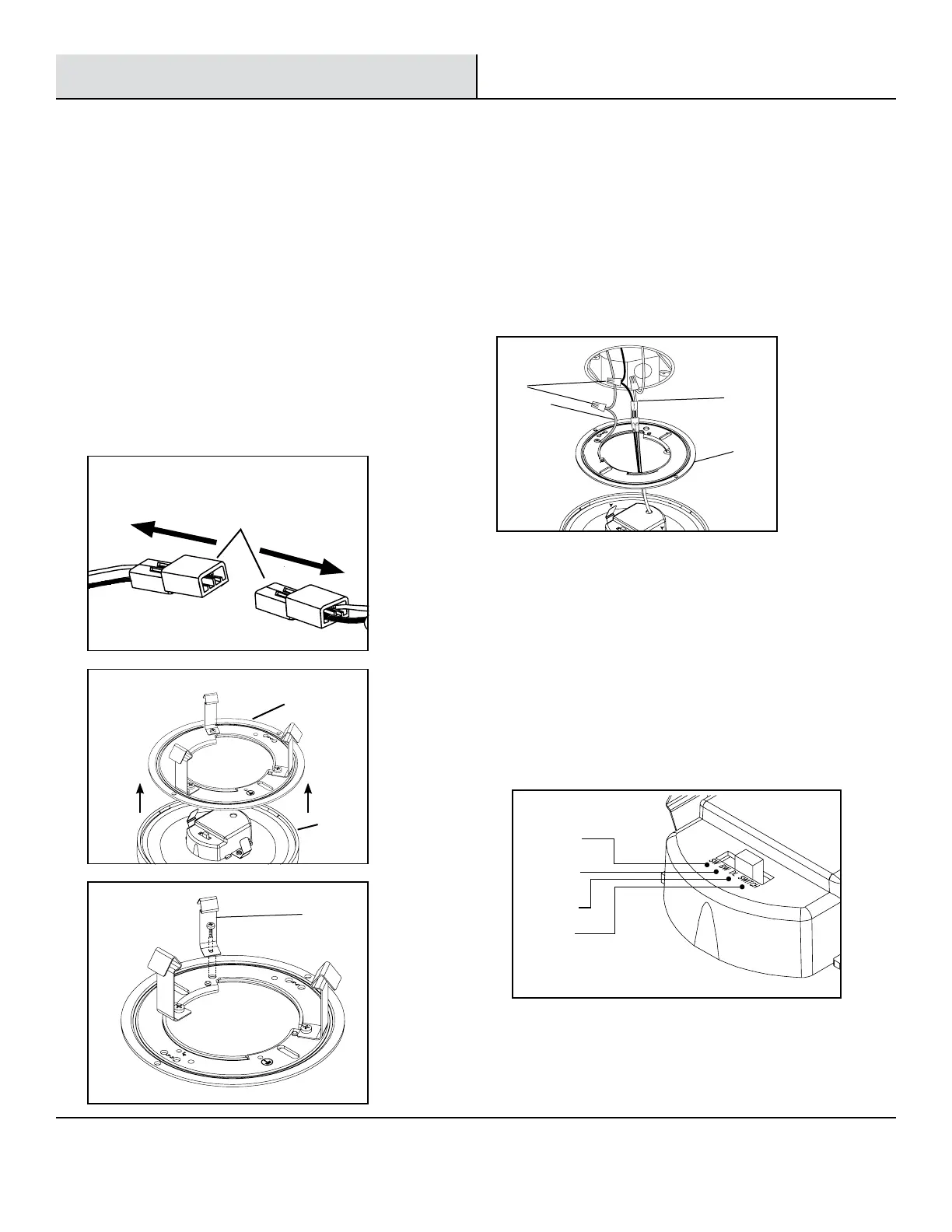
□ Use the slide switch to choose a color
temperature before installing. Soft White
(SW), Bright White (BW), Daylight (DL) or
choose to adjust the color temperature
from the wall switch (SWITCH) (See Fig. 5).
Soft White
3000K
Bright White
4000K
Daylight
5000K
Switch*
Fig. 5
1
Turning Off the Power
2
Disconnecting and removing
components
3
Identifying the wires
4
Choosing a color temperature
before installing
□ Turn the power OFF at the switch and fusebox or the
circuit breaker.
□ Remove the existing trim installed in the recessed
housing.
□ Disconnect the E26 adapter (DD) (See Fig.1).
□ Remove the mounting bracket (BB) from the xture (AA).
(See Fig. 2).
□ Remove the 4 in. mounting clip springs (CC) from the
mounting bracket (BB) (See Fig. 3).
□ Identify the wiring: (black - line voltage, white - neutral
and green - ground)
□ Use the wire nuts (JJ) to connect the stripped wires with
male connector (EE) to the two wires coming from the
J-box (black - line voltage, white - neutral).
□ Determine if the ground wire is inside the J-box. If
not, then secure the ground wire (FF) provided to the
mounting bracket (BB) (See Fig. 4).
Fig.1
Fig. 2
Fig. 3
Fig. 4
EE
BB
JJ
FF
CC
DD
BB
AA



 To Next Page