Need help?
Do you have a question about the FEITIAN bR301 and is the answer not in the manual?
Instructions for installing the reader on Windows PCs, including driver auto-download.
Steps for installing drivers and configuring the reader on Linux and macOS systems.
Guide for connecting and testing the reader with mobile devices via Bluetooth.
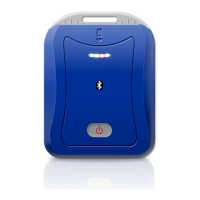
Explains the blue LED indicators for Bluetooth connection states (back to stage, standby, connected).
Describes the white LED indicators for card presence and data transfer status.
Details the yellow LED indicators for battery charge levels (full or low).
Explains the red LED indicators for battery charging status (charging or completed).
 General
| Brand | FEITIAN |
|---|---|
| Model | bR301 |
| Category | Card Reader |
| Language | English |

 To Next Page