Guilin Feiyu Technology Incorporated Company
Guilin Feiyu Technology Incorporated Company www.feiyu-tech.com service@feiyu-tech.com
- 2 -
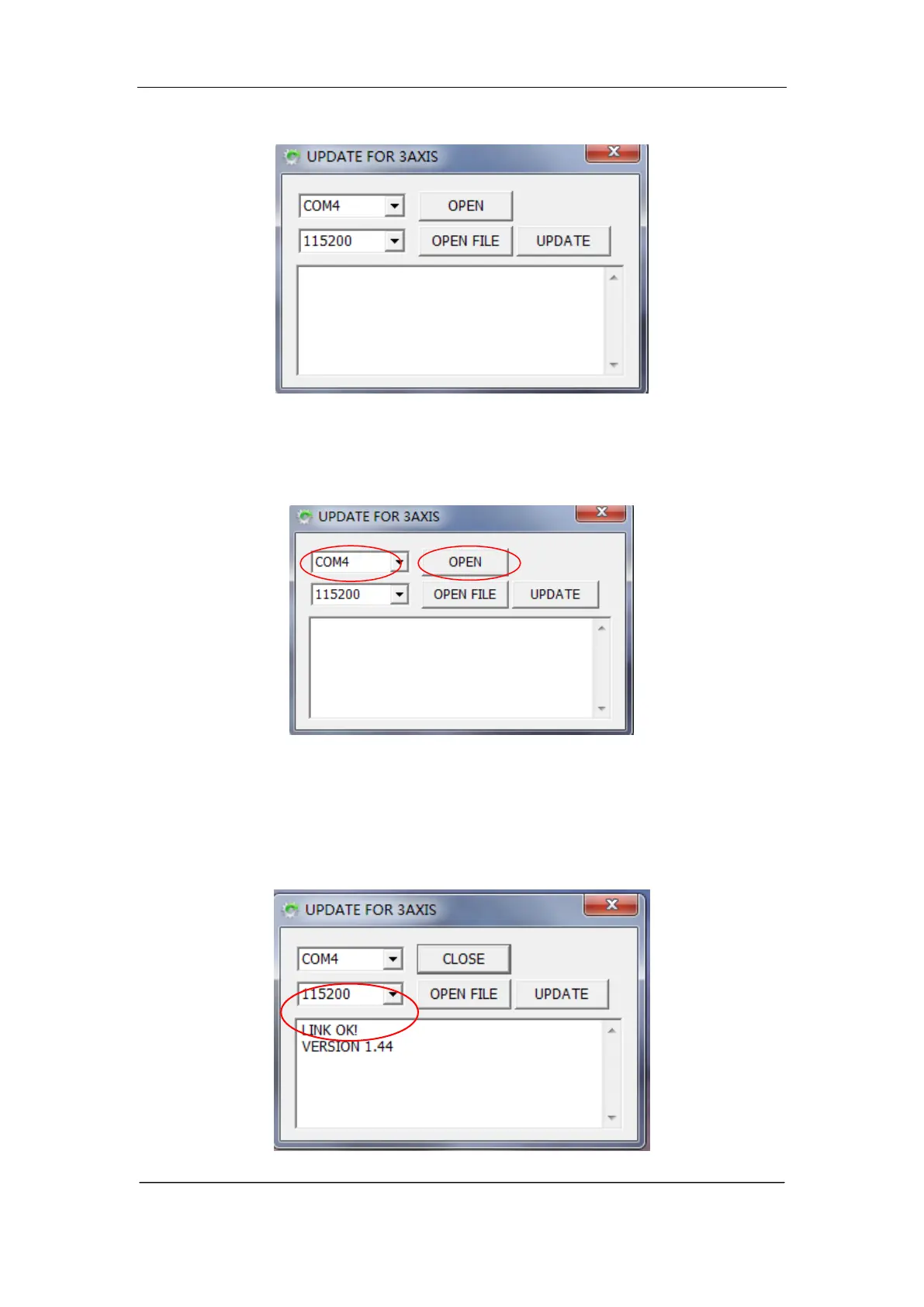
4. Software interface is shown in following picture.:
5. Choose the correct port number and the correct baud rate-115200, then click
OPEN button to open the com port.(The serial port number should be the
same as the port number which checked in step 2).
6. Long press the function button for and release it until the green light is on .
After connect successful, the software will reminder the connection status and
read out the current version (For example ―LINK OK! VERSION 1. 44‖)















 To Next Page