2
Operation guide
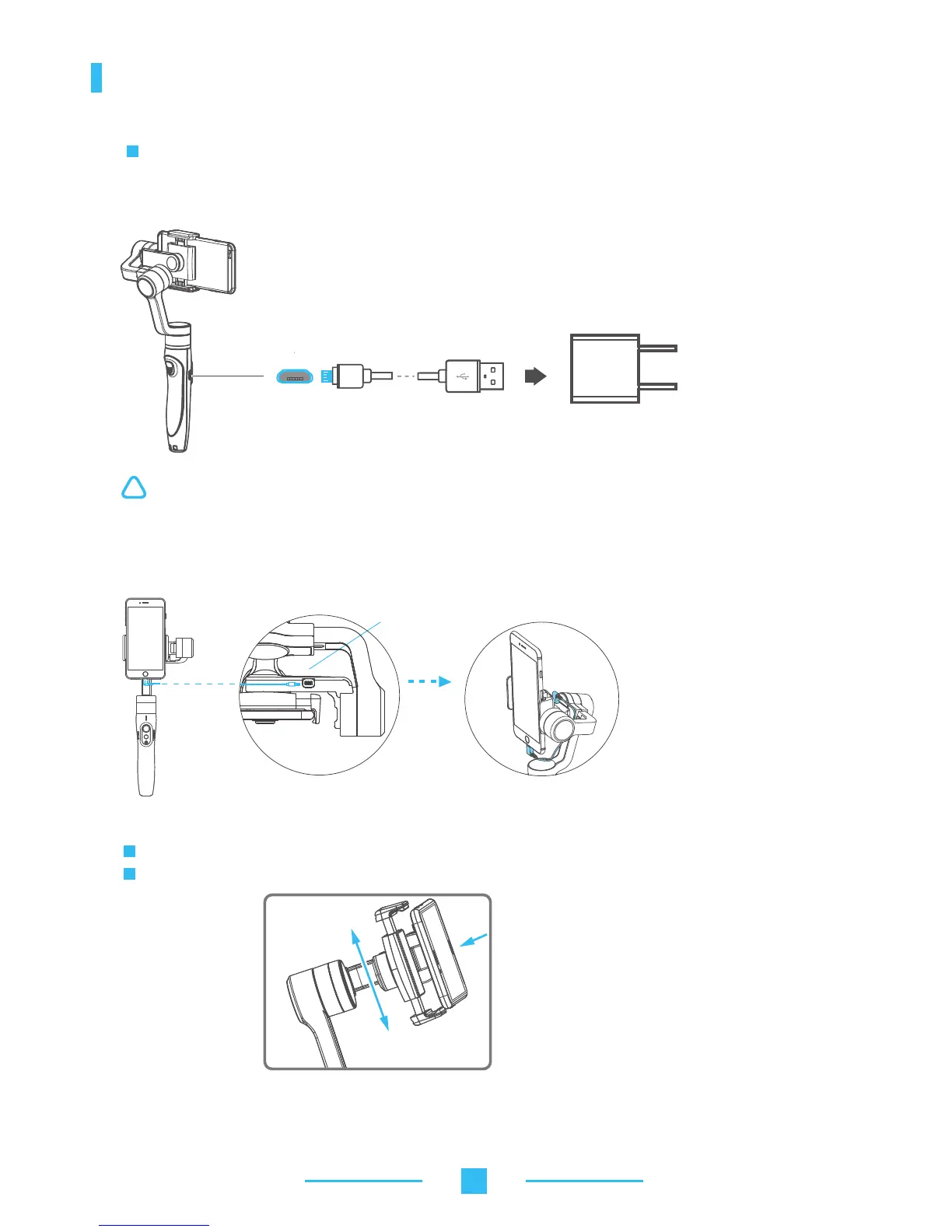
1. Gimbal charging
Micro USB cable
Charging with Micro USB cable Indicator is red in charging status, and becomes
green when battery full.
5V/1A USB charger
Please fully charge the battery before powering on the gimbal for the first time
(not included)
!
(1) Please install the smartphone before powering on the gimbal.
(2) When not in use, turn off the gimbal and then remove the smartphone.
Place smartphone in holder so that the phone is snug against the back of the holder.
It’s recommended to remove your smartphone protective case.
3. Insert smartphone
Smartphone holder width range : 57-84mm.
Micro USB Port
2. Smartphone charging
Charge the phone via cable and choose the corresponding cable according to charging port.



 To Next Page