04
www.feiyu-tech.com
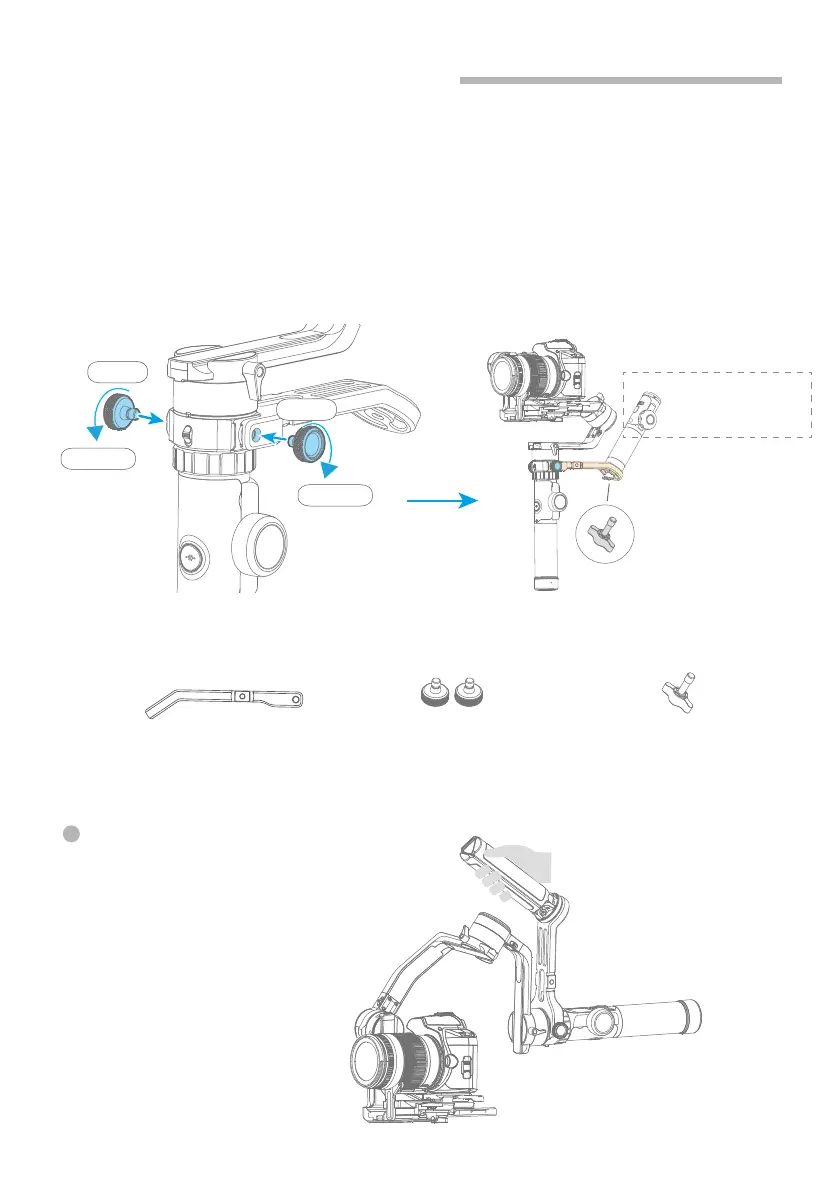
2.5 Versatile Arm Installation
Loose
Tighten
Tighten
Loose
Place the display and
function button of the
remote outwards
Tighten the bottom
of the handle
DO NOT turn around
remoter control's handle
Versatile Arm
X1
Fixed Screw
X2
Screw
X1
Accessories needed:
After installation, you can use
versatile arm for low angle shots.
(1)
(2)
Install versatile arm as picture shown, tighten the screws at left and right side
after aligning it's thread hole with Gimbal handle's one.
Tighten Hyperlink remote control (comes with standard version of AK4500) to
the versatile arm tail. Or you can also tighten tripod at it's tail directly for an
option.
Use longer screw to fix the bottom of the remote handle when mounting remote
control or other accessories with 1/4 inch threaded hole .















 To Next Page