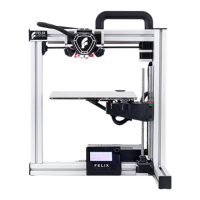
Thank you for choosing FELIX Tec 4.
This quick start guide contains the following information for you to familiarize yourself with your 3D printer, to use it to
its best advantages and to benet fully from all the functions and the technical developments it incorporates.
It is well worth taking a few minutes to read this guide to familiarize yourself with the information and guidelines it
contains about the machine and its functions.
More manuals and tutorials can be found on www.felixprinters.com/support
Page 3
Chapter 1 – Unboxing
1.1 What’s in the Box?
1.2 Unboxing
1.3 Installing the Handle
1.4 Installing Accesoires and Cables
Chapter 2 – Prepare
2.1 Level Build Platform
2.2 Calibrate Z-Probe
2.3 Change lament
Chapter 3 – Print
3.1 Ensure a Succesfull Print
3.2 Printing via SD Card
3.3 Remove a 3D Printed Object
3.4 Remove Support Material
INTRODUCTION & CONTENT
Chapter 4 – Software and maintenance
4.1 Print your own 3D Models
4.2 Calibrate XY Offset
4.3 Calibrate Z Offset
Require additional support?
Have a look at www.felixprinters.com/support
or at our user forum.


 To Next Page