EasyManua.ls Logo

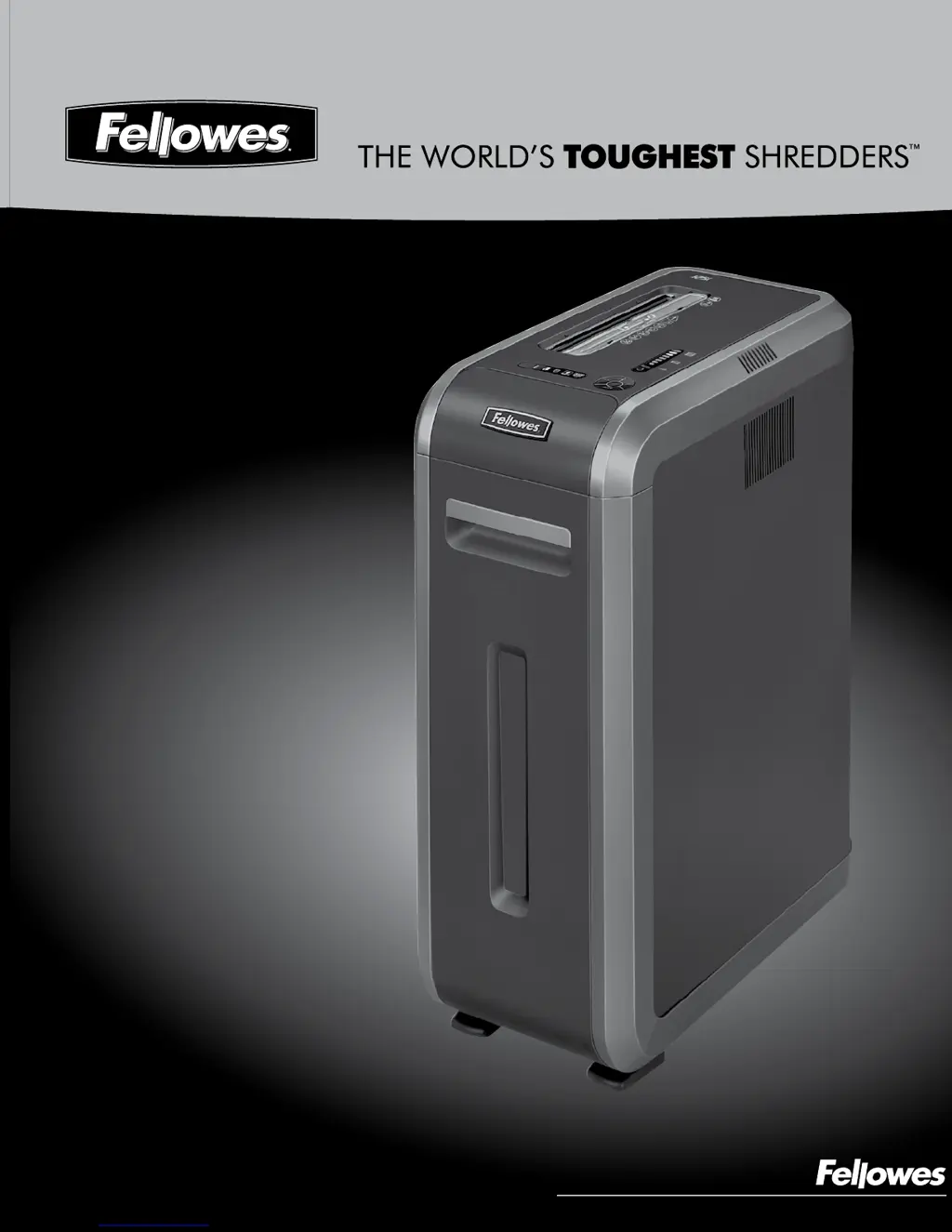
Fellowes POWERSHRED 125Ci - User Manual

Fellowes POWERSHRED 125Ci
6 pages
Print Icon
To Next Page IconTo Next Page
Loading...
Quality Office Products Since 1917
POWERSHRED
®
125Ci/125i
Please read these instructions before use.
Do not discard: keep for future reference.

Other manuals for Fellowes POWERSHRED 125Ci

Questions and Answers

  • T
    Timothy SmithJul 26, 2025
    What to do if SafeSense indicator is active on Fellowes Paper Shredder?
    • E
      ericksonandrewJul 26, 2025
      If the SafeSense® indicator is active on your Fellowes Paper Shredder, it means that your hands are too close to the paper entry. To resume shredding, simply press the power button on the control panel.
  • S
    Suzanne TuckerJul 30, 2025
    Why is the overheat indicator on my Fellowes POWERSHRED 125Ci illuminated?
    • B
      Brian KempJul 30, 2025
      The overheat indicator illuminates because the Fellowes Paper Shredder has exceeded its maximum operating temperature. To resolve this, allow the shredder to cool down. It will not operate during the recovery time.
  • H
    hickskennethAug 3, 2025
    How to fix Fellowes POWERSHRED 125Ci motor running with no paper?
    • B
      Brian WhiteAug 3, 2025
      If the motor of your Fellowes Paper Shredder runs even when there is no paper, the sensors may be blocked by paper dust. Turn off and unplug the shredder. Locate the auto-start infrared sensor, dip a cotton swab in rubbing alcohol, and gently wipe away any contamination from the paper sensors.
  • M
    Mike JohnsonAug 8, 2025
    What to do if Fellowes Paper Shredder overheats?
    • J
      John MelendezAug 8, 2025
      Your Fellowes Paper Shredder has exceeded its maximum operating temperature. Wait for the shredder to cool down before using it again.
  • C
    Carmen DennisAug 12, 2025
    What to do if the SafeSense indicator is illuminated on my Fellowes POWERSHRED 125Ci?
    • H
      hughesginaAug 12, 2025
      The SafeSense indicator illuminates when hands are too close to the paper entry. If SafeSense is active for 3 seconds, the Fellowes Paper Shredder will automatically turn off. Press the power button on the control panel to resume shredding.
  • V
    Vanessa ArmstrongAug 16, 2025
    How to fix a Fellowes Paper Shredder motor that runs with no paper?
    • C
      Christopher WilsonAug 16, 2025
      The motor may run even without paper if the sensors are blocked by paper dust. To fix this, turn off and unplug the Fellowes Paper Shredder. Locate the Auto-start infrared sensor, dip a cotton swab in rubbing alcohol, and gently clean any contamination from the paper sensors.
  • K
    Kimberly WestAug 20, 2025
    What to do if my Fellowes POWERSHRED 125Ci won't run when the bin is open?
    • T
      Troy HillAug 20, 2025
      The Fellowes Paper Shredder will not run if the bin is open. To resume shredding, simply close the bin.

Summary

Key Components and Controls

Component Identification Key

Identifies key external components of the shredder using lettered labels.

Control Panel and LED Indicators

Explains the functions of the control panel buttons and LED status indicators.

Shredder Capabilities and Specifications

Material Shredding Capacity

Details the types of materials the shredder can process and maximum limits.

Paper Shred Size Specifications

Specifies the cross-cut and strip-cut dimensions for shredded paper.

Important Safety Instructions

General Safety Guidelines

Covers child/pet safety, foreign object avoidance, and handling of flammable materials.

Electrical and Usage Precautions

Advises on proper grounding, outlet usage, avoiding water/heat, and fire hazards.

Basic Shredding Operation

Step-by-Step Shredding Process

Illustrates the process of feeding paper, cards, and CDs into the shredder.

Post-Operation Procedures

Instructions for turning off the shredder and its automatic sleep mode activation.

Advanced Features Explained

100% Jam Proof System

Details how the system prevents jams and recovers from misfeeds.

SafeSense Technology Operation

Describes the safety feature that stops shredding upon touch detection.

Sleep Mode Functionality

Explains the energy-saving feature that powers down the shredder after inactivity.

Product Maintenance

Cleaning Auto-Start Infrared Sensors

Step-by-step guide for cleaning the shredder's auto-start sensors.

Oiling the Shredder

Procedure for oiling the shredder to maintain peak performance.

Troubleshooting Guide

Indicator Light Explanations

Explains the meaning of various LED indicators like Overheat, Door Open, and Bin Full.

Common Issue Resolution

Provides solutions for issues such as remove paper indicator and SafeSense® activation.

Limited Product Warranty

Customer Service and Support

Online Support Resources

Provides website links for troubleshooting, registration, and manuals.

Contact Information

Lists customer service phone numbers for Canada, Mexico, and the United States.

Fellowes POWERSHRED 125Ci Specifications

General IconGeneral
SafetySafe Sense
Basket volume53 L
Product colorBlack
Working width230 mm
Shredding size4 x 38 mm
Shredding typeCross shredding
Shredding paper clipsYes
Security level (paper)4
Dimensions (WxDxH)286 x 535 x 735 mm

Related product manuals