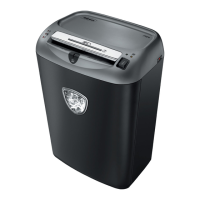
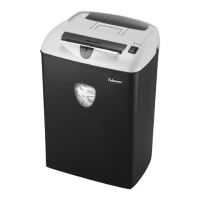
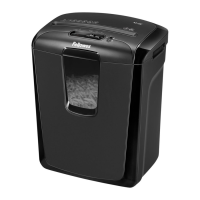
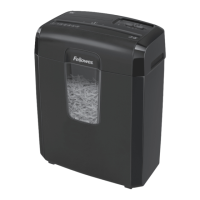
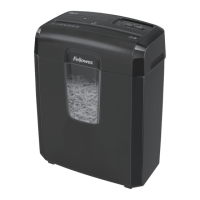
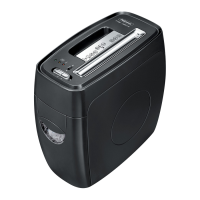
This document describes the Fellowes Powershred PS-12Cs, a cross-cut shredder designed for home and office environments, emphasizing safety and ease of use.
The primary function of the PS-12Cs is to shred paper, small paper clips, plastic credit cards, staples, and junk mail into 3.9mm x 50mm cross-cut particles, enhancing security for discarded documents. The shredder is designed to handle up to 12 sheets of paper per pass and one credit card per pass, with a continuous operation time of 4-5 minutes before requiring a cool-down period.
A key usage feature of this shredder is the integrated SafeSense® Technology, which is highlighted as a "Breakthrough Safety Technology." This feature automatically stops the shredding process when hands are detected too close to the paper entry, significantly reducing the risk of injury. The SafeSense® system can be tested by placing a hand in the paper entry area while the shredder is in Auto-On mode; the sensor lights will illuminate to confirm its functionality. In situations where the SafeSense® light remains on, indicating a potential false jam or a need to clear paper, an override switch is provided. Engaging this switch temporarily deactivates SafeSense®, allowing the user to clear the paper. However, it's crucial to remember that when in override mode, the SafeSense® light will flash, and the safety feature will not be active.
The shredder's control panel includes a control switch with multiple settings: Auto-On (green light), OFF (no light), Reverse (R), and SafeSense® Technology (yellow light). An additional red light indicates an overheat condition. The paper entry (F) and a pull-out bin (C) for shredded waste are easily accessible. A safety lock (G) is also incorporated to prevent unintended operation. For power management, a disconnect power switch (D) is provided, which must be in the ON (I) position for the shredder to operate. In case of emergency, moving this switch to the OFF (0) position will immediately stop the shredder.
Basic shredding operations are straightforward. For paper, the user plugs in the shredder, sets the disconnect power switch to ON (I), then sets the control switch to Auto-On (I). Paper is then fed into the entry, and the shredder automatically processes it. For credit cards, the process is similar, but the card should be held at the edge and fed into the center of the entry. After each pass, the shredder runs briefly to clear the entry.
Troubleshooting common issues is also covered. If the shredder doesn't start, users should check if the bin is pushed in, the control switch is in the Auto-On position, and the safety lock is in the unlock position. If an overheat light is on, a 20-minute cool-down period is recommended. For paper jams, the user should set the control switch to OFF and empty the bin. Then, a sequence of alternating between Reverse (R) and Off (0) can help clear the jam. If paper remains uncut, the user can pull it from the paper entry.
Maintenance features are simple but crucial for the longevity and performance of the shredder. Oiling the shredder is recommended each time the waste bin is emptied. This helps prevent diminished sheet capacity, intrusive noise, and potential operational stops. The oiling procedure involves setting the control switch to OFF, applying a non-aerosol vegetable oil (like Fellowes 35250) across the paper entry, and then setting the control switch to Reverse (R) for 2-3 seconds. This process should be repeated twice. It is important to avoid using aerosol products, petroleum-based lubricants, or "canned air" on or near the shredder, as their vapors can be combustible and cause serious injury.
The manual also provides important safety instructions, emphasizing keeping children and pets away, avoiding contact with cutting blades, and not inserting foreign objects into the paper entry. It also warns against using the shredder if damaged or defective and advises against disassembling it. The shredder must be plugged into a wall outlet of the correct voltage and amperage, and energy converters, transformers, or extension cords should not be used. A specific warning is included against shredding greeting cards with sound chips or batteries due to fire hazard.
Overall, the Fellowes Powershred PS-12Cs is presented as a user-friendly and safe shredding solution, with clear instructions for operation, troubleshooting, and basic maintenance to ensure optimal performance and durability.


 To Next Page

 General
 Weight and Dimensions