EasyManua.ls Logo

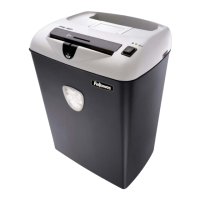
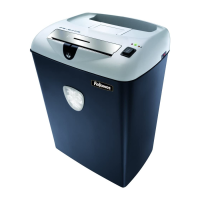
Fellowes PS-67Cs - User Manual

Fellowes PS-67Cs
6 pages
Print Icon
To Next Page IconTo Next Page
Loading...
PS-67Cs
PS-67Cs

Other manuals for Fellowes PS-67Cs

Question and Answer IconNeed help?

Do you have a question about the Fellowes PS-67Cs and is the answer not in the manual?

Summary

Set Up

Test SafeSense Technology

Instructions on how to test the SafeSense® technology feature.

Capabilities

Paper Shred Size

Details the size of paper the shredder can handle.

Maximum Specifications

Lists maximum shredding capacities and continuous operation time.

Important Safety Instructions

General Warnings

Critical safety warnings for operating the shredder safely.

Cautions

Safety precautions and warnings for minor risks.

Operation

Paper Shredding Operation

Step-by-step guide for shredding paper using the shredder.

Card Shredding Operation

Step-by-step guide for shredding cards using the shredder.

Troubleshooting

Paper Jam Resolution

Procedure to resolve paper jams, including using reverse and unplugging.

Indicator Lights Explained

Explanation of what the different colored indicator lights signify.

SafeSense Jam Clarification

Clarification on SafeSense® activation and override switch usage during jams.

Maintenance

Cross-Cut Maintenance

Instructions for regular maintenance like running in reverse and oiling.

Oiling Procedure

Detailed steps for oiling the shredder blades for optimal performance.

Warranty

Declaration of Conformity

Summary

Set Up

Test SafeSense Technology

Instructions on how to test the SafeSense® technology feature.

Capabilities

Paper Shred Size

Details the size of paper the shredder can handle.

Maximum Specifications

Lists maximum shredding capacities and continuous operation time.

Important Safety Instructions

General Warnings

Critical safety warnings for operating the shredder safely.

Cautions

Safety precautions and warnings for minor risks.

Operation

Paper Shredding Operation

Step-by-step guide for shredding paper using the shredder.

Card Shredding Operation

Step-by-step guide for shredding cards using the shredder.

Troubleshooting

Paper Jam Resolution

Procedure to resolve paper jams, including using reverse and unplugging.

Indicator Lights Explained

Explanation of what the different colored indicator lights signify.

SafeSense Jam Clarification

Clarification on SafeSense® activation and override switch usage during jams.

Maintenance

Cross-Cut Maintenance

Instructions for regular maintenance like running in reverse and oiling.

Oiling Procedure

Detailed steps for oiling the shredder blades for optimal performance.

Warranty

Declaration of Conformity

Fellowes PS-67Cs Specifications

General IconGeneral
Cut TypeCross-Cut
Security LevelP-4
Can ShredPaper, Credit Cards, Staples, Paper Clips
Auto Start/StopYes
Cool Down Time30 minutes

Related product manuals