EasyManua.ls Logo

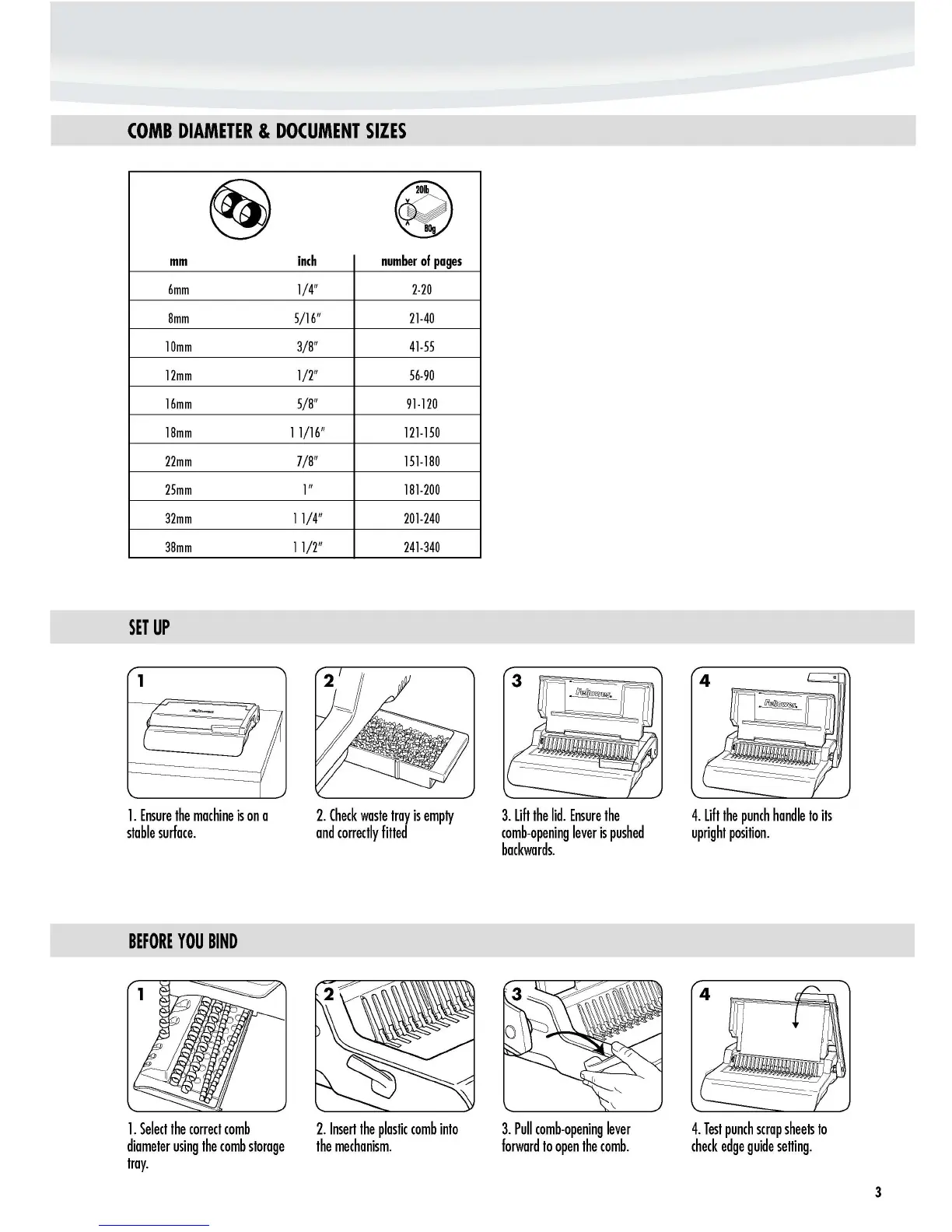
Fellowes Pulsar 300 - Comb Diameter & Document Sizes; Comb Size and Page Capacity Chart; Set Up; Setup Steps

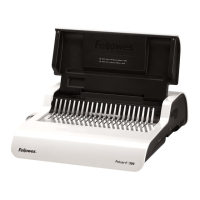
Fellowes Pulsar 300
6 pages
Print Icon
To Next Page IconTo Next Page
To Previous Page IconTo Previous Page
Loading...
1
COMB
DIAMETER
&
DOCUMENT
SIZES
~
mm
6mm
8mm
10mm
12mm
16mm
18mm
22mm
25mm
32mm
38mm
SET
UP
1_
Ensure
the
machine
is
on
a
stable
surface_
BEFORE
YOU
BIND
inch
1/4"
5/16"
3/8"
1/2"
5/8"
1
1/16"
7/8"
1"
11/4"
11/2"
~
number
of
pages
2-20
21-40
41-55
56-90
91-120
121-150
151-180
181-200
201-240
241-340
2_
Check
waste
tray
is
empty
and
correctly
filled
3.
lift
the
lid_
Ensure
the
comb-opening
lever
is
pushed
backwards_
4_
lift
the
punch
handle
to
its
upright
position_
1_
Select
the
correct
comb
diameter
using
the
comb
storage
tray_
2_
Insert
the
plastic
comb
into
the
mechanism_
3.
Pull
comb-opening
lever
forward
to
open
the
comb_
4_
Test
punch
scrap
sheets
to
check
edge
gUide
selling_
3
http://www.monomachines.com
COMB
DIAMETER
&
DOCUMENT
SIZES
~
~
mm
inch
number
of
pages
6mm
1/4"
2-20
8mm
5/16"
21-40
10mm
3/8"
41-55
12mm
1/2"
56-90
16mm
5/8"
91-120
18mm
1
1/16"
121-150
22mm
7/8"
151-180
25mm
1"
181-200
32mm
11/4"
201-240
38mm
11/2"
241-340
SET
UP
1
1.
Ensure
the
machine
is
on
a
stable
surface.
BEFORE
YOU
BIND
1.
Select
the
correct
comb
diameter
using
the
comb
storage
tray.
2.
Check
waste
tray
is
empty
and
correctly
filled
2.
Insert
the
plastic
comb
into
the
mechanism.
3.
lift
the
lid.
Ensure
the
comb-opening
lever
is
pushed
backwards.
3.
Pull
comb-opening
lever
forward
to
open
the
comb.
4.
lift
the
punch
handle
to
its
upright
position.
4.
Test
punch
scrap
sheets
to
check
edge
guide
selling.
3

Other manuals for Fellowes Pulsar 300

Related product manuals