EasyManua.ls Logo

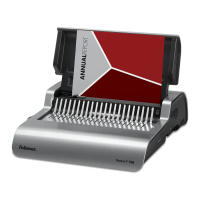
Fellowes Quasar E 500 - Correcting a Bound Document; Removal of Waste Clippings; Storage; Troubleshooting

Fellowes Quasar E 500
6 pages
Print Icon
To Next Page IconTo Next Page
To Previous Page IconTo Previous Page
Loading...
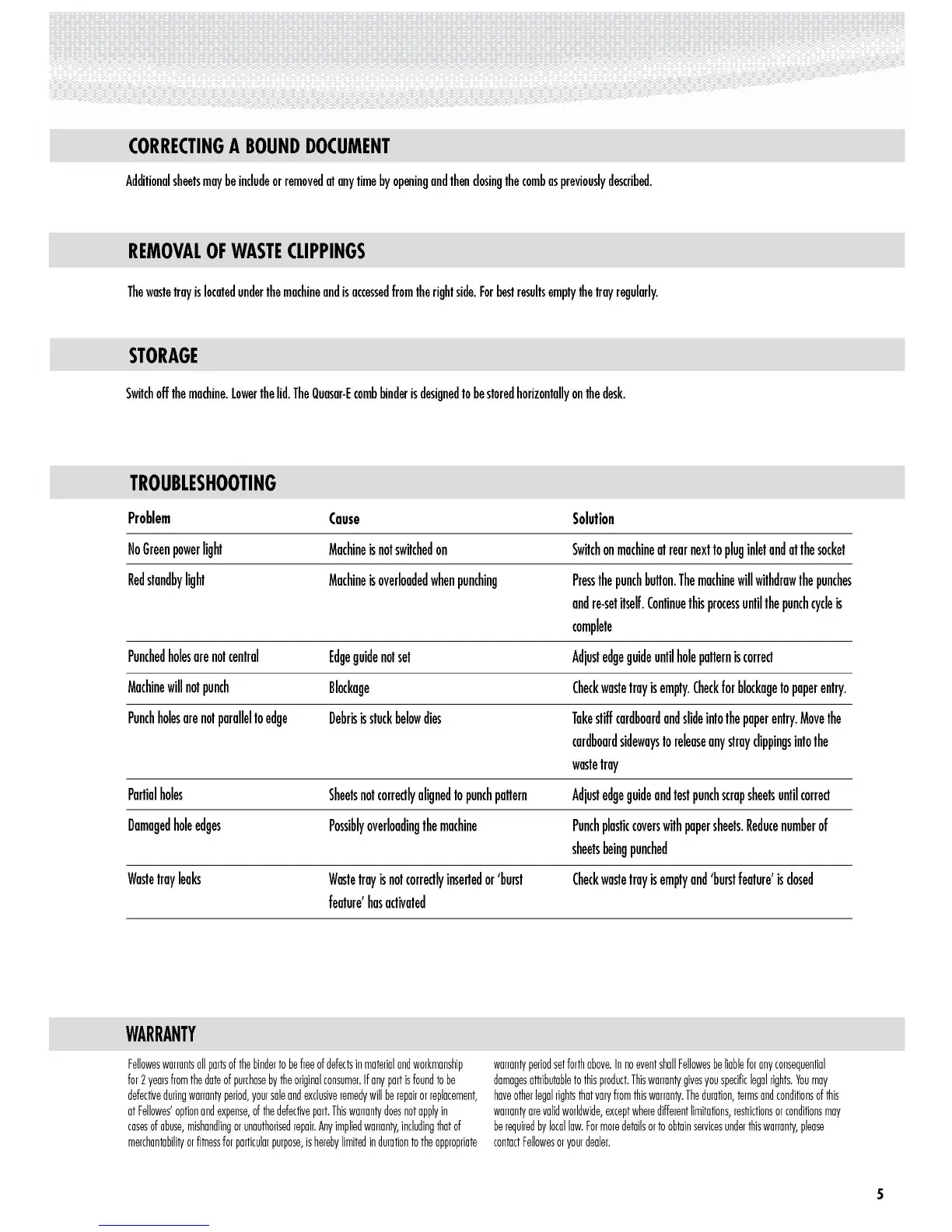
CORRECTING
A
BOUND
DOCUMENT
Additional
sheets
may
be
include
or
removed
at
any
time
by
opening
and
then
closing
the
comb
as
previously
described.
REMOVAL
OF
WASTE
CLIPPINGS
The
waste
tray
is
located
under
the
machine
and
is
accessed
from
the
right
side.
For
best
results
empty
the
tray
regularly.
STORAGE
Switch
off
the
machine.
lower
the
lid.
The
Quasar-E
comb
binder
is
designed
to
be
stored
horizontally
on
the
desk.
TROUBLESHOOTING
Problem
Cause
Solution
No
Green
power
light
Machine
is
not
switched
on
Switch
on
machine
at
rear
next
to
plug
inlet
and
at
the
socket
Red
standby
light
Machine
is
overloaded
when
punching
Press
the
punch
bullon.
The
machine
will
withdrow
the
punches
and
re-set
itself.
Continue
this
process
until
the
punch
cycle
is
complete
Punched
holes
are
not
centrol
Edge
gUide
not
set
Adjust
edge
gUide
until
hole
pallern
is
correct
Machine
will
not
punch
Blockage
Check
waste
troy
is
empty.
Check
for
blockage
to
paper
entry.
Punch
holes
are
not
parollelto
edge
Debris
is
stuck
below
dies
Take
stiff
cardboard
and
slide
into
the
paper
entry.
Move
the
cardboard
sideways
to
release
any
stroy
clippings
into
the
waste
troy
Partial
holes
Sheets
not
correctly
aligned
to
punch
pallern
Adjust
edge
gUide
and
test
punch
scrap
sheets
until
correct
Damaged
hole
edges
Possibly
overloading
the
machine
Punch
plastic
covers
with
paper
sheets.
Reduce
number
of
sheets
being
punched
Waste
troy
leaks
Waste
troy
is
not
correctly
inserted
or
'burst
Check
waste
troy
is
empty
and
'burst
feature'
is
closed
feature'
has
activated
WARRANTY
Fellowes
warrants
all
parts
of
the
binder
to
be
free
of
defects
in
material
and
workmanship
warranty
period
set
forth
above.
In
no
event
shall
Fellowes
be
liable
for
any
consequential
for
2
years
from
the
date
of
purchase
by
the
original
consumer.
If
any
part
is
found
to
be
damages
attributable
to
this
product.
This
warranty
gives
you
specific
legal
rights.
You
may
defective
during
warranty
period,
your
sale
and
exclusive
remedy
will
be
repair
or
replacement,
have
other
legal
rights
that
vary
from
this
warranty.
The
duration,
terms
and
conditions
of
this
at
Fellowes'
option
and
expense,
of
the
defective
part.
This
warranty
does
not
apply
in
warranty
are
valid
worldWide,
except
where
different
limitations,
restrictions
or
conditions
may
cases
of
abuse,
mishandling
or
unauthorised
repair.
Any
implied
warranty,
including
that
of
be
required
by
local
law.
For
more
details
or
to
obtain
services
under
this
warranty,
please
merchantability
or
fitness
for
particular
purpose,
is
hereby
limited
in
duration
to
the
appropriate
contact
Fellowes
or
your
dealer.
s
http://www.monomachines.com
CORRECTING
A
BOUND
DOCUMENT
Additional
sheets
may
be
include
or
removed
at
any
time
by
opening
and
then
closing
the
comb
as
previously
described.
REMOVAL
OF
WASTE
CLIPPINGS
The
waste
tray
is
located
under
the
machine
and
is
accessed
from
the
right
side.
For
best
results
empty
the
tray
regularly.
STORAGE
Switch
off
the
machine.
lower
the
lid.
The
Quasar-E
comb
binder
is
designed
to
be
stored
horizontally
on
the
desk.
TROUBLESHOOTING
Problem
No
Green
power
light
Red
standby
light
Punched
holes
are
not
central
Machine
will
not
punch
Punch
holes
are
not
parallel
to
edge
Partial
holes
Damaged
hole
edges
Waste
tray
leaks
WARRANTY
Cause
Machine
is
not
switched
on
Machine
is
overloaded
when
punching
Edge
guide
not
set
Blockage
Debris
is
stuck
below
dies
Sheets
not
correctly
aligned
to
punch
pallem
Possibly
overloading
the
machine
Waste
tray
is
not
correctly
inserted
or
'burst
feature'
has
activated
Solution
Switch
on
machine
at
rear
next
to
plug
inlet
and
at
the
socket
Press
the
punch
bUllon.
The
machine
will
withdraw
the
punches
and
re-set
itself.
Continue
this
process
until
the
punch
cycle
is
complete
Adjust
edge
guide
until
hole
pallem
is
correct
Check
waste
tray
is
empty.
Check
for
blockage
to
paper
entry.
Take
stiff
cardboard
and
slide
into
the
paper
entry.
Move
the
cardboard
sideways
to
release
any
stray
clippings
into
the
waste
tray
Adjust
edge
guide
and
test
punch
scrap
sheets
until
correct
Punch
plastic
covers
with
paper
sheets.
Reduce
number
of
sheets
being
punched
Check
waste
tray
is
empty
and
'burst
feature'
is
closed
Fellowes
warrants
all
parts
of
the
binder
to
be
free
of
defects
in
material
and
workmanship
for
2
years
from
the
dote
of
purchase
by
the
original
consumer.
If
any
part
is
found
to
be
defective
during
warranty
period,
your
sale
and
exclusive
remedy
will
be
repair
or
replacement,
at
Fellowes'
option
and
expense,
of
the
defective
part.
This
warranty
does
not
apply
in
cases
of
abuse,
mishandling
or
unauthorised
repair.
Any
implied
warranty,
including
that
of
merchantability
or
fitness
for
particular
purpose,
is
hereby
limited
in
duration
to
the
opprapriote
warranty
period
set
forth
above.
In
no
event
sholl
Fellowes
be
liable
for
any
consequential
damages
attributable
to
this
praduct.
This
warranty
gives
you
specific
legal
rights.
You
may
have
other
legal
rights
that
vary
from
this
warranty.
The
duration,
terms
and
conditions
of
this
warranty
are
valid
worldwide,
except
where
different
limitations,
restrictions
or
conditions
may
be
required
by
local
low.
For
more
details
or
to
obtain
services
under
this
warranty,
please
contact
Fellowes
or
your
dealer.
s

Other manuals for Fellowes Quasar E 500

Related product manuals