
 To Next Page


S
stoneanthonyJul 26, 2025
What to do if my Fellowes Binding Machine will not punch?
- TTimothy PhelpsJul 26, 2025
If your Fellowes Binding Machine won't punch, make sure the waste tray is empty and check for any blockages in the paper entry.

What to do if my Fellowes Binding Machine will not punch?
If your Fellowes Binding Machine won't punch, make sure the waste tray is empty and check for any blockages in the paper entry.
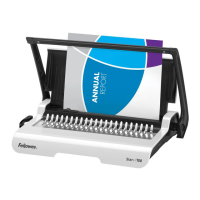
Why does my Fellowes Star 150 Binding Machine create damaged hole edges?
Damaged hole edges in your Fellowes Binding Machine are possibly due to overloading it. Try punching plastic covers with paper sheets or reduce the number of sheets you're punching at once.
How to fix punched holes that are not central on Fellowes Star 150 Binding Machine?
If the punched holes are not central when using your Fellowes Binding Machine, it's likely that the edge guide isn't properly set. Adjust the edge guide until the hole pattern is correct.
Why are the punch holes not parallel to the edge on my Fellowes Star 150 Binding Machine?
If the punch holes aren't parallel to the edge when using your Fellowes Binding Machine, the edge guide is likely not set correctly. Adjust the edge guide and test punch scrap sheets until it's correct.
What to do if my Fellowes Binding Machine is making partial holes?
If you're getting partial holes with your Fellowes Binding Machine, it's likely that the sheets aren't correctly aligned to the punch pattern. Slide stiff cardboard into the paper entry and move it sideways to release any stray clippings into the waste tray.
Why is the waste tray leaking on my Fellowes Binding Machine?
If the waste tray of your Fellowes Binding Machine leaks, it could be that the waste tray isn't correctly inserted or the ‘burst feature’ has activated. Check that the waste tray is empty and the ‘burst feature’ is closed.
Details on the number of sheets that can be punched based on paper weight and cover type.
Information on the maximum comb size and document capacity the binder supports.
Supported paper sizes for the binding process.
The total number of holes the binder can punch at once.
The spacing measurement between punched holes.
Details regarding the functionality of the adjustable edge guide.
The volume or number of sheets the waste tray can hold.
The overall weight of the comb binder.
The physical size (Length x Depth x Height) of the binder.
A chart correlating comb diameter to the number of pages it can bind.
Essential safety precautions and warnings to review prior to initial operation.
Instruction to place the binder on a stable surface before use.
Verify the waste tray is empty and correctly fitted.
Lift the punch handle to its upright position for operation.
How to choose the correct comb diameter using the storage tray.
Instructions for inserting the plastic comb into the binding mechanism.
Action to pull the comb-opening lever forward to open the comb.
Performing test punches on scrap sheets to check edge guide settings.
Guidance to punch the front and back covers of the document first.
Punching sheets in small batches to avoid overloading the machine.
Loading punched sheets onto the opened comb, starting with the front.
Pushing the comb lever backward to close the comb and secure the document.
Instructions for adding or removing sheets from a bound document.
Guidance on how to store the comb binder when not in use.
Information on accessing and emptying the waste tray.
Solutions for misaligned punched holes.
Resolving issues where holes are not parallel to the document edge.
Troubleshooting steps when the binder fails to punch.
Addressing problems with incomplete punched holes.
Solutions for rough or damaged punched hole edges.
Troubleshooting tips for a leaking waste tray.
Details on the 2-year warranty for defects in material and workmanship.
General help line numbers for different regions.
Specific contact phone numbers for Fellowes support by country.
 General
| Punch capacity | 10 sheets |
|---|---|
| Binding capacity | 150 sheets |
| Maximum paper width | 18 mm |
| Dimensions (WxDxH) | 450 x 250 x 80 mm |
| Recommended media weight | 80 g/m² |
 Weight and Dimensions
| Weight | 4500 g |
|---|