wwwwww
..
ffeennddeerr..ccoomm
✧
wwwwww
..mmrrggeeaarrhheeaadd..nneett
8
DD
DD
ee
ee
ll
ll
uu
uu
xx
xx
ee
ee
™™
™™
99
99
00
00
DD
DD
SS
SS
PP
PP
AA
AA
mm
mm
pp
pp
ll
ll
ii
ii
ff
ff
ii
ii
ee
ee
rr
rr
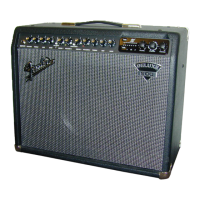
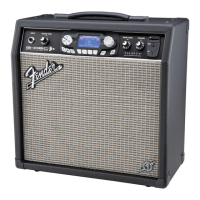
Your new Deluxe™ 90 DSP amplifier delivers
world–class Fender
®
tone and world–standard Fender
®
DSP technology:
• 90W output power @ 4 ohms
• Digital Signal Processing
• 16 FX SELECTIONS
• Separate FX LEVEL and TIME/RATE controls
• Selectable Normal and Drive Channels with
independent volume and tone controls
• MORE DRIVE pre-amp boost for instant gain
saturation and harmonically rich leads
• PRE AMP OUT and POWER AMP IN jacks
• 3-button FOOTSWITCH (included) enables remote
activation of:
(1) Channel Select, (2) Drive/More Drive, (3) Effects
Thank you for choosing Fender
Thank you for choosing Fender
®
®
—T
—T
one, T
one, T
radition and Innovation—since 1946
radition and Innovation—since 1946
A. INPUTS - Plug your guitar in here. INPUT 1 is used
for normal electric guitars. INPUT 2 is a lower
sensitivity input for guitars equipped with high
output (active) pickups.
The Normal channel controls (B-E) are operational when
the CH SELECT button is out, or footswitch
is off.
B. VOLUME - Adjusts the loudness of the amplifier.
CDE.
TREBLE / MID / BASS - Adjusts the tone in the
high / middle / low frequency ranges respectively.
F. CHANNEL SELECT -
Button OUT selects the Normal channel
Button IN selects the Drive channel
The Drive channel controls (G–M), are operational when
the CH SELECT button is in, or footswitch
is on.
G
.
DRIVE - Adjusts the distortion level. Use together with
the Drive channel VOLUME control (I) to adjust the
overall loudness of the amplifier.
H. MORE DRIVE - Boosts the intensity and range of
the DRIVE control (G).
Button OUT selects the Drive channel
Button IN selects More Drive channel
I. VOLUME - Adjusts loudness of the amplifier
together with the DRIVE control (G).
J. DRIVE CHANNEL INDICATORS -
Yellow LED ON
Drive channel is active
Red LED ON
More Drive channel is active
KLM.
TREBLE / MID / BASS - Adjusts the tone in the
high / middle / low frequency ranges respectively.
N. FX LEVEL - Adjusts the level of the selected effect.
O. FX SELECT - Selects the active effect. Each
position defaults to a preset time/rate parameter to
allow for quick auditioning of a common variation
of each effect.
P. TIME/RATE - Once this knob is nudged, it adjusts
the interval length / modulation speed of the active
effect (see next page).
Q. POWER INDICATOR - Illuminates when the
amplifier is ON.
R. POWER - Switches the amplifier ON and
OFF.
S. POWER CORD SOCKET - Connect the
included power supply cord in
accordance with the voltage and
frequency ratings listed on the rear panel.
T. PRE AMP OUT/POWER AMP IN -
(1) Effects Loop - Connect PRE
AMP OUT to an effects device
input, then connect the effects
device output to PWR AMP IN.
(2) Multiple Amps - Connect the primary unit’s PRE
AMP OUT to the auxiliary unit’s PWR AMP IN. The
primary unit is used to control all auxiliary units.
(3) Recording or Reinforcement - Connect PRE
AMP OUT to sound equipment’s input.
Both jacks use a TS (Tip-Sleeve) standard
type plug for connections. PRE AMP OUT includes
onboard tone shaping and DSP effects processing.
U. FOOTSWITCH - Connect the 3-button Fender
®
footswitch (included) to this jack to enable remote
switching of CH SELECT, DRIVE/MORE DRIVE,
and EFFECTS. When plugged in, the footswitch
overrides the corresponding panel controls.



 To Next Page
 Loading...