EasyManua.ls Logo

Feniex FUSION AMBER - User Manual

Default Icon
9 pages
Print Icon
To Next Page IconTo Next Page
Loading...
Fusion Amber 49" Lightbar Instruction Manual
1.800.615.8350 / feniex.com
Feniex Product Copyrights This price List and the mentioned Feniex products include or describe copyrighted Feniex material. Laws in the
United States and other countries preserve for Feniex Industries and its licensors certain exclusive rights for copyrighted material, including the
exclusive right to copy, reproduce in any form, distribute and make derivative works of the copyrighted material. Accordingly, any copyrighted
material of Feniex and its licensors contained herein or in the Feniex products described in this Price List may not be copied, reproduced,
distributed, merged or modied,transmitted, transcribed, stored in retrieval system or translated into any language or computer language, in any
form or by any means, without prior written permission of Feniex Industries, Inc.. Feniex and the stylized Feniex logo are registered in the U.S.
Patent & Trademark Oce.
FUSION AMBER
49" LIGHTBAR
FS-4918-A
Equipment Dimensions
pp. 03
Specifications
pp.04
Wiring Diagram
pp.04
Quad Converter
pp.05
Connecting 4200 DL
pp.09
Feniex University
feniexuniversity.com
Question and Answer IconNeed help?

Do you have a question about the Feniex FUSION AMBER and is the answer not in the manual?

Summary

Safety and Warranty

Safety Regulations

Essential safety precautions for operating and installing Feniex products to prevent damage or injury.

Warranty Information

Details Feniex Industries' product warranties, coverage periods, and service after expiration.

Copyright and Usage Rights

Outlines Feniex's copyrighted material and restrictions on reproduction and distribution.

Equipment Dimensions

Product Dimensions Overview

Visual representation and measurements of the Fusion Amber 49" Lightbar's physical size.

Wiring and Specifications

Wiring Diagram

Illustrates the wire connections and functions for the lightbar and its components.

Product Specifications

Key technical details including warranty, voltage range, and current draw.

Lightbar Patterns

Lists available flash patterns for the lightbar, numbered 1 through 15.

Quad Converter

Quad Converter Overview

Details the physical layout and configuration of the Quad Converter unit.

Quad Converter Modes

Lists and describes the 28 available modes and functions controlled by the Quad Converter.

Programming Instructions

General Programming

Instructions on how to activate modes and use the pattern select button on the Quad Converter.

Arrow Mode Programming

How to program arrow modes (13 & 14) for traffic advisor patterns.

Signal Mode Programming

How to reposition turn signals (15 & 16) to different modules.

Tail & Brake Mode Programming

How to reposition tail and brake light modes (17 & 18) to different modules.

Takedown Mode Programming

How to reposition takedown modes (19 & 20) to appropriate modules.

Alley Mode Programming

How to reposition alley light modes (21 & 22) to the center.

California Red Mode Programming

How to reposition California Red mode (23) or add more modules.

Cruise Mode Programming

How to add more modules to cruise modes (24 & 25).

Connecting the 4200 DL

RJ45 Adapter Connection

Steps for connecting the Fusion Amber Lightbar to the 4200 DL Relay & Controller via RJ45.

Overview

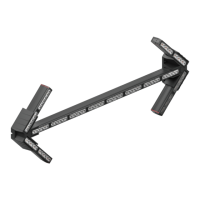
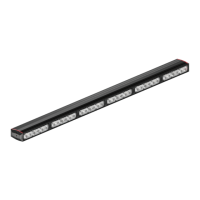
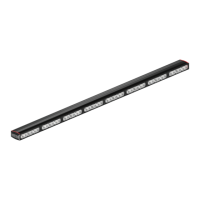
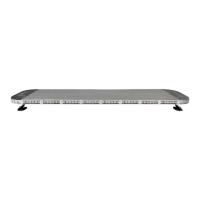
The Feniex Fusion Amber 49" Lightbar (FS-4918-A) is a high-performance emergency vehicle lighting solution designed for superior visibility and versatility. This instruction manual provides comprehensive details for its safe installation, operation, and maintenance, ensuring optimal performance and longevity.

Function Description

The Fusion Amber 49" Lightbar is primarily designed to provide amber warning illumination for emergency and service vehicles. It integrates with the Feniex Quad Converter and can be controlled by the Feniex 4200 DL Relay & Controller, offering extensive customization of flash patterns and operational modes. The lightbar features multiple sections that can be independently programmed for various functions, including warning patterns, traffic advisor, alley lights, takedown lights, and cruise lights. Its modular design allows for flexible configuration to meet specific user needs.

Important Technical Specifications

  • Warranty: 5 years
  • Voltage: 10-18 Volts DC
  • Current Draw: 20 Amps
  • Dimensions:
    • Length: 49.8 inches
    • Width: 12.13 inches
    • Height: 1.75 inches (lightbar only)
    • Height (with mounting feet): 3.65 inches
  • Wiring:
    • Green Wire: Data Wire A
    • White Wire: Data Wire B
    • Power connections require a 20A fuse for the lightbar and a 2A fuse for the Quad Converter.
  • Quad Converter Inputs (Modes 1-28):
    • Front Mode 1, 2, 3
    • Takedown/Alley Flash
    • Rear Mode 1, 2, 3
    • STT Flashing
    • Driver Cut, Passenger Cut, Front Cut, Rear Cut
    • Left Arrow, Right Arrow
    • Left Signal, Right Signal
    • Tail, Brake
    • Front Flood, Rear Flood
    • Alley Right Flood, Alley Left Flood
    • California Red
    • Cruise Left, Cruise Right
    • Dim 10%, Dim 50%
    • Arrow Position
  • Lightbar Flash Patterns (Modes 1-15):
    • Attack
    • Cluster
    • Cluster Mix
    • Combo Single
    • Combo Triple
    • Vehicle Park
    • Half-Half Single
    • Half-Half Triple
    • 1-1 Single
    • 1-1 Triple
    • 2-2 Single
    • 2-2 Triple
    • All-on Single
    • All-on Triple
    • End + Corner

Usage Features

The Fusion Amber 49" Lightbar offers extensive programming capabilities through the Feniex Quad Converter. Users can customize various operational modes and flash patterns to suit different scenarios.

  • Pattern Selection: The lightbar supports 15 distinct flash patterns. These patterns are selected via the Quad Converter, which has a "FLASH PATTERN SELECT" button. To change patterns, activate the desired mode (e.g., Front Mode 1) and then tap the pattern select button on the Quad Converter.
  • Mode Programming: The Quad Converter allows for individual control and programming of 28 different modes. Each mode corresponds to a specific function or lighting configuration.
    • Arrow Modes (13 & 14): To adjust the number of modules used in the traffic advisor pattern, activate either Left or Right Arrow mode. Then, tap mode 28 (Arrow Position) to 12V+ for 1 second each time to step through the available patterns.
    • Signal Modes (15 & 16): To reposition the turn signal to fewer or a single module, activate the Left or Right Signal mode. Then, tap the pattern select button to a 12V+ for 1 second.
    • Tail & Brake Modes (17 & 18): To reposition the tail and brake functions to a different module, activate the respective mode and tap the pattern select button to a 12V+ for 1 second.
    • Takedown Modes (19 & 20): To reposition takedown lights to the appropriate module, activate the Front or Rear Flood mode and tap the pattern select button to a 12V+ for 1 second.
    • Alley Modes (21 & 22): To reposition alley lights to the center, activate the Left or Right Alley mode and then tap the pattern select button to a 12V+ for 1 second.
    • California Red Mode (23): To reposition California Red to another module or to add more modules, activate California Red mode and then tap the pattern select button to a 12V+ for 1 second.
    • Cruise Modes (24 & 25): To add more modules to the cruise function, activate Cruise Left or Cruise Right mode and then tap the pattern select button to a 12V+ for 1 second to illuminate additional modules.
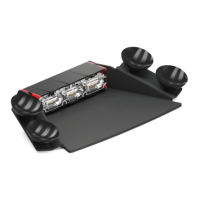
  • Integration with 4200 DL: The lightbar is designed to connect seamlessly with the Feniex 4200 DL Relay & Controller using a provided RJ45 Adapter. The adapter connects to RJ45 ports "1", "2", or "3" on the 4200 DL. The white data wire connects to port "A" on the adapter, and the green data wire connects to port "B". This integration allows for centralized control of the lightbar's functions.

Maintenance Features

Feniex Industries emphasizes the importance of proper installation and adherence to safety regulations to ensure the longevity and performance of the lightbar.

  • Warranty Coverage: The lightbar comes with a 5-year warranty from the manufacturing date, covering defects in material and workmanship. This warranty is contingent on proper installation and use.
  • Service & Support: Feniex provides customer support at 1.800.615.8350 and through their website (www.Feniex.com). For repairs or replacements, a Return Merchandise Authorization (RMA) number is required. Support hours are Monday through Friday, 10 a.m. to 5 p.m. central time. Feniex continues to offer service for products even after the warranty expires.
  • Installation Guidelines:
    • Professional installation by individuals with knowledge of automotive systems and electronics is recommended.
    • Ensure no vital vehicle components are damaged during drilling for installation.
    • Avoid installing the product in a way that interferes with airbag deployment.
    • Clean mounting surfaces thoroughly before installation, especially when using tape, brackets, magnets, Velcro, or suction cups.
    • The product's ground wire must be connected directly to the Negative (-) battery post for effective operation.
    • Adhere to all wiring guidelines to guarantee long lifespan and productivity.
    • Warning: Using non-factory screws and mounting brackets may result in loss of warranty coverage.

The Feniex Fusion Amber 49" Lightbar is a robust and highly configurable lighting solution, built to withstand demanding conditions while providing essential warning and utility illumination for emergency and service applications. Its comprehensive programming options and integration capabilities make it a versatile choice for modern vehicle setups.

Feniex FUSION AMBER Specifications

General IconGeneral
BrandFeniex
ModelFUSION AMBER
CategoryLighting Equipment
LanguageEnglish

Related product manuals