EasyManua.ls Logo

Feniex FUSION-S ARROW BOARD - User Manual

Feniex FUSION-S ARROW BOARD
9 pages
Print Icon
To Next Page IconTo Next Page
Loading...
Fusion S Arrow Board Instruction Manual
1.800.615.8350 / feniex.com
Feniex Product Copyrights This price List and the mentioned Feniex products include or describe copyrighted Feniex material. Laws in the
United States and other countries preserve for Feniex Industries and its licensors certain exclusive rights for copyrighted material, including the
exclusive right to copy, reproduce in any form, distribute and make derivative works of the copyrighted material. Accordingly, any copyrighted
material of Feniex and its licensors contained herein or in the Feniex products described in this Price List may not be copied, reproduced,
distributed, merged or modied,transmitted, transcribed, stored in retrieval system or translated into any language or computer language, in any
form or by any means, without prior written permission of Feniex Industries, Inc.. Feniex and the stylized Feniex logo are registered in the U.S.
Patent & Trademark Oce.
FUSION-S
ARROW BOARD
FS-1016
Equipment Dimensions
pp. 03
Specifications
pp.04
Wiring Diagram
pp.04
Quad Converter
pp.05
Feniex University
feniexuniversity.com
Question and Answer IconNeed help?

Do you have a question about the Feniex FUSION-S ARROW BOARD and is the answer not in the manual?

Summary

Safety Regulations and Warranty

Safety Regulations

Provides essential information for safe operation and installation to prevent damage or injury.

Product Warranty Details

Details product warranty coverage, service after expiration, and contact information for support.

Service After Warranty Expiration

Explains Feniex's policy on providing service for products after their warranty period has ended.

Copyright Information

Outlines Feniex's rights regarding copyrighted material in the manual and products.

Equipment Dimensions

Wiring Diagram

Specifications

Available Patterns

Standard Front Quad Converter Configuration

Switching Between Front and Rear Activation

Rear Mode Quad Converter Setup

Details the configuration for rear mode operation using the Quad Converter.

Product Programming Guide

Arrow Modes Configuration

Explains how to set and step through left and right arrow patterns for traffic advisors.

Signal Modes Configuration

Describes configuring left and right turn signals to illuminate specific parts of the lightbar.

Programming Controls Continued (1)

Tail and Brake Mode Setup

Instructions for configuring tail and brake light functions to different modules.

Flood Mode Setup

Guide for setting front or rear flood functions, including take-down configuration.

Alley Mode Setup

Details on activating and repositioning alley light functions to specific modules.

Programming Controls Continued (2)

California Red Mode Setup

Explains how to set and reposition the California Red mode across different modules.

Cruise Mode Setup

Instructions for configuring cruise modes, including illuminating multiple modules.

Overview

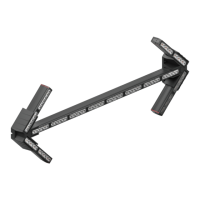
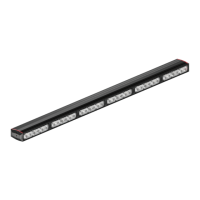
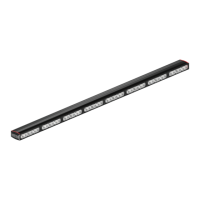
The Feniex Fusion-S Arrow Board (FS-1016) is a sophisticated lighting device designed for vehicle safety and traffic management, offering a range of customizable light patterns and operational modes. This instruction manual provides comprehensive guidance for its installation, operation, and maintenance, ensuring safe and effective use.

Function Description

The Fusion-S Arrow Board primarily functions as a visual warning and directional indicator for vehicles, enhancing safety during roadside operations, emergency responses, or construction work. It utilizes a series of LED modules to generate various light patterns, including directional arrows (left, right, and center-out), warning flashes, and steady illumination modes. The device is controlled via a Feniex Quad Converter, which allows users to select and program different light patterns and operational modes.

The core functionality revolves around its ability to display clear directional signals, guiding traffic around a vehicle or hazard. This includes dedicated Left Arrow and Right Arrow modes, which can be programmed to illuminate specific modules or the entire rear of the lightbar. Additionally, the device offers a range of warning patterns such as "Attack," "Cluster," "Cluster Mix," "Combo Single," "Combo Triple," "Vehicle Park," "Half-Half Single," "Half-Half Triple," "1-1 Single," "1-1 Triple," "2-2 Single," "2-2 Triple," "All-on Single," "All-on Triple," and "End + Corner." These patterns provide diverse visual alerts to oncoming traffic, adapting to various operational needs.

Beyond directional and warning functions, the Fusion-S Arrow Board incorporates utility lighting modes. "Front Flood" and "Rear Flood" modes can illuminate the surrounding area, acting as take-down lights. "Alley Right Flood" and "Alley Left Flood" provide focused illumination to the sides of the vehicle. These flood modes can be repositioned to specific modules, offering flexibility in lighting coverage.

The device also features "Tail" and "Brake" modes, which activate the full bar on the rear by default, functioning as supplementary tail and brake lights. These can also be reprogrammed to illuminate different modules. "California Red" mode illuminates one module in the front of the bar by default, serving as a distinct warning or identification light.

For subtle or continuous illumination, "Cruise Left" and "Cruise Right" modes provide steady lighting on the respective halves of the lightbar. These modes can be expanded to include more modules, allowing for broader ambient lighting.

Dimming capabilities are integrated with "Dim 10%" and "Dim 50%" modes, enabling users to adjust the intensity of the lights to suit environmental conditions or reduce glare.

The Fusion-S Arrow Board is designed for versatility, allowing it to operate in both front and rear orientations. The orientation can be switched through a specific programming sequence using the Quad Converter, making it adaptable for various vehicle mounting positions.

Usage Features

The Fusion-S Arrow Board offers extensive usage features, primarily through its Feniex Quad Converter, which acts as the central control unit.

  • Pattern Selection and Programming: Users can select from 15 distinct warning patterns and 28 operational modes using the Quad Converter. Each mode corresponds to a specific input on the converter, allowing for quick activation.
  • Customizable Arrow Modes (13 & 14): The Left and Right Arrow modes are factory-defaulted to illuminate the entire rear of the lightbar. However, users can customize these patterns to use fewer modules, effectively stepping through different traffic advisor patterns. This is achieved by activating the arrow mode and then tapping the pattern select wire to a 12V+ source for one second to cycle through the available module configurations.
  • Repositionable Signal Modes (15 & 16): Left and Right Turn Signals, by default, illuminate half of the bar. To reposition these signals to fewer or a single module, users activate the signal mode and tap the pattern select wire to a 12V+ source for one second.
  • Repositionable Tail & Brake Modes (17 & 18): Similar to signal modes, Tail and Brake modes, which initially activate the full rear bar, can be repositioned to different modules by activating the mode and tapping the pattern select wire to a 12V+ source for one second.
  • Repositionable Flood Modes (19 & 20): Front and Rear Flood modes, serving as take-down functions, illuminate the entire bar by default. To reposition these floodlights to specific modules, users activate the flood mode and tap the pattern select wire to a 12V+ source for one second.
  • Repositionable Alley Modes (21 & 22): Left and Right Alley modes, which initially activate all three modules, can be repositioned to the center or other configurations. This is done by activating the respective alley mode and then tapping the pattern select wire to a 12V+ source for one second.
  • Repositionable California Red Mode (23): The California Red mode, which illuminates one front module by default, can be repositioned to another module or expanded to include more modules by activating the mode and tapping the pattern select wire to a 12V+ source for one second.
  • Expandable Cruise Modes (24 & 25): Cruise Left and Cruise Right modes, initially illuminating the respective halves of the bar, can be expanded to include more modules. Users activate the cruise mode and tap the pattern select wire to a 12V+ source for one second to illuminate additional modules.
  • Orientation Switching: The device can be switched between front and rear activation modes. To do this, power the Fusion-S product, and within 5 seconds, activate Front Mode 1 (#1) and hold Arrow Position (#28) until the orientation changes. This feature allows for flexible mounting and application.
  • Dimming Control (26 & 27): The "Dim 10%" and "Dim 50%" modes allow for adjustment of light intensity, which is useful for night operations or to comply with local regulations regarding light brightness.
  • Intuitive Wiring: The manual provides a clear wiring diagram, detailing connections for power, signal, and data wires (Green for Data Wire A, White for Data Wire B), ensuring straightforward installation. The Quad Converter's wiring configuration is clearly labeled for ease of use.

Maintenance Features

Maintaining the Fusion-S Arrow Board involves adhering to installation guidelines and general care practices to ensure its longevity and optimal performance.

  • Proper Installation: The manual emphasizes the importance of proper installation, which is crucial for the device's lifespan. This includes ensuring that vital vehicle components are not damaged during drilling, avoiding interference with airbag deployment, and cleaning the mounting surface before installation.
  • Secure Grounding: The product's ground wire must be connected directly to the Negative (-) battery post for effective operation. Following this guideline is essential for electrical stability.
  • Wiring Guidelines: Adhering to all provided wiring guidelines is critical to guarantee a long lifespan and productivity. Improper wiring can lead to product damage.
  • Warranty Coverage: Feniex Industries, Inc. provides a 5-year warranty for the Fusion-S Arrow Board, covering defects in material and workmanship from the manufacturing date. This indicates a commitment to product quality and provides assurance for users.
  • Service After Expiration: Even after the warranty expires, Feniex Industries offers service for its products. This ensures that users can obtain support and repairs for their devices over an extended period, maximizing the product's utility.
  • RMA Process: For repairs or replacements, users are required to contact customer support to receive a Return Merchandise Authorization (RMA) number. This structured process helps streamline service requests.
  • Avoid Non-Factory Components: A critical warning highlights that utilizing non-factory screws and mounting brackets may result in a loss of warranty coverage. This underscores the importance of using approved components to maintain product integrity and warranty validity.
  • Copyright Protection: The manual also details Feniex Product Copyrights, reminding users that unauthorized copying, reproduction, or modification of the product or its documentation is prohibited. This protects the intellectual property of Feniex Industries and ensures that only genuine products and approved documentation are used.

By following these guidelines, users can ensure the safe, effective, and long-lasting operation of their Feniex Fusion-S Arrow Board.

Feniex FUSION-S ARROW BOARD Specifications

General IconGeneral
LED ColorAmber
Weather ResistanceIP67
Input Voltage12-24VDC
Voltage12-24VDC
TypeArrow Board
Power Supply12VDC
Operating Temperature-40°C to 65°C
Flash PatternsMultiple
CertificationsSAE J595

Related product manuals