Need help?
Do you have a question about the Feniex QUAD 200 LIGHTSTICK and is the answer not in the manual?
Provides essential information for safely operating Feniex products to prevent damage or injury.
Details warranty coverage for Feniex products and how to obtain service or RMA.
Explains Feniex's service policy for products after their warranty period expires.
Legal notice regarding Feniex's copyrighted material in manuals and products.
Details technical specifications including dimensions, voltage, and current draw.
Illustrates the physical dimensions of the lightstick with measurements.
Illustrates wire connections and their corresponding functions for the lightstick.
Instructions on how to change the light colors using the green sync wire.
Lists available flash patterns for the lightstick, numbered by order.
Guide for synchronizing multiple Quad products for coordinated flash patterns.
Instructions for setting up leader and follower units for alternating flash patterns.
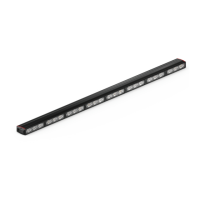
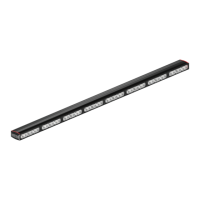
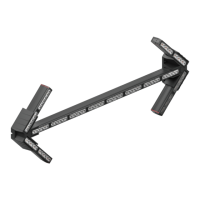
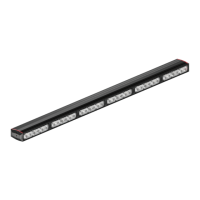
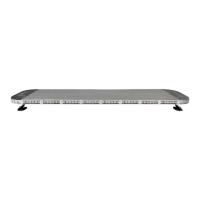
The Feniex Quad 200 Lightstick (Q-0220) is a versatile emergency lighting device designed for professional use, offering a range of features for effective signaling and visibility. This instruction manual provides comprehensive guidance on its installation, operation, and maintenance, ensuring safe and optimal performance.
The Quad 200 Lightstick serves as a primary warning light, capable of producing various flash patterns and color changes to alert others in emergency situations. It is designed to be integrated into vehicle systems, providing high-intensity illumination for enhanced safety. The device operates on a 10-18 Volts DC power supply, making it suitable for a wide range of vehicles.
The Quad 200 Lightstick offers intuitive control over its lighting functions through a simple wiring diagram. Each wire corresponds to a specific mode or action:
To change the lightstick's color, connect the green sync wire to a 12V+ positive source for 3 seconds. The light(s) will turn steady blue, indicating it's in color-setting mode. To cycle through available colors, momentarily tap the green wire to 12V+ positive.
The Quad 200 Lightstick comes with 14 distinct flash patterns, providing flexibility for various emergency scenarios. These patterns are:
For multiple Quad products to operate in a synchronized manner, connect the blue sync wire(s) of all desired units. To reset the flash pattern to "single-slow," hold the blue sync wire to 12V- ground for 3 seconds. To cycle through the available flash patterns, momentarily tap the blue wire to 12V- ground.
To set up alternating flash patterns between multiple Quad products (leader/follower configuration), connect the blue sync wire(s) of the units. Hold the blue sync wire to 12V- ground for 3 seconds. The light(s) will turn a steady blue for leaders and red for followers, indicating their assigned roles in the alternating sequence.
Proper installation is crucial for the safe and effective operation of the Quad 200 Lightstick. It requires a good understanding of automotive systems, electronics, and procedures. Before drilling any holes for installation, ensure that no vital components of the vehicle are at risk of damage. Always check all sides of the mounting surface.
The product should never be installed in a way that interferes with the deployment of airbags, as this could compromise airbag effectiveness and lead to serious personal injury. The installer assumes full responsibility for proper installation.
Before mounting the unit, clean the mounting surface thoroughly, especially if using tape, brackets, magnets, Velcro, or suction cups. The product's ground wire must be connected directly to the Negative (-) battery post for effective use and to ensure a long lifespan and productivity. Adhering to all wiring guidelines is essential to prevent damage to the product.
Feniex Industries provides comprehensive support and warranty for its products. The Quad 200 Lightstick is covered by a 5-year warranty from the manufacturing date. Other Feniex products, such as speakers, sirens, rocker panels, AM600 Beacons, Torch Lights, Al lightbars, Al Cubes, AM900 Work Lights, and controllers, carry a 2-year warranty.
If a warranty issue arises, customers should contact Feniex customer support at 1.800.615.8350 or visit www.Feniex.com. Before returning any product for repair or replacement, a Return Merchandise Authorization (RMA) number must be obtained from customer support. Products should not be sent in without first contacting support.
Feniex Industries' operational times for customer support are Monday through Friday, 10 a.m. to 5 p.m. Central Time.
Feniex Industries continues to provide service for all products even after their warranty has expired. For any issues, customers can contact the customer support line. In some cases, it may be necessary to ship the product to Feniex headquarters, freight prepaid and insured against loss or damage.
Using non-factory screws and mounting brackets may void the warranty coverage for the device. Always use Feniex-approved components for installation to maintain warranty validity.
This instruction manual and the Feniex products described within are protected by copyright. Feniex Industries and its licensors hold exclusive rights, including the right to copy, reproduce, distribute, and create derivative works. Unauthorized copying, reproduction, distribution, merging, modification, transmission, transcription, storage in a retrieval system, or translation into any language or computer language, in any form or by any means, is prohibited without prior written permission from Feniex Industries, Inc. Feniex and its stylized logo are registered trademarks in the U.S. Patent & Trademark Office.
 General
| Voltage | 12VDC |
|---|---|
| IP Rating | IP67 |
| Warranty | 5 years |
| LED Color Options | Red, Blue, Amber, White, Green |
| Current Draw | 5 Amps |
| Material | Aluminum |
| Mounting Options | Surface mount |
| Operating Temperature | -40°F to +149°F |


 To Next Page