ReadyPay Quickstart Guide
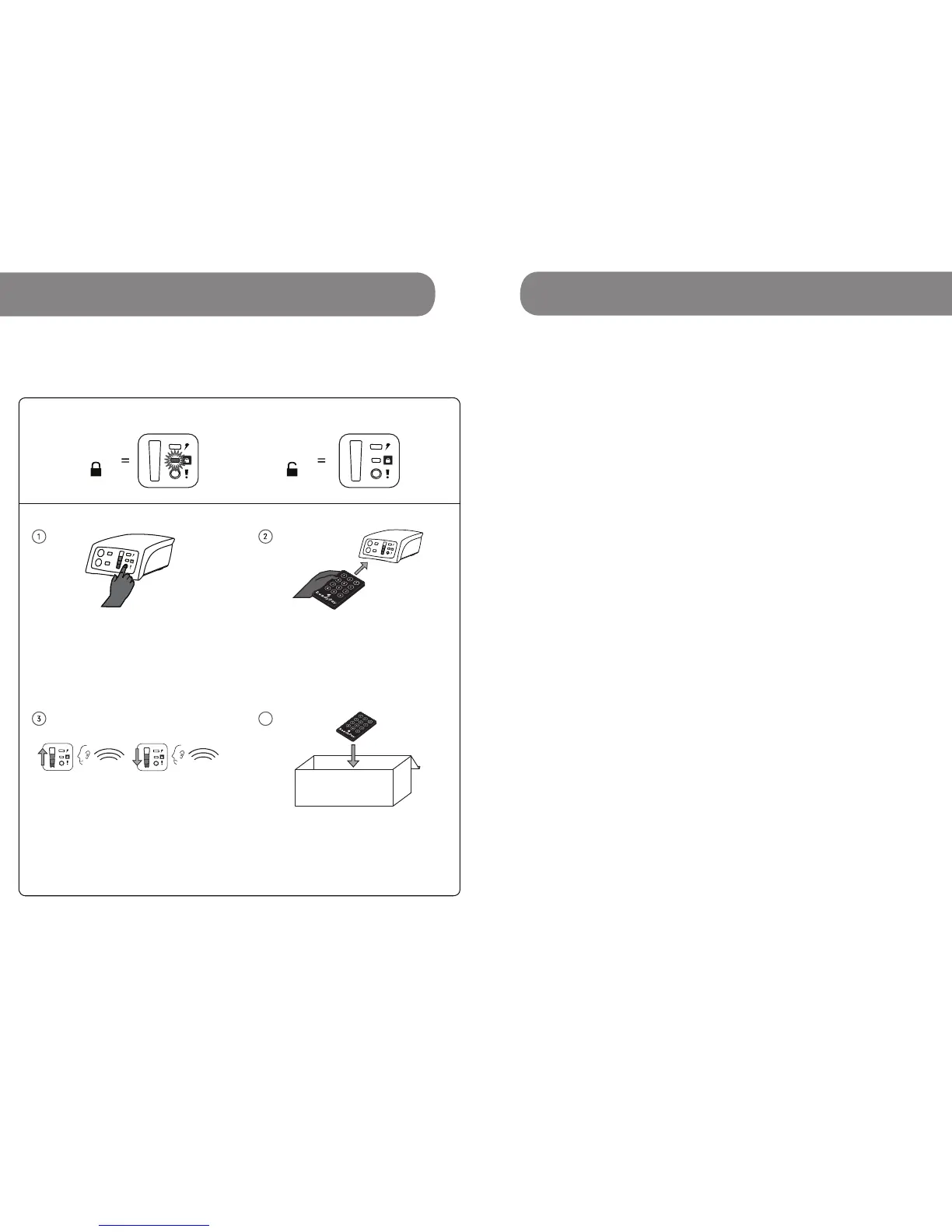
ReadyPay Modes
Locked
Unlocked
Safely store the remote.
Accessories
4
Incorrect CodeCorrect Code
Once you have entered the num-
bers correctly, the ReadyPay will
make the ’happy code’ sound. The
lights will ash from the bottom to
the top showing that you have
entered a correct code.
With your remote directly pointed
towards the Power System, press *
followed by the 8 digit ReadyPay
code (from SMS), then #.
For example: *12345678#
Press the power button.
Page
1 Quick Start Guide i
2 Kit Contents 2
2.1 Location of Contents in Box 4
3 Usage Instructions
3.1 ReadyPay Power System 5
3.2 Charging Connections
3.2.1 Using Banana Pins to Charge 8
3.2.2 Using Bare Wires to Charge 10
3.2.3 Multiple Charging Connections 12
3.3 Charging with a Solar Panel 14
3.4 Charging from Grid 16
3.5 Lightbar, Wire & Car Lighter Plug 18
3.6 Big Pin USB Cable 20
3.7 USB Cable 22
3.8 3:1 Switch Hub 24
4 ReadyPay Payments & Codes 26
5 ReadyPay Power System Uses 29
6 Technical Specications 30
7 Common Issues 38
8 Call Customer Service When 42
9 Healthy Power System Tips 44
10 Frequently Asked Questions 46
11 Warranty, Service & Support 51
1
Table of Contents
iii
1 Quick Start Guide



 To Next Page