8
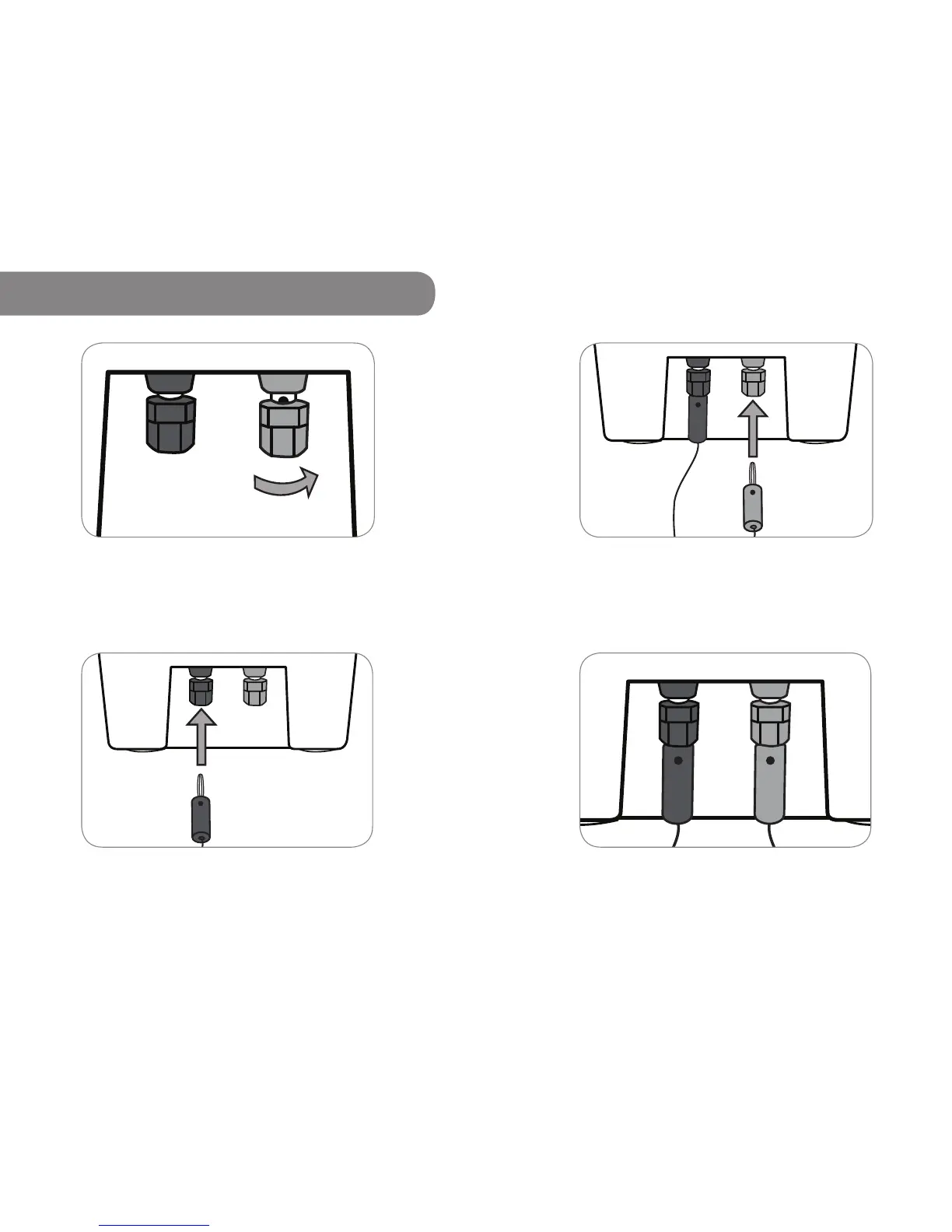
Step 3 Push the red Banana Pin from the Grid Charger or
Solar Panel into the bottom of the red bind terminal.
Note Be sure to connect red to red.
Step 4 This is a good connection.
9
3.2.1 Using Banana Pins to Charge
Step 1 Twist each terminal closed.
Step 2 Push the black Banana Pin from the Grid Charger or
Solar Panel into the bottom of the black bind terminal.
Note Be sure to connect black to black.



 To Next Page