34 DUOX PLUS WIFI VEO XS MONITOR
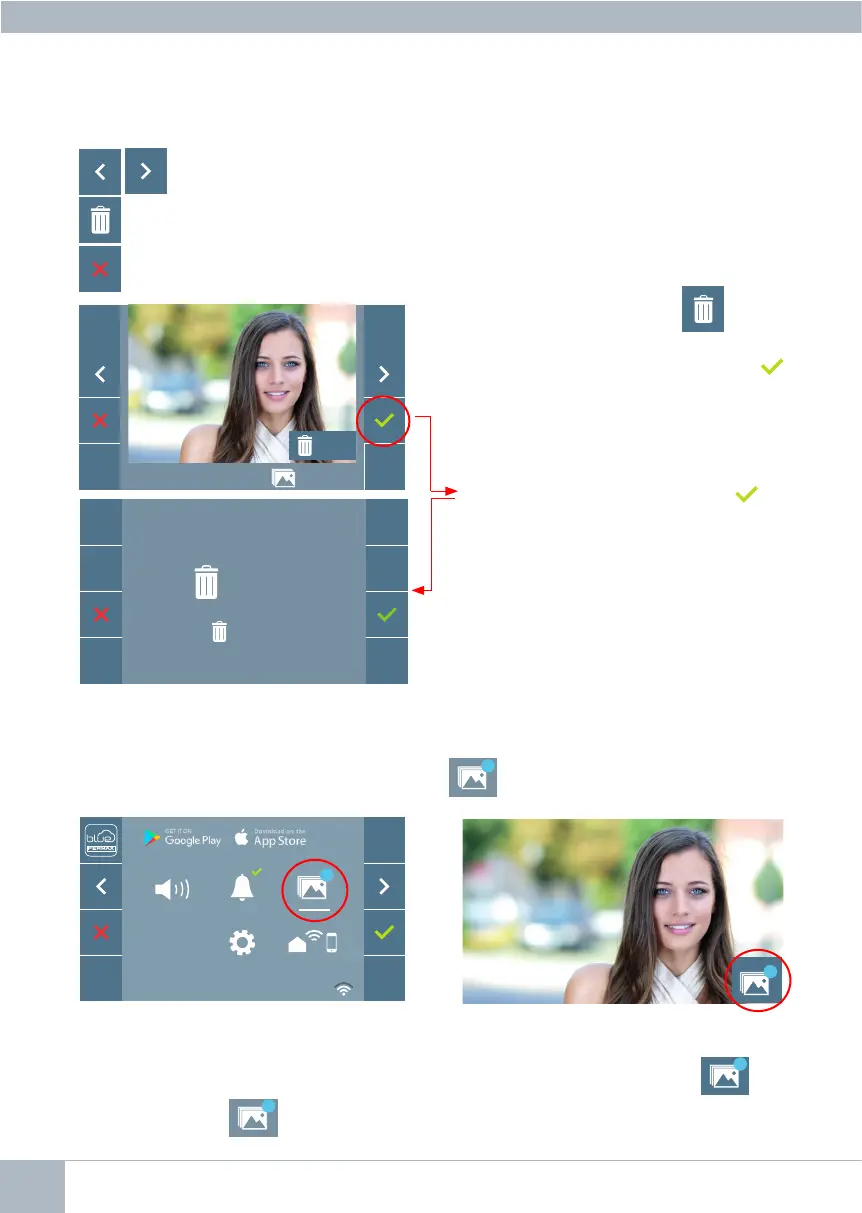
If you press the Erase option you will
betakentothedeleteconrmationscreen,
andbypressingtheconrmationicon
the selected picture will be deleted. The
user can navigate through the saved pho-
tos,evenwhentheconrmationwindowis
active.
Ifthereareimagecapturesthathavenotbeendisplayedbytheuser,noticationswillappear
on the user menu icon and on the video screen.
The image display icon changes, showing
a blue circle with the number of images
that may be displayed (maximum 99). The
circle will deduct the number of images dis-
played by the user.
When a call is made, you will be informed
that there are unviewed photos, although
howmanywillnotbespecied.
A contextual menu will appear:
: To select/view the photos stored.
: To clear images.
: To cancel and go to the previous screen.
10/04/2019 09:28 130 / 149
OK?
7
7
!
!
Note: If you press the conrm icon for
5 seconds, all images can be deleted upon
conrmation.
OK ?
1...149
F2
7














 To Next Page