Pag 5
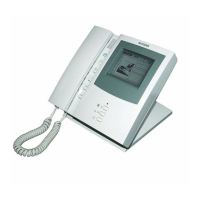
NOTE 1: The Guard Unit, when powering the MDS installation of
which it is part, needs time to initialise correctly and for the MDS
Central Unit to detect and confi gure it as a Guard Unit.
NOTE 2: The Guard Unit has a number assigned, which must
correspond to the number of the MDS switcher where it is phy-
sically connected. (0..9). To change this number, which is 0 by
default, keep the # key pressed until a question mark appears
on the display. Enter the number of the desired Guard Unit, to
which the system will respond with OK. Once the Guard Unit
number has been changed, the system must be rebooted so that
the MDS Central Unit can recognise it.
IMPORTANT NOTES ABOUT STARTUP
WARNING:
After calling the Guard Unit, the call beeps are heard in the guard
unit's phone receiver.
Given that these beeps are fairly loud, we don't recommend
putting the receiver to your ear before pressing the answer call
button.








 To Next Page