Pag 43
Communicate with PANELS
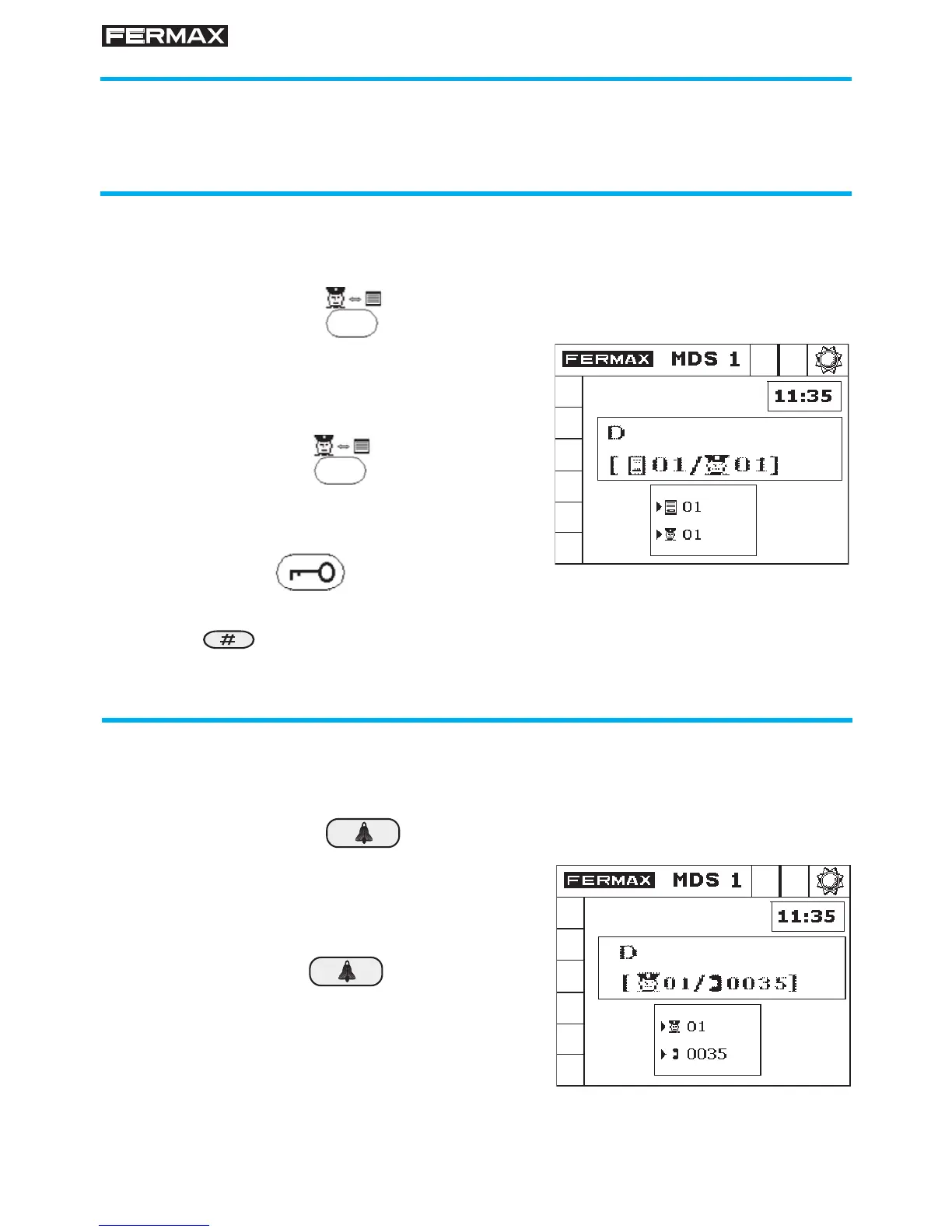
If the Concierge wants to set up communication with any panel, without
being called beforehand, he/she must key in:
Example: To communicate with panel 1 in
block 2, press:
To open the door, press:
Communicate with Panels and Telephones
If the Guard Unit is in DAY or MIXED mode, the Concierge can communicate
with any Panel or Telephone in the installation at will.
BBPP +
2 0 1 +
Communicate withTELEPHONES or MONITORS
To to set up communication with a Telephone or Monitor, with no previous
call, they must key in:
Example: To call Telephone 35, press:
3 5 +
NNNN +
To end communciation with the panel, press the Hash button.








 To Next Page