5
GUIA RAP INST PLACA KIN
BASIC PROGRAMMING FROM A PC
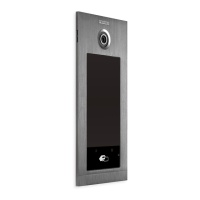
• Panel programming is done exclusively by means of a
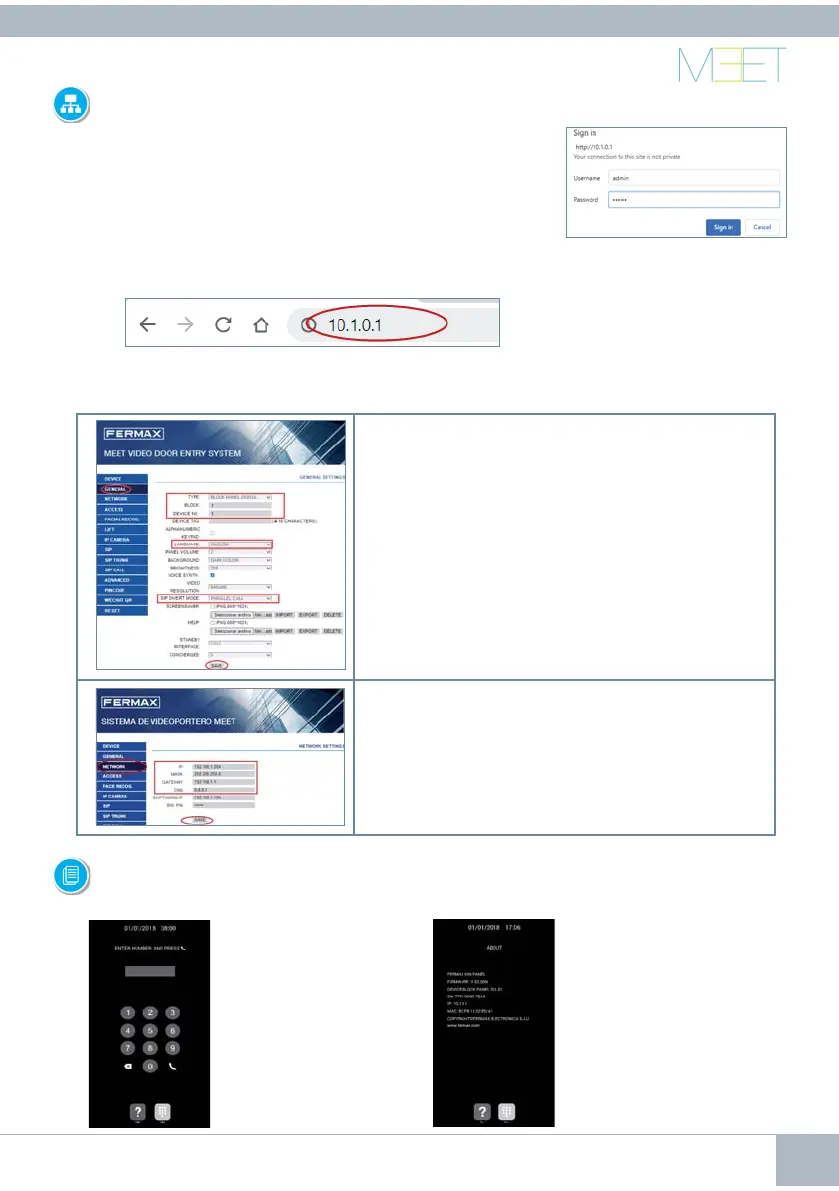
PC connected to the same LAN, through of a web browser
(Chrome preferably), accessing the IP of the panel.
• Default IP is: 10.1.0.1.
• The PC must have an IP of the same range as the IP of the
panel.
Example: In the case that the IP of the panel is 10.1.0.1, the IP of
the PC have to be of type 10.X.X.X with a subnet mask 255.0.0.0
To login, identify yourself with
the username and password.
Default value:
• Username: admin
• Password: 123456
• Assign, as a minimum, the parameters indicated in the following table.
• It is necessary to carry out a previous planning of the installation, to defi ne the parameters
to assign to each device.
GENERAL
• Panel type: GENERAL, BLOCK or 1W PANEL
• Panel number: 1-999
• Device number (panels in the same block):1-99
• Language: Choose from the 10 available
languages.
• SIP divert mode: PARALLEL CALL
Confi rm with SAVE
NETWORK
Indicate the network parameters assigned to this panel:
• Panel IP address
• Subnet mask
• Gateway
• DNS
Confi rm with SAVE
ON-SCREEN INFORMATION
2. The screen will display
information about panel
settings:
• Firmware version
• GENERAL settings
• Serial number
• IP address
• MAC
1. Dial 9999, followed
by the telephone icon
It is possible to get basic information on the equipment confi guration through the screen.









 To Next Page