
 Need help?
Do you have a question about the Fermax MEET MIO Series and is the answer not in the manual?
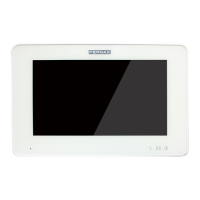
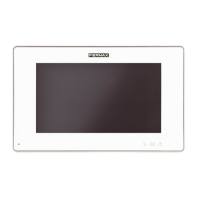
The FERMAX MEET range of monitors, including MIO and WIT models, are advanced video door entry systems designed for modern residential and commercial installations. These monitors offer a comprehensive suite of features for communication, security, and home automation, integrating seamlessly into a networked environment.
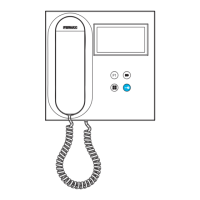
At its core, the MEET monitor serves as the central indoor terminal for a video door entry system. It enables two-way audio and video communication with outdoor panels, allowing users to see and speak with visitors before granting access. Beyond basic communication, the monitor supports intercom functionality for communication between different units within the same installation, such as between apartments or with a concierge.
A key feature is its integrated alarm system. The monitor can be configured with up to seven wired alarm sensors (Z1-Z7) and an internal tamper sensor (Z8). These sensors can be set to different types (instant, delay, or panic) and modes (home, sleep, or out) to suit various security needs. The system supports normally open (NO) and normally closed (NC) sensors, as well as a 3C option for sabotage detection, which monitors the integrity of the sensor loop. When an alarm is triggered, the monitor can activate an auxiliary 12Vdc output (S) for two minutes, which can be used to connect a siren or other signaling device. The alarm settings are highly customizable, allowing users to define sensor types (smoke, gas, motion, door, window, panic, tamper, SOS) and delay times for specific zones.
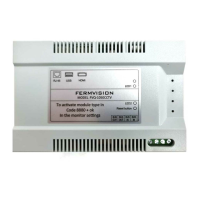
The MEET monitor also offers extensive home automation capabilities through its actuator control function. By connecting to a FERMAX MEET Relay Module (Ref. 1616), the monitor can control up to eight relays (R1-R8), enabling the activation of various devices such as stair lights, watering systems, or heaters. These actuators can be named and configured with specific activation times, providing convenient control over home functions directly from the monitor interface.
For enhanced security and convenience, the monitor supports integration with IP cameras. Users can designate up to eight IP cameras accessible on the network, allowing them to view live feeds from different areas like a tennis court or main entrance. These cameras can also be associated with relays for additional control, such as opening a door when a specific camera is viewed. A doorbell camera function can link a specific camera to the doorbell input, illuminating the camera feed when the doorbell rings.
The MEET monitor is designed to be part of a larger SIP-based system, allowing it to function as a terminal in installations with a SIP server. This enables advanced communication features, including call forwarding to other MEET monitors, SIP devices, or even mobile phones via the MEET-ME APP. The call forwarding options are flexible, supporting different URL formats for various diversion scenarios. The monitor also includes an auto-answer feature for incoming calls and supports DTMF unlock for door openers in SIP panel installations.
The monitor features a user-friendly touch screen interface for local programming and daily operation. Users can access various functions directly from the main menu, including concierge calls, auto-on for camera viewing, intercom, call log, alarm management, scene control, and actuator activation. The interface allows for easy navigation and control of the system's diverse functionalities.
Installer access is secured by a PIN, allowing technicians to configure basic parameters such as block and apartment identification, IP address, and network settings. This local programming capability ensures that the monitor can be quickly set up and integrated into the building's infrastructure without immediate reliance on a PC.
The monitor's functions can be enabled or disabled by the installer, allowing for customization of the user experience. This means specific features like intercom, auto-on, message reception, picture capture, authorization, or upstairs/downstairs controls can be tailored to the needs of the residents. Disabled functions will still show their icons but will be blocked from use, with a "FUNCTION DISABLED" message appearing.
Third-party applications (APPs) can be installed and enabled on the monitor, expanding its capabilities. The system allows for the selection of up to three applications to be displayed on the main menu, offering flexibility for integrating additional smart home or security features.
The FERMAX MEET monitor incorporates several features to facilitate maintenance and ensure long-term reliability. Firmware updates can be performed to incorporate improvements or corrections, ensuring the system remains up-to-date with the latest functionalities and security patches. These updates are typically communicated by FERMAX's Technical Department and are performed using a dedicated upgrading tool.
The system allows for remote programming and configuration via a web browser, providing a convenient way for installers to manage and troubleshoot monitors without physical access. This is particularly useful for large installations where multiple monitors need to be configured or adjusted. The web interface provides access to all programming sections, including device information, general settings, network configuration, IP camera settings, SIP parameters, advanced call forwarding, actuator control, and PIN code management.
For security, the installer PIN can be changed through both the local monitor interface and the web browser. While the local interface requires a 4-digit numeric PIN, the web browser allows for longer alphanumeric passwords, offering greater security. It is crucial to keep a record of the PIN, as losing it would necessitate contacting FERMAX's Technical Department and would result in the loss of all monitor programming.
The monitor also includes a restore function, allowing for either a full factory reset or a device reboot. A factory reset will revert all settings to their default values, including network parameters, block/apartment IDs, and installer password. A device reboot, on the other hand, will restart the monitor while retaining all previously programmed parameters. These functions are valuable for troubleshooting or reconfiguring the device as needed.
The system is designed to provide clear indications of network failures and alarm modes, helping users and installers quickly identify and address issues. The "LOOP DETECT" feature in the alarm settings actively monitors sensor loops for sabotage (shorting or cutting), providing a warning message on the screen if an incident occurs and preventing mode changes until the issue is resolved. This proactive monitoring helps prevent false alarms and enhances overall security.
The MEET monitor's robust design and comprehensive feature set make it a versatile and reliable solution for modern video door entry and home automation needs, with extensive options for customization and maintenance.
 General
| Touchscreen | Yes |
|---|---|
| Communication Protocol | TCP/IP |
| Connectivity | Ethernet |
| Door Release | Yes |
| Hands-free | Yes |
| Call Divert | Yes |
| Power Supply | 12V DC |







 To Next Page