23
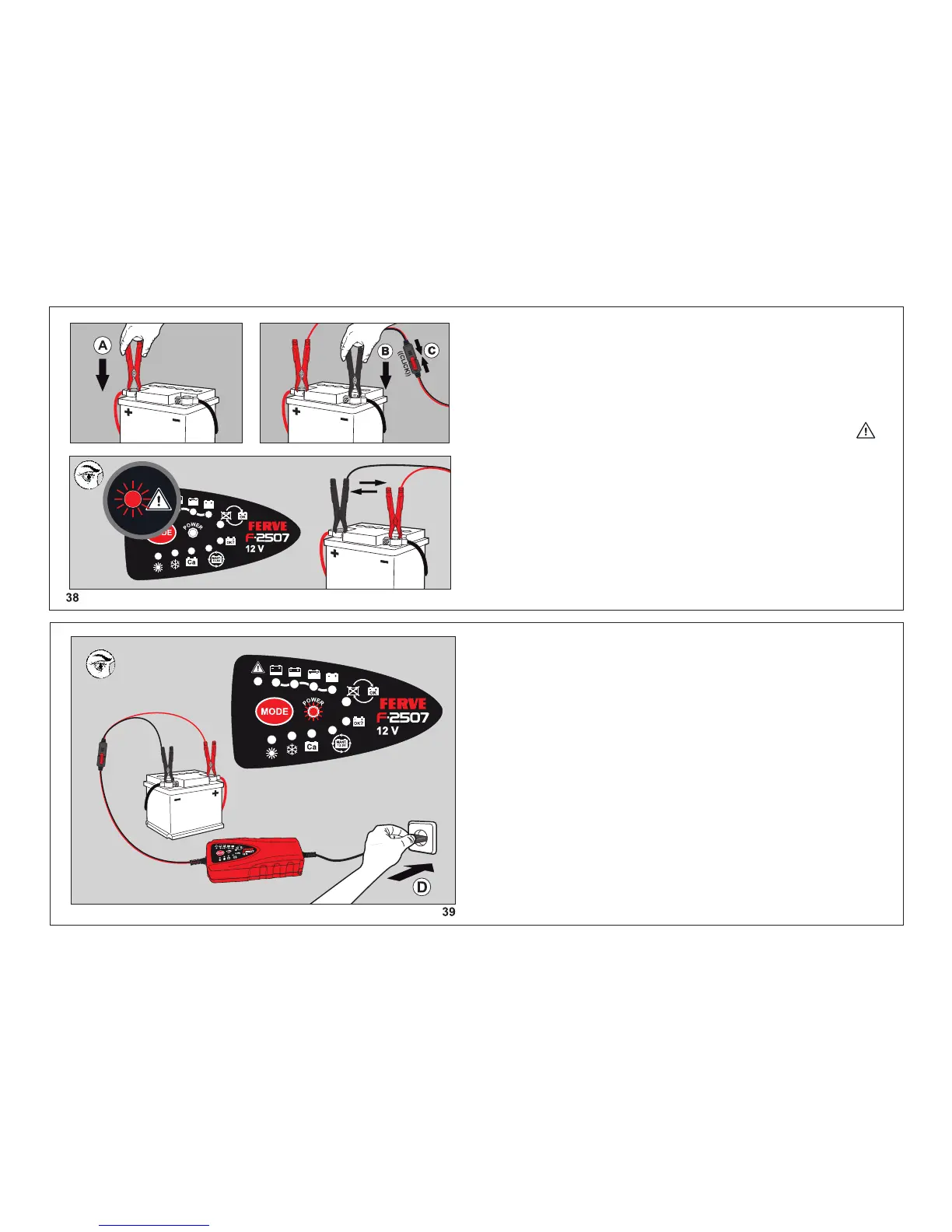
Connect the FERVE F-2507 charger to a mains supply
(D). The LED POWER turns on and the charging
process begins. If the LED POWER is permanently
on, the battery is faulty or sulphated.
Connect the clamps to the battery in the following
order: first the red clamp to the positive terminal + (A)
and then the black clamp to the negative terminal - (B).
Finally, connect the clamps to the charger (C).
If the clamps are reversed, the LED warning light
will turn on. Before continuing the charging process,
switch the position of the clamps.


 To Next Page